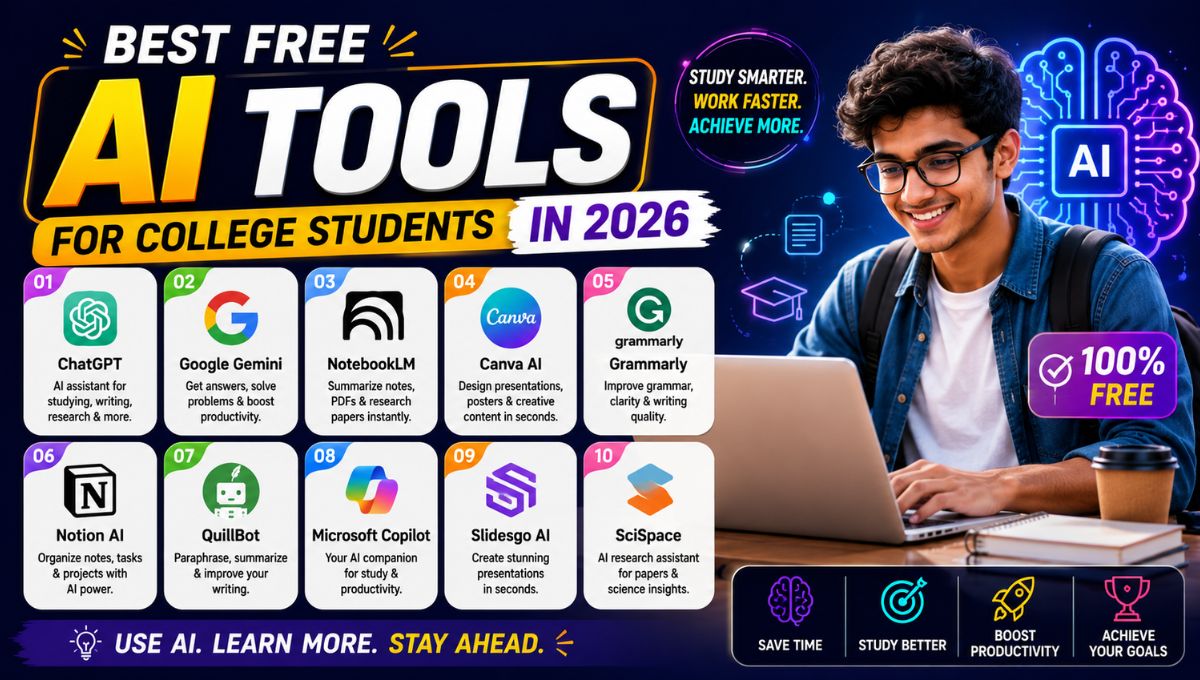
College life has changed dramatically in recent years. Students are expected to handle lectures, assignments, research papers, presentations, internships, online courses, group projects, and exam preparation simultaneously. Managing all these responsibilities can be stressful, especially when deadlines arrive together and study materials become overwhelming.
This is why free AI tools for college students have become incredibly valuable in 2026. Artificial intelligence can help students summarize long chapters, organize research notes, create presentations, improve grammar, transcribe lectures, solve mathematical problems, generate study plans, and manage daily productivity tasks more efficiently. Instead of spending hours on repetitive work, students can focus more on understanding concepts and improving academic performance.
The most important thing to remember is that AI tools should be used as learning assistants, not as shortcuts for avoiding study. When used responsibly, they can help students save time, stay organized, reduce stress, and improve the quality of their academic work.
This guide explores the best free AI tools for college students in 2026, explaining what each tool does, how it can help with studying, and which types of students will benefit the most from using it.
Why College Students Should Use AI Tools
AI tools are becoming popular among students because they solve common academic problems.
Save Time on Routine Tasks
Students often spend a significant amount of time formatting documents, creating outlines, organizing notes, and preparing presentation slides. AI can automate much of this work.
Improve Study Efficiency
AI-powered summarization tools can turn long textbook chapters into concise notes, making revision faster and easier.
Enhance Writing Quality
Grammar checkers and writing assistants help students improve clarity, structure, and readability in essays and reports.
Support Different Learning Styles
Some students learn better through visual explanations, others through summaries, flashcards, or interactive problem-solving. AI tools can provide multiple formats for the same content.
Reduce Academic Stress
Better organization and faster access to information can make it easier to manage coursework and deadlines.
Quick Comparison of the Best Free AI Tools
| Tool | Best For | Free Plan |
|---|---|---|
| ChatGPT | Writing, brainstorming, study help | Yes |
| Google Gemini | Research and summarization | Yes |
| Grammarly | Grammar and writing improvement | Yes |
| Canva | Presentations and visual projects | Yes |
| Notion AI | Notes and task organization | Limited free usage |
| Microsoft Copilot | Office productivity | Limited free access |
| QuillBot | Paraphrasing and rewriting | Yes |
| Otter.ai | Lecture transcription | Limited free plan |
| Wolfram Alpha | Math and science problem solving | Yes |
| Perplexity AI | Research with source-based answers | Yes |
ChatGPT — Best Overall Study Assistant
ChatGPT is one of the most versatile AI tools available for students. It can help with writing, explaining concepts, generating study questions, and organizing academic work.
Useful for
- Essay outlines
- Assignment brainstorming
- Simplifying difficult concepts
- Creating practice quizzes
- Generating study schedules
- Explaining technical topics in simple language
Example Prompt
“Explain the French Revolution in simple terms for a first-year history student.”
ChatGPT can provide a clear, beginner-friendly explanation that is often easier to understand than a dense textbook paragraph.
Best For
- Humanities students
- Business students
- Computer science beginners
- General academic support
Google Gemini — Best for Research and Summaries
Gemini is particularly strong for research-related tasks because it integrates well with Google’s ecosystem.
What It Helps With
- Summarizing long articles
- Creating research outlines
- Generating discussion points
- Comparing theories or concepts
- Drafting presentation content
- Organizing information from multiple sources
Practical Use
If you have a 20-page research article to read before class, Gemini can help identify the main arguments, key findings, and important terms much more quickly.
Best For
- Research projects
- Literature reviews
- Seminar preparation
- Group discussions
Grammarly — Best for Academic Writing
Even strong students make grammar, punctuation, and clarity mistakes when writing quickly. Grammarly’s free version is extremely useful for improving academic writing quality.
Free Features
- Grammar correction
- Spelling checks
- Punctuation suggestions
- Sentence clarity improvements
- Tone detection
Why Students Love It
It works directly in:
- Google Docs
- Microsoft Word
- Web browsers
- Email platforms
Best For
- Essays
- Lab reports
- Scholarship applications
- Internship emails
- Research paper drafts
Canva — Best for Presentations and Projects
College presentations often require both good content and attractive design. Canva makes it possible to create professional-looking slides without design experience.
Free Features
- Presentation templates
- Infographics
- Posters
- Charts and diagrams
- Collaboration tools
- PPT export support
Ideal Uses
- Seminar presentations
- Group project slides
- Research posters
- Event promotions
- Portfolio presentations
Best For
- Engineering presentations
- Business project pitches
- Science exhibition posters
- Student club activities
Notion AI — Best for Organizing College Life
Notion combines note-taking, task management, databases, and AI assistance in one workspace.
How Students Use It
- Class notes
- Assignment trackers
- Exam preparation plans
- Reading lists
- Internship application tracking
- Group project coordination
AI Features
- Summarizing notes
- Generating task lists
- Creating study outlines
- Organizing meeting notes
Best For
- Students with multiple courses
- Competitive exam preparation
- Long-term project management
Microsoft Copilot — Best for Office Assignments
Students who frequently use Word, Excel, PowerPoint, and Outlook can benefit from Microsoft Copilot’s AI-assisted productivity features.
Helpful Tasks
- Creating presentation drafts
- Summarizing Word documents
- Generating Excel formulas
- Organizing project data
- Drafting professional emails
Best For
- MBA students
- Engineering students
- Data analysis assignments
- Internship and placement preparation
QuillBot — Best for Paraphrasing and Rewriting
QuillBot is especially useful when students need to rewrite sentences in their own words after understanding a source.
Important Note
Use QuillBot to improve clarity and avoid awkward phrasing, not to copy academic content dishonestly.
Useful Features
- Paraphrasing
- Grammar checking
- Sentence restructuring
- Summarization
- Citation assistance
Best For
- Research paper drafting
- Literature reviews
- Assignment editing
- Improving writing flow
Otter.ai — Best for Lecture Transcription
Taking notes during fast-paced lectures can be difficult. Otter.ai can automatically convert spoken lectures into searchable text.
Free Plan Features
- Real-time transcription
- Meeting and lecture recording
- Searchable transcripts
- Speaker identification (limited)
Best For
- Online classes
- Guest lectures
- Group discussions
- Revision from recorded sessions
Students can focus on understanding the lecture instead of trying to write every sentence.
Wolfram Alpha — Best for Math and Science
Wolfram Alpha is extremely valuable for students studying mathematics, physics, engineering, statistics, and other quantitative subjects.
It Can Help With
- Algebra
- Calculus
- Differential equations
- Statistics
- Physics formulas
- Graph plotting
- Unit conversions
Example
A calculus student can enter an equation and receive step-by-step explanations rather than just the final answer.
Best For
- Engineering students
- Mathematics majors
- Physics students
- Data science learners
Perplexity AI — Best for Source-Based Research
Perplexity AI is useful when students need research-oriented answers with references rather than conversational explanations alone.
Advantages
- Provides cited sources
- Summarizes web information
- Helps compare viewpoints
- Useful for academic exploration
- Faster than manual web searching
Best For
- Research assignments
- Current affairs projects
- Literature reviews
- Debate preparation
Best AI Tool by Student Need
| Need | Recommended Tool |
| Writing essays | Grammarly + ChatGPT |
| Researching topics | Gemini + Perplexity |
| Making presentations | Canva |
| Organizing studies | Notion AI |
| Solving math problems | Wolfram Alpha |
| Recording lectures | Otter.ai |
| Rewriting sentences | QuillBot |
A Complete Free AI Study Workflow
Here is a practical workflow that many students can use every day.
Step 1: Research
Use Perplexity AI or Gemini to gather information and understand the topic.
Step 2: Create Notes
Use ChatGPT to simplify complex concepts and generate concise study notes.
Step 3: Organize Tasks
Store notes, deadlines, and revision plans in Notion.
Step 4: Prepare Assignments
Write your draft manually, then improve grammar and clarity with Grammarly.
Step 5: Create Presentations
Use Canva to design professional slides quickly.
This entire workflow can be completed using mostly free tools.
How AI Can Help During Exams
Create Practice Questions
Ask ChatGPT:
“Generate 20 multiple-choice questions on cellular respiration for a biology exam.”
Summarize Chapters
Use Gemini to turn long chapters into 1-page revision summaries.
Build Flashcards
Use Notion or Canva to create quick visual flashcards from AI-generated summaries.
Solve Doubts Quickly
Use Wolfram Alpha for mathematical and scientific problem-solving explanations.
Responsible Use of AI in College
AI tools are most effective when used ethically.
Good Uses
- Understanding concepts
- Improving grammar
- Organizing notes
- Generating study questions
- Creating revision summaries
- Brainstorming ideas
Avoid
- Submitting AI-generated assignments without understanding them
- Copying research content directly
- Using AI to cheat during exams
- Relying on AI without verifying facts
Remember: AI should support learning, not replace it.
Tips for Better Results
Give Specific Prompts
Instead of:
“Explain economics.”
Use:
“Explain the difference between microeconomics and macroeconomics for a first-year commerce student with simple examples.”
Specific prompts produce more accurate and useful responses.
Ask for Step-by-Step Explanations
For technical subjects, request:
- Definitions
- Examples
- Diagrams or descriptions
- Practice questions
- Common mistakes
Combine Multiple Tools
The best results often come from using 2–3 tools together rather than relying on a single AI application for everything.
Long-Tail Keywords Naturally Covered
This article also addresses related search terms such as:
- best free AI tools for students 2026
- AI study tools for college students
- free AI apps for university students
- AI tools for assignments and notes
- best AI productivity tools for students
These related phrases improve topical relevance while keeping the content natural and readable.
Internal Linking Opportunities
If this article is published on an AI tools blog, these would make strong internal links:
- best free AI tools for PPT presentations
- AI tools for task automation
- what is an AI agent for beginners
These related topics help students explore broader AI productivity and learning strategies.
Common Mistakes Students Make with AI
Using AI Without Understanding the Output
Always read and verify AI-generated explanations before using them in assignments or exams.
Over-Relying on Summaries
Summaries are useful for revision, but important topics should still be studied from original lecture notes and textbooks.
Ignoring Source Verification
AI can occasionally provide outdated or inaccurate information. Cross-check important academic facts with reliable sources.
Using Too Many Tools
Start with 3–4 core tools and build a consistent study workflow instead of constantly switching between dozens of AI apps.
A Recommended Free AI Toolkit for Most College Students
If I had to choose only five free AI tools for a typical college student in 2026, I would recommend:
| Tool | Why |
| ChatGPT | Best overall academic assistant |
| Grammarly | Essential for writing quality |
| Canva | Best for presentations and projects |
| Notion AI | Best for organization and planning |
| Wolfram Alpha | Best for math and science subjects |
Together, these five tools cover writing, studying, organization, presentations, and technical problem-solving, which are the areas where most students need the most help.
Conclusion
The best free AI tools for college students in 2026 are those that help students learn more effectively, stay organized, and reduce time spent on repetitive tasks. Tools such as ChatGPT, Google Gemini, Grammarly, Canva, Notion AI, Wolfram Alpha, and Otter.ai can support nearly every aspect of college life, from research and writing to presentations, note-taking, and exam preparation.
The key to using AI successfully is balance. Students who use AI for brainstorming, summarization, organization, and skill improvement often gain significant productivity benefits while still developing their own understanding and critical thinking abilities. AI should be treated as a smart study partner that helps clarify concepts and manage workloads more efficiently.
For most students, starting with ChatGPT for learning support, Grammarly for writing, Canva for presentations, and Notion for organization provides an excellent foundation. These tools require little technical knowledge, offer useful free plans, and can immediately improve both academic productivity and overall college workflow.
As AI technology continues to evolve, students who learn how to use these tools responsibly and effectively will be better prepared not only for academic success but also for the increasingly AI-assisted workplaces they will enter after graduation.