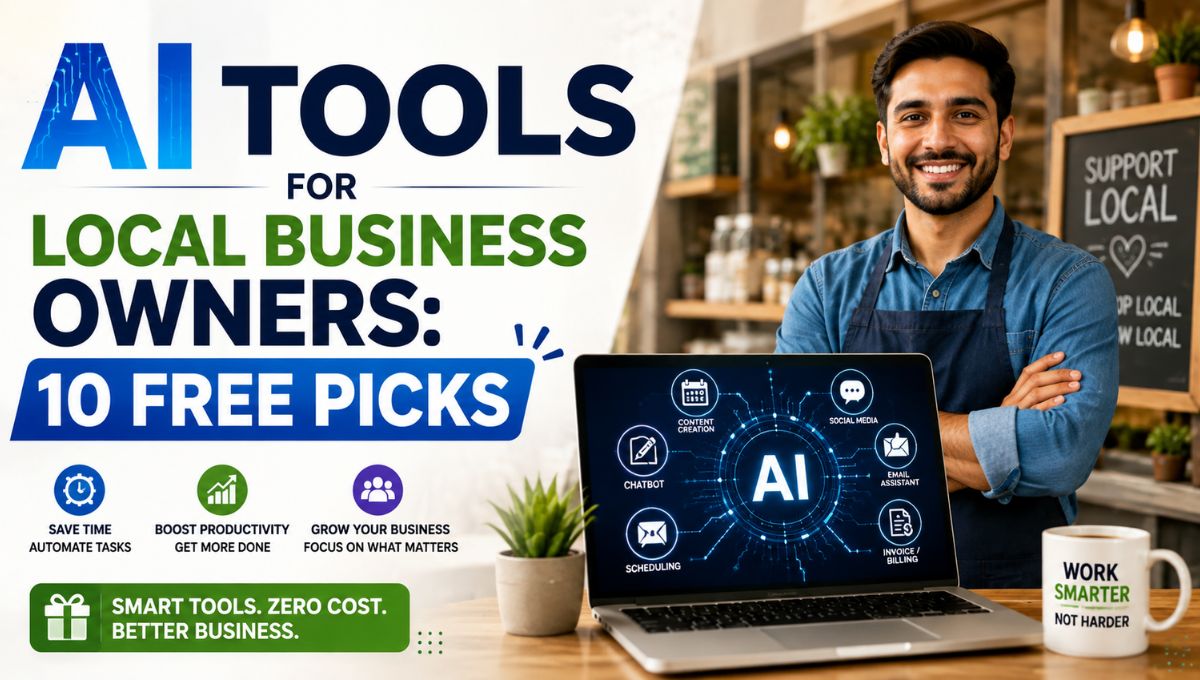
Running a local business means wearing multiple hats. One day you are replying to customer messages, the next you are creating social media posts, updating inventory, preparing invoices, or scheduling appointments. Hiring extra staff for every small task is often not realistic.
That is where AI tools for local business owners can make a real difference. Free AI-powered tools can help automate routine work, improve customer communication, create marketing content, and save several hours each week.
This guide focuses on tools that are easy to use, require little technical knowledge, and offer free plans that are genuinely useful for small local businesses such as restaurants, salons, repair shops, coaching centers, retail stores, clinics, and service providers.
Why Local Businesses Should Use AI
AI is not only for large corporations. Small businesses can benefit even more because owners usually have limited time and resources.
Common tasks AI can simplify
- Writing social media captions
- Designing promotional graphics
- Replying to customer inquiries
- Scheduling appointments
- Creating business presentations
- Managing notes and documents
- Generating marketing ideas
- Editing short promotional videos
Even automating one or two of these activities can free up time for serving customers and growing the business.
Quick Comparison: The 10 Free Picks
| Tool | Best For | Free Plan Available |
|---|---|---|
| ChatGPT | Content and customer communication | Yes |
| Canva | Posters, social media, flyers | Yes |
| Google Gemini | Research and business planning | Yes |
| CapCut | Short promotional videos | Yes |
| Microsoft Designer | Fast marketing graphics | Yes |
| Notion AI | Notes and task organization | Limited free usage |
| HubSpot Free CRM | Customer management | Yes |
| Trello | Team and task management | Yes |
| ElevenLabs | Voiceovers for ads and videos | Limited free usage |
| Google Business Profile Tools | Local visibility and customer updates | Yes |
1. ChatGPT — Best for Content and Customer Communication
ChatGPT is one of the most useful free AI tools for small business owners because it can help with everyday communication and marketing tasks.
What it can do
- Write Facebook and Instagram captions
- Draft WhatsApp replies for customers
- Create promotional SMS messages
- Write product descriptions
- Generate blog or website content
- Prepare FAQs for your business
Example use case
A salon owner can ask:
“Write a friendly WhatsApp message announcing a weekend discount on hair spa services.”
Instead of spending 20 minutes writing and editing, the owner gets a ready-to-customize draft in seconds.
Best for
- Salons
- Restaurants
- Local retailers
- Coaching centers
- Service-based businesses
2. Canva — Best for Social Media and Promotional Design
Canva remains the easiest design tool for non-designers. Its free version includes thousands of templates for local business marketing.
Useful features
- Instagram and Facebook post templates
- Flyers and posters
- Business cards
- Menu designs
- Price lists
- Event banners
- Presentation templates
Local business example
A restaurant can create:
- Daily special posters
- Festival offers
- Home delivery announcements
- Customer review graphics
Canva’s AI-assisted design suggestions make it possible to create professional-looking visuals without graphic design experience.
3. Google Gemini — Best for Business Planning and Research
Google Gemini is particularly useful for brainstorming and organizing business ideas.
Practical uses
- Creating marketing campaign ideas
- Writing business proposals
- Planning seasonal promotions
- Summarizing customer feedback
- Generating email drafts
- Creating training materials for staff
Example prompt
“Give me 10 low-cost marketing ideas for a neighborhood grocery store during the festival season.”
Gemini can quickly provide structured ideas that would otherwise require significant research time.
4. CapCut — Best for Short Promotional Videos
Short-form video is one of the most effective ways for local businesses to reach nearby customers on Instagram Reels, YouTube Shorts, and Facebook.
Free AI-powered features
- Automatic captions
- Background removal
- Video templates
- Auto-cut editing
- Text animations
- Music synchronization
What local businesses can create
- Before-and-after transformation videos
- Customer testimonials
- Product showcase reels
- Quick service demonstrations
- Festival or weekend offer videos
A 15-second reel made with CapCut can often attract more local attention than a static poster.
5. Microsoft Designer — Best for Quick Marketing Graphics
Microsoft Designer uses AI to generate attractive promotional visuals from simple text prompts.
Ideal for
- Sale announcements
- Event promotions
- Social media ads
- Service highlight graphics
- Seasonal offers
Why it stands out
It is faster than traditional design software for creating simple promotional materials when you need something quickly and do not want to start from a blank canvas.
6. Notion AI — Best for Organizing Business Operations
Many local businesses struggle with scattered notes, customer requests, supplier information, and task tracking.
How Notion AI helps
- Store customer follow-up notes
- Create daily task lists
- Organize supplier contacts
- Maintain inventory reminders
- Draft standard operating procedures
- Summarize meeting notes
Example
A coaching center can maintain:
- Student inquiry records
- Fee follow-up lists
- Batch schedules
- Staff responsibilities
- Marketing content calendar
Keeping everything in one organized workspace reduces missed follow-ups and improves daily operations.
7. HubSpot Free CRM — Best for Managing Customers
Even small local businesses benefit from tracking customer interactions.
Free CRM features
- Contact management
- Deal tracking
- Email logging
- Customer interaction history
- Basic sales pipeline management
Useful for
- Real estate agents
- Repair services
- Clinics
- Consultants
- Home service providers
- Educational institutes
Instead of relying on memory or scattered WhatsApp chats, you can keep a structured record of customer inquiries and follow-ups.
8. Trello — Best for Task and Team Management
If you have even a small team, Trello can help organize daily work.
Common local business boards
- Orders to complete
- Deliveries scheduled
- Customer follow-ups
- Social media content
- Inventory restocking
- Staff assignments
Example workflow
A bakery could create columns such as:
- New orders
- In preparation
- Ready for delivery
- Delivered
This simple visual system improves coordination without expensive software.
9. ElevenLabs — Best for Voiceovers and Audio Promotions
Audio content is becoming increasingly useful for local marketing.
Free plan uses
- Voiceovers for Instagram Reels
- YouTube Shorts narration
- Promotional audio messages
- Product explanation videos
- Training audio for staff
Example
A fitness trainer can create a professional-sounding voiceover for a 30-second promotional video without recording studio equipment.
10. Google Business Profile Tools — Best for Local Visibility
While not a traditional AI app, Google Business Profile includes smart tools that help local businesses stay visible in local search results and Google Maps.
Important free features
- Business updates and posts
- Customer review management
- Photo uploads
- Messaging options
- Performance insights
- FAQ management
Why it matters
For many local businesses, appearing in “near me” searches is more valuable than having a complex website. Regular updates and review responses can improve customer trust and engagement.
Which Tool Should You Start With?
If you have only 30 minutes today
Start with Canva and Google Business Profile.
These two tools can immediately improve:
- Your social media presence
- Local search visibility
- Promotional communication
- Customer engagement
If you want to save the most time
Start with ChatGPT because it can assist with:
- Customer replies
- Marketing content
- Offer announcements
- Email writing
- Social media captions
A Simple Free AI Stack for Different Local Businesses
Restaurant or Café
Salon or Spa
Coaching Center
Tips for Getting Better Results from AI Tools
Give specific instructions
Instead of:
“Write a post for my shop.”
Use:
“Write a friendly Facebook post for a local grocery store announcing a weekend discount on fresh fruits and vegetables.”
Specific prompts produce much better results.
Keep your brand voice consistent
Save examples of:
- Your preferred greeting style
- Common customer responses
- Business description
- Offer format
- Contact information
You can reuse these with AI tools to maintain consistency.
Always review before publishing
AI-generated content should be checked for:
- Correct prices
- Accurate dates
- Contact numbers
- Local language preferences
- Brand tone
AI is a powerful assistant, but the business owner should make the final approval.
Long-Tail Keywords Naturally Covered
This article also addresses related search terms such as:
- best free AI tools for small business
- AI marketing tools for local businesses
- free AI tools for small business owners
- AI tools for local business marketing
- free business automation tools for local shops
Including these related phrases helps improve topical relevance for search engines without keyword stuffing.
Common Mistakes Local Businesses Make with AI
Using too many tools at once
Start with 2–3 tools and master them before adding more.
Ignoring customer interaction
Automation should support customer service, not replace genuine human communication.
Posting generic AI content
Add local references such as:
- Your city or neighborhood
- Local festivals
- Nearby landmarks
- Real customer experiences
- Business-specific details
Localized content performs much better for local audiences.
A 7-Day AI Setup Plan
Day 1
Set up Google Business Profile completely.
Day 2
Create 5 reusable Canva templates for offers and announcements.
Day 3
Use ChatGPT to prepare:
- Welcome message
- Review request message
- Offer announcement template
- Appointment reminder template
Day 4
Create one CapCut Reel showing your product or service.
Day 5
Organize tasks and customer notes in Notion or Trello.
Day 6
Import important customer contacts into HubSpot Free CRM.
Day 7
Review which tool saved the most time and focus on using it consistently.
Within a week, most local businesses can build a simple but effective AI-assisted workflow without spending money on software subscriptions.
Internal Linking Opportunities
If you run an AI tools blog, these would make strong internal links:
- best AI tools for business efficiency in 2026
- free AI tools for social media content creation
- AI agents explained for small business owners
These related topics help build topical authority around AI productivity and small business automation.
Conclusion
The biggest advantage of AI tools for local business owners is not replacing people—it is reducing the time spent on repetitive tasks so owners can focus on customers, service quality, and business growth.
For most local businesses, the best starting combination is:
- ChatGPT for communication and marketing content
- Canva for social media and promotional design
- CapCut for short local marketing videos
- Google Business Profile for local search visibility
All four offer useful free plans and can deliver immediate practical value. You do not need advanced technical skills, expensive software, or a dedicated marketing team to benefit from AI. Starting with just one or two of these tools can help streamline daily operations, improve customer engagement, and make your local business appear more professional and active online.