Muse Code is an AI-powered coding agent designed to help developers write, debug, verify, and manage complex software-development tasks using natural-language instructions. Muse Code is powered by Meta’s Muse Spark 1.2 model and is designed to work with long coding tasks and multiple sub-agents.
Muse Code is particularly interesting for developers who want an AI agent that can do more than autocomplete individual lines of code. Instead of simply suggesting snippets, the agent can work through larger programming tasks, execute coding workflows, verify results, and use multiple agents concurrently for more complicated jobs.
Meta introduced Muse Code in beta in August 2026, positioning it as a competitor to AI coding products such as Anthropic’s Claude-based coding tools and OpenAI’s Codex.
This guide explains what Muse Code is, how the AI coding agent works, its main features, pricing, sub-agent architecture, use cases, advantages and limitations, and how developers should approach using it.
What Is Muse Code AI Agent?
Muse Code is an AI coding agent from Meta that is designed to perform software-development tasks rather than simply provide code suggestions. The system is powered by Muse Spark 1.2, Meta’s latest model associated with the Muse Code launch.
Traditional AI coding assistants are often used for tasks such as:
- Completing a function
- Explaining code
- Generating a code snippet
- Fixing a syntax error
- Writing a simple test
An AI coding agent takes a broader approach.
Instead of asking:
“How do I write this function?”
you can give an agent a larger task such as:
“Add user authentication to this application, update the API, create tests, and verify that the existing functionality still works.”
The agent can then break the request into smaller steps and work through the repository.
This difference is important because an AI agent is intended to interact with the development environment rather than only respond with text.
How Does Muse Code Work?
Muse Code combines an AI model with an agentic coding workflow.
At a high level, the process looks like this:
Developer instruction → Task analysis → Code changes → Tool execution → Verification → Final result
The system can work on complex development tasks and can run multiple sub-agents concurrently when a task benefits from parallel work.
For example, imagine you ask Muse Code:
“Add dark mode to my web application.”
A coding agent may need to:
- Inspect the project structure.
- Identify the frontend framework.
- Locate the existing theme system.
- Modify components.
- Add dark-mode styles.
- Update configuration.
- Run tests or checks.
- Review the implementation.
- Report what changed.
The important distinction is that the developer describes the desired outcome, while the agent handles many of the intermediate implementation steps.
Muse Code vs Traditional AI Coding Assistants
The easiest way to understand Muse Code is to compare an AI coding agent with a conventional coding assistant.
| Feature | Traditional AI Coding Assistant | Muse Code AI Agent |
|---|---|---|
| Code completion | Yes | Yes/agent-oriented |
| Code explanation | Yes | Yes |
| Generate code | Yes | Yes |
| Debugging | Yes | Yes |
| Repository-level tasks | Limited to varying degrees | Designed for complex tasks |
| Autonomous task execution | Limited | Core capability |
| Multiple sub-agents | Not typical | Supported |
| Verification workflow | Depends on tool | Designed around coding and verification |
| Long coding tasks | Varies | Key focus |
| Best for | Quick coding help | Larger development tasks |
This does not mean that every traditional coding assistant is limited.
Many modern coding tools already provide agentic capabilities.
The important point is that Muse Code is positioned specifically as an AI coding agent rather than merely a code-completion tool.
What Makes Muse Code Different?
One of the most notable features of Muse Code is its ability to work with multiple sub-agents concurrently.
Meta says Muse Code is designed to handle long and complex development tasks and can run multiple sub-agents simultaneously to improve efficiency.
This approach can be useful when a large development task contains several independent pieces.
For example, an application update might require:
- Frontend changes
- Backend changes
- Database changes
- Test creation
- Documentation updates
Instead of forcing one agent to handle every component sequentially, an agentic architecture can potentially divide the work.
A simplified workflow might look like:
Main Agent
↓
Frontend Agent | Backend Agent | Testing Agent | Documentation Agent
↓
Results combined and verified
The exact internal implementation should not be assumed beyond what Meta has publicly described, but concurrent sub-agent execution is one of the capabilities highlighted for Muse Code.
Which Developers Should Use Muse Code AI Agent?
Muse Code is most useful for developers who regularly work on multi-step programming tasks, debugging, repository-level changes, and larger software projects.
It may be useful for:
- Web developers
- Full-stack developers
- Backend developers
- Frontend developers
- Software engineers
- Startup developers
- Open-source contributors
- DevOps engineers
- AI application developers
- Developers maintaining large repositories
- Teams experimenting with autonomous coding agents
A beginner can also learn from an AI coding agent, but beginners should not blindly accept generated changes.
Understanding the code remains important.
Muse Code for Web Development
Web developers can use an AI coding agent for tasks involving:
- HTML
- CSS
- JavaScript
- TypeScript
- React
- Next.js
- Node.js
- APIs
- Authentication
- Database integration
- Testing
For example, instead of requesting:
“Write a React login component.”
you could provide a larger requirement:
“Implement login and registration in this React application, connect it to the existing API, add validation, handle authentication errors, and create tests.”
The second request gives the agent an actual software-development objective.
Muse Code for Debugging
Debugging is another important use case for AI coding agents.
Instead of pasting one error message into a chatbot, developers can give the agent access to the relevant project and ask it to investigate the problem.
A useful debugging prompt might be:
“Find why users are intermittently getting a 500 error during checkout. Inspect the relevant code, identify the root cause, implement a fix, and run the existing tests.”
A good agentic workflow should involve investigation rather than immediately changing random files.
Developers should still review the proposed diagnosis and final changes.
Muse Code for Writing Tests
Testing is one of the areas where AI coding agents can save repetitive development time.
You can ask an agent to:
- Identify untested functionality
- Create unit tests
- Add integration tests
- Update existing tests
- Reproduce a bug
- Verify a fix
- Run the test suite
For example:
“Reproduce this authentication bug, add a regression test, fix the underlying issue, and run the relevant test suite.”
This is considerably more useful than simply asking an AI chatbot to generate a generic test.
Muse Code for Refactoring
Large refactoring tasks are another potential use case.
A developer might ask:
“Refactor this authentication module without changing its public API.”
The agent then needs to understand the existing implementation and its dependencies before modifying the code.
For safety, large refactoring tasks should be performed with:
- Version control
- Tests
- Small commits
- Code review
- Clear requirements
AI-generated refactoring should never be treated as automatically correct simply because the project compiles.
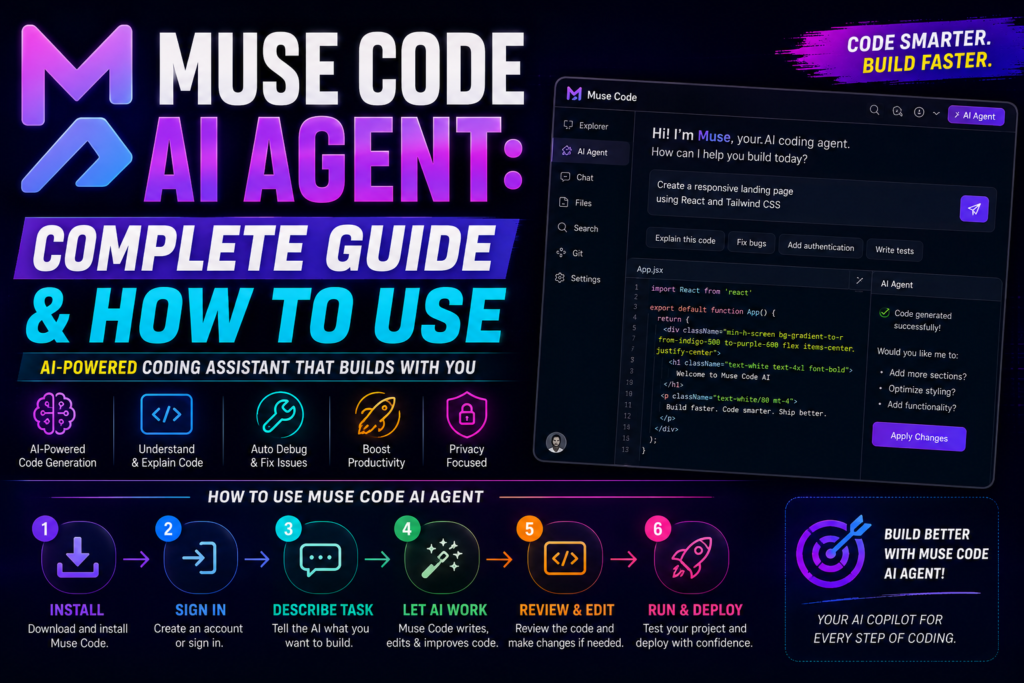
How to Use Muse Code AI Agent
The exact setup process can change as a beta product evolves, so users should follow Meta’s current official installation and access instructions when available.
A typical AI coding-agent workflow looks like this.
Step 1: Prepare Your Project
Start with a clean or properly version-controlled repository.
Git is especially important when using an autonomous coding agent because you need an easy way to inspect and revert changes.
Before starting, make sure you understand:
- Current branch
- Uncommitted changes
- Test commands
- Build commands
- Development environment
Step 2: Give Muse Code a Clear Objective
Avoid vague instructions.
Instead of:
“Improve my website.”
use:
“Improve the homepage loading performance without changing the visual design. Identify the largest performance bottlenecks, make the necessary changes, and run the existing tests.”
The second instruction provides:
- Goal
- Constraint
- Scope
- Verification requirement
Step 3: Let the Agent Inspect the Codebase
A good agent should understand the existing project before making significant changes.
Give it time to inspect:
- Project structure
- Dependencies
- Configuration
- Relevant source files
- Existing tests
- Documentation
Step 4: Ask for a Plan
For complicated tasks, ask Muse Code to create an implementation plan first.
For example:
“Analyze the repository and provide an implementation plan before changing files.”
This gives you an opportunity to catch misunderstandings.
Step 5: Implement the Changes
After reviewing the plan, allow the agent to implement the task.
For larger projects, divide major features into manageable stages.
Step 6: Run Tests
Ask the agent to run the relevant tests.
A useful instruction is:
“Run the relevant test suite after making the changes and fix any failures caused by your implementation.”
Step 7: Review the Diff
Never skip the code-review stage.
Check:
- Files changed
- Lines added
- Lines removed
- Dependencies added
- Security-sensitive changes
- Database modifications
- API changes
- Tests
Step 8: Commit the Work
Once you are satisfied, commit the changes through your normal Git workflow.
This creates a clear recovery point before starting another agent task.
How to Write Better Muse Code Prompts
Prompt quality matters significantly when working with coding agents.
A strong prompt should contain five things:
Goal + Context + Constraints + Requirements + Verification
For example:
“Add password-reset functionality to this Node.js application. Use the existing authentication architecture. Do not change the public API. Add validation and regression tests. Run the authentication test suite and explain the files changed.”
This is much better than:
“Add password reset.”
Example Muse Code Prompts
Build a Feature
“Add a user profile page. Reuse the existing UI components, connect it to the current user API, add loading and error states, and write tests.”
Fix a Bug
“Investigate why the dashboard crashes when a user has no projects. Reproduce the problem, identify the root cause, implement the smallest safe fix, and add a regression test.”
Refactor
“Refactor the payment service to reduce duplication without changing its public API. Preserve existing behavior and run all related tests.”
Security Review
“Review the authentication module for obvious security weaknesses. Do not modify files yet. Report findings with file names and explain the risk of each issue.”
The final example is particularly useful because it asks the agent to inspect before modifying.
Muse Code and Multi-Agent Coding
Multi-agent coding is becoming an important direction in AI software development.
Instead of using one AI model for every task, a main agent can delegate specialized tasks to multiple agents.
For example:
                    Main Coding Agent
                           |
        -----------------------------------------
        |                 |                     |
   Frontend Agent    Backend Agent        Testing Agent
        |                 |                     |
        -----------------------------------------
                           |
                     Final Verification
The advantage is potential parallelism.
If frontend and backend work can safely occur independently, concurrent agents can reduce the time required to complete the overall task.
However, multi-agent systems also introduce coordination challenges.
Two agents can potentially modify related code in incompatible ways.
Therefore, agent orchestration needs:
- Clear task boundaries
- Shared project context
- Dependency awareness
- Verification
- Conflict resolution
- Human oversight
More agents do not automatically mean better software.
Muse Code Persistent Activity Log
One notable feature reported with the Muse Code beta is a persistent activity log.
Meta said this allows Muse Code to resume work after a crash rather than starting over.
This matters because long-running coding tasks can involve many intermediate steps.
Without persistent state, a failure could force an agent to repeat earlier work.
A persistent activity record can provide continuity between execution stages.
For developers, this is particularly relevant to larger repositories and tasks that take longer to complete.
Muse Spark 1.2 and Muse Code
Muse Code is designed to work together with Muse Spark 1.2, Meta’s model associated with the product.
Meta said it trained Muse Spark 1.2 and Muse Code together so that the model and coding agent could work effectively as a pair.
This is an important distinction from a generic coding application that simply connects to a third-party model.
The model and agent are being developed as part of the same coding-oriented system.
What Is Muse Spark 1.2?
Muse Spark 1.2 is the AI model powering Muse Code according to Meta’s launch announcement.
The model is intended to handle difficult programming tasks and longer coding workflows.
Meta previously tested an earlier Muse Spark 1.1 version with developers, according to the same launch reporting.
The relationship can be summarized as:
Muse Spark 1.2 = AI model
Muse Code = coding agent built to use that model
This distinction is important when discussing the product.
Muse Code Pricing
Muse Code launched in beta with a pay-as-you-go pricing model.
According to Reuters’ reporting on Meta’s launch, the standard pricing was:
- $1.25 per million input tokens
- $4.25 per million output tokens
Because pricing can change during a beta product’s development, users should verify the current pricing before making purchasing decisions.
For developers, token pricing is particularly important when using autonomous agents because a single task can involve multiple model interactions.
A complex task may require:
- Repository analysis
- Planning
- Tool calls
- Code generation
- Error correction
- Test analysis
- Final verification
Consequently, the actual cost of an agentic coding task cannot be estimated simply from the number of lines of code produced.
Is Muse Code Free?
Muse Code should not currently be described as a completely free AI coding tool.
The product launched as a beta with pay-as-you-go access, according to Reuters’ reporting.
If you are publishing pricing information, verify the current official pricing before publication because beta pricing can change.
Muse Code vs Claude Code
Muse Code and Claude Code represent two different approaches to AI-assisted software development.
| Category | Muse Code | Claude Code |
|---|---|---|
| Developer | Meta | Anthropic |
| Type | AI coding agent | AI coding agent |
| Primary focus | Autonomous coding | Agentic software development |
| Model ecosystem | Muse Spark | Claude |
| Multi-agent capability | Highlighted by Meta | Varies by workflow |
| Beta status | Yes at launch | Product availability varies |
| Pricing | Pay-as-you-go at launch | Verify current pricing |
| Best use | Complex coding workflows | Coding, debugging and repository tasks |
This comparison should not be interpreted as a permanent feature comparison because both products are actively evolving.
Muse Code vs OpenAI Codex
Muse Code also enters a market that includes OpenAI’s Codex.
Both products are aimed at developers who want AI to handle larger programming tasks rather than only provide autocomplete suggestions.
The main difference is their underlying model and agent ecosystem.
Muse Code uses Muse Spark 1.2, while Codex uses OpenAI’s coding-oriented models and infrastructure.
When comparing the two for production use, developers should evaluate:
- Coding quality
- Repository understanding
- Tool access
- Context handling
- Cost
- Reliability
- Security
- IDE/CLI workflow
- Test performance
- Ability to recover from failures
Do not choose an AI coding agent based solely on benchmark claims.
Your own repository is the most useful test environment.
Advantages of Muse Code
1. Designed for Complex Coding Tasks
Muse Code is specifically positioned for long and complicated development work.
2. Concurrent Sub-Agents
Muse Code can run multiple sub-agents concurrently, which can potentially speed up tasks that can be divided into independent components.
3. Persistent Activity
The persistent activity log can allow work to resume after a crash instead of restarting from the beginning.
4. Model-Agent Integration
Meta developed Muse Spark 1.2 and Muse Code to work together.
5. Useful for Repository-Level Work
The agent-oriented approach is better suited to multi-file tasks than simple code autocomplete.
Limitations of Muse Code
Beta Product
Muse Code launched in beta, which means its capabilities, interfaces, pricing, and availability may continue to change.
AI-Generated Code Still Requires Review
An AI coding agent can make incorrect assumptions.
Generated code can contain:
- Bugs
- Security vulnerabilities
- Incorrect business logic
- Poor architecture
- Unnecessary dependencies
- Breaking changes
Human review remains essential.
Token Costs Can Grow
Agentic workflows involve multiple model interactions.
A large task can therefore consume substantially more tokens than a simple one-shot coding request.
Multi-Agent Coordination Is Complex
Concurrent agents can introduce conflicts when multiple workers touch interconnected parts of a codebase.
Is Muse Code Worth Using?
Muse Code is worth testing if you want an AI coding agent focused on larger software-development tasks rather than simple code completion.
Its strongest differentiators are its focus on complex coding tasks, concurrent sub-agents, persistent activity tracking, and integration with Meta’s Muse Spark 1.2 model.
However, developers should remember that Muse Code launched as a beta product.
The best way to evaluate it is to run controlled tasks against your own repository.
Start with a task that has:
- A clear objective
- Existing tests
- A defined scope
- Low security risk
- An easy rollback
Then compare the result against the workflow you normally use.
A Practical 30-Minute Muse Code Test
If you want to evaluate Muse Code without risking an important production project, use a small test repository.
Give it this task:
“Inspect this project and identify three code-quality problems. Do not modify anything. Explain each problem and suggest a solution.”
Then give it a second task:
“Fix the highest-priority problem, add or update tests where appropriate, and run the test suite.”
Finally, inspect:
- The plan
- Files changed
- Code quality
- Tests
- Errors
- Token usage
- Time required
- Whether the final result matches the request
This provides a much more meaningful evaluation than simply asking the agent to generate a small function.
Best Practices for Using an AI Coding Agent
Whether you use Muse Code, Claude Code, Codex, or another agent, several practices are important.
Keep Git Enabled
Always use version control before allowing an agent to make substantial changes.
Start With Read-Only Analysis
For unfamiliar repositories, ask the agent to inspect first.
Give Clear Constraints
Tell the agent what it must not change.
Require Tests
Include testing requirements in the original prompt.
Review Every Important Diff
Do not blindly merge agent-generated code.
Protect Secrets
Never expose API keys, passwords, private tokens, or production credentials to an AI system unless the workflow is explicitly designed and authorized for that purpose.
Use Small Commits
Small commits make agent-generated changes easier to review and revert.
Final
Muse Code AI Agent is Meta’s beta AI coding system designed to help developers tackle complex programming tasks through an agentic workflow. It is powered by Muse Spark 1.2 and supports concurrent sub-agents, coding execution, verification-oriented workflows, and persistent activity tracking.
Its biggest difference from a basic AI coding assistant is its focus on doing development work rather than simply suggesting code.
The ability to use multiple sub-agents is particularly interesting for large projects because different parts of a development task can potentially be handled in parallel.
At the same time, developers should not treat autonomous coding as fully autonomous software engineering.
The most reliable workflow remains:
Plan → Agent implementation → Tests → Review → Git commit → Human approval
Muse Code launched with pay-as-you-go pricing, reported at $1.25 per million input tokens and $4.25 per million output tokens for the standard tier at launch.
Because the product is in beta, readers should verify current pricing, access requirements, supported environments, and features before publishing or purchasing.
For developers interested in the next generation of AI coding agents, autonomous software development, multi-agent coding, and repository-level automation, Muse Code is a product worth watching and testing.
What is Muse Code AI Agent?
Muse Code is Meta’s AI-powered coding agent designed to help developers write, debug, verify, and manage complex software-development tasks using natural-language instructions.
Is Muse Code an AI coding assistant or an AI coding agent?
Muse Code is positioned as an AI coding agent because it is designed to execute larger development tasks rather than only provide code-completion suggestions.
What model does Muse Code use?
Muse Code is powered by Meta’s Muse Spark 1.2 model, and Meta says the model and coding agent were trained to work together.
Does Muse Code support multiple AI agents?
Yes. Meta says Muse Code can run multiple sub-agents concurrently for complex development tasks.
How much does Muse Code cost?
Muse Code launched as a pay-as-you-go beta, with Reuters reporting standard pricing of $1.25 per million input tokens and $4.25 per million output tokens at launch. Verify current pricing before purchase because beta pricing can change.