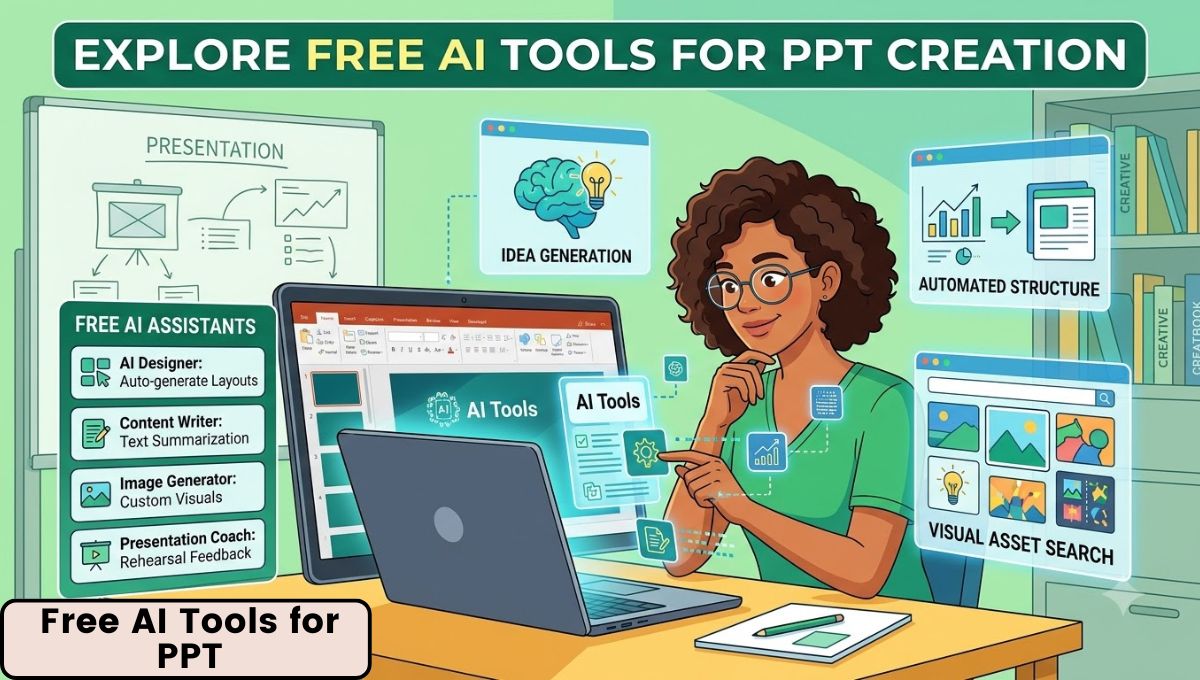
Creating a professional PowerPoint presentation used to require hours of writing, designing, formatting, and searching for visuals. Students often spent entire evenings preparing seminar slides, teachers had to create lecture presentations from scratch, and business professionals frequently struggled with layouts, colors, and slide organization. Today, artificial intelligence has changed that process completely.
Modern Free AI Tools for PPT can generate presentation outlines, create slide designs, suggest visuals, organize content, and even prepare speaker notes within minutes. These tools are especially useful for people who do not have graphic design experience but still want presentations that look polished and professional.
Whether you are preparing a college project, business proposal, webinar, training session, classroom lecture, startup pitch, or client presentation, AI-powered presentation makers can save time and improve quality. Many of these tools offer generous free plans that are sufficient for students, freelancers, educators, content creators, and small business owners.
This guide explains the best free AI tools for PPT, how they work, their advantages and limitations, practical use cases, and step-by-step methods to create impressive PowerPoint presentations without paying for expensive software.
What Are AI PPT Tools?
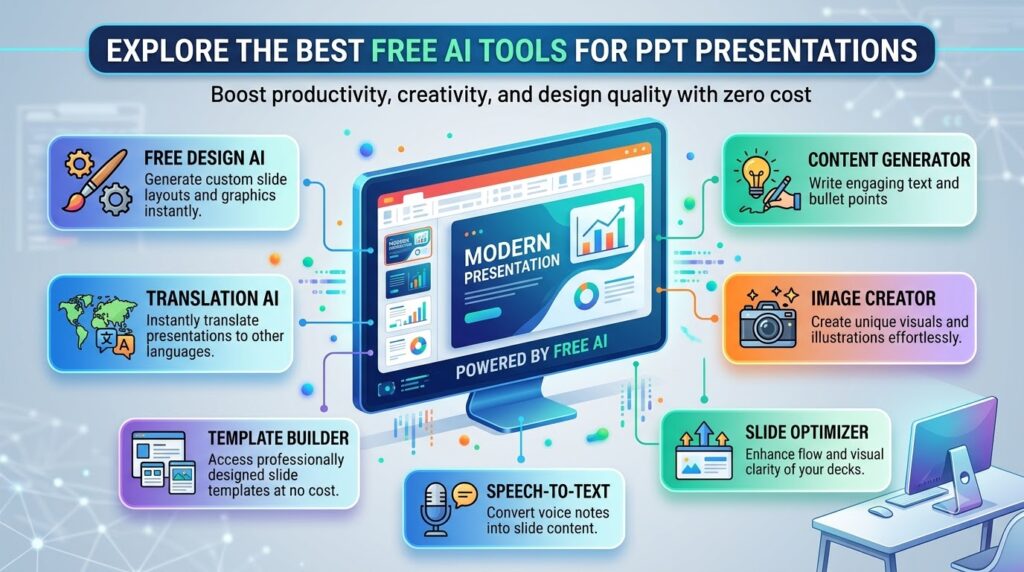
AI PPT tools are applications that use artificial intelligence to assist with presentation creation. Instead of manually building every slide, users can enter a topic, upload a document, or provide a short prompt, and the AI helps generate structured slides automatically.
These tools typically provide:
- Automatic presentation outlines
- Slide titles and bullet points
- Design suggestions
- Color and font combinations
- Icons and illustrations
- Image recommendations
- Charts and data visualizations
- Speaker notes and summaries
- PPT or PDF export options
The goal is not just automation but faster, better, and more visually appealing presentations.
Why Use Free AI Tools for PPT?
AI presentation tools have become popular because they solve several common problems.
Save Time
Instead of spending hours formatting slides, AI can create a complete first draft in a few minutes.
Improve Design Quality
Most AI tools apply professional design principles automatically, including alignment, spacing, typography, and color balance.
Help Non-Designers
People who are not comfortable with PowerPoint design can still create presentations that look modern and attractive.
Generate Content Ideas
AI can help organize information logically, making it easier to structure reports, lectures, and business proposals.
Increase Productivity
Students, teachers, marketers, consultants, and managers can produce more presentations in less time.
Best Free AI Tools for PPT in 2026
Canva
Canva is one of the most popular presentation tools in the world. Its Magic Design feature uses AI to generate presentation layouts based on a topic or prompt.
Key Features
- AI-powered presentation generation
- Thousands of free templates
- Drag-and-drop editor
- Built-in icons, photos, and charts
- Collaboration with team members
- Export to PPTX, PDF, and image formats
Best For
- Students
- Teachers
- Social media creators
- Freelancers
- Small businesses
Free Plan Advantages
Canva’s free version is surprisingly powerful and provides enough features for most educational and professional presentations.
Limitation
Some premium templates, stock photos, and advanced AI features require a paid subscription.
Gamma
Gamma is a newer AI presentation tool that focuses on automatic slide creation and modern layouts.
What Makes Gamma Special?
You can type a simple prompt such as:
“Create a 12-slide presentation on digital marketing strategies for small businesses.”
Gamma automatically creates:
- Slide structure
- Headings
- Bullet points
- Visual layouts
- Consistent formatting
Best For
- Startup pitch decks
- Business proposals
- Product presentations
- Professional reports
Free Plan
Gamma offers limited free AI generations each month, which is usually enough for occasional users.
Google Slides + Gemini
Google Slides is completely free, and Gemini can be used to generate presentation content.
How It Works
- Ask Gemini to create a presentation outline.
- Copy the generated content.
- Paste it into Google Slides.
- Apply a free theme and customize the design.
Advantages
- Completely web-based
- Excellent collaboration features
- Easy sharing through Google Drive
- Works on laptops, tablets, and phones
Best For
- Group projects
- Classroom presentations
- Remote team collaboration
- Educational content
Beautiful.ai
Beautiful.ai is designed for professional business presentations. Its AI automatically adjusts layouts as you add content, ensuring slides remain visually balanced.
Key Features
- Smart slide layouts
- Automatic alignment and spacing
- Professional business templates
- Team collaboration
- Presentation analytics (in paid plans)
Best For
- Sales presentations
- Investor decks
- Corporate reports
- Marketing presentations
Limitation
The free plan has restrictions on exports and storage, but it is still useful for creating polished presentations.
Tome
Tome focuses on storytelling presentations rather than traditional bullet-heavy slides.
Features
- AI-generated slide decks
- Rich media support
- Modern visual layouts
- Interactive web presentations
- Quick content generation from prompts
Best For
- Creative professionals
- Marketing agencies
- Startup founders
- Portfolio presentations
- Product storytelling
Microsoft PowerPoint Online
PowerPoint Online is free with a Microsoft account and includes several AI-assisted design features.
Available Free Features
- PowerPoint Designer suggestions
- Smart layouts
- Icon and image recommendations
- Cloud-based collaboration
- Basic presentation templates
Best For
Users who are already familiar with the Microsoft PowerPoint environment and want free cloud-based editing.
Comparison Table
| Tool | AI Slide Generation | PPT Export | Best For |
|---|---|---|---|
| Canva | Yes | Yes | Beginners and students |
| Gamma | Yes | Yes | Modern business presentations |
| Google Slides + Gemini | Partial | Yes | Collaboration and education |
| Beautiful.ai | Yes | Limited | Corporate presentations |
| Tome | Yes | Limited | Storytelling and creative decks |
| PowerPoint Online | Partial | Yes | Microsoft Office users |
Best Tool by Use Case
For Students
Canva is the easiest option because it combines AI design, templates, and PowerPoint export in one platform.
For Teachers
Google Slides + Gemini works exceptionally well for lesson plans, lecture slides, and collaborative classroom projects.
For Business Professionals
Beautiful.ai provides the most polished corporate-style layouts with minimal effort.
For Startup Pitches
Gamma is ideal for creating modern investor presentations quickly.
How to Create a PPT Using AI
Method 1: Canva AI Presentation
Step 1: Create a Free Canva Account
Go to Canva and choose Presentation (16:9).
Step 2: Enter a Prompt
Example:
“Create a 10-slide presentation on the benefits of renewable energy for urban development.”
Step 3: Choose a Generated Design
Canva will suggest multiple layouts and themes.
Step 4: Customize the Slides
- Replace placeholder text
- Add your logo or name
- Insert charts or screenshots
- Adjust colors if needed
Step 5: Download
Export as Microsoft PowerPoint (.pptx) for offline use.
Method 2: Gemini + Google Slides
Example Prompt
“Create a professional 12-slide presentation outline on artificial intelligence in healthcare, including introduction, applications, benefits, challenges, future trends, and conclusion.”
Gemini can generate:
- Slide titles
- Bullet points
- Suggested visuals
- Presentation flow
You can then paste this content into Google Slides and apply a free theme.
AI Tools for Specific Presentation Tasks
Content Generation
- ChatGPT
- Google Gemini
- Claude
Slide Design
- Canva
- Beautiful.ai
- Gamma
Image Creation
- Canva AI Image Generator
- Microsoft Designer
- Leonardo AI
Charts and Data Visualization
- Canva Charts
- Google Sheets
- PowerPoint Designer
Using multiple free tools together often produces better results than relying on a single platform.
Tips for Better AI-Generated Presentations
Write Detailed Prompts
Instead of:
“Make a marketing presentation.”
Use:
“Create a professional 10-slide presentation on social media marketing strategies for small retail businesses, including statistics, examples, challenges, and a conclusion.”
Detailed prompts produce more relevant and better-structured slides.
Keep Slides Simple
Use:
- One main idea per slide
- Short bullet points
- Large readable fonts
- Consistent colors
- Clear visuals
Add Human Examples
AI-generated content becomes much stronger when you include:
- Real business examples
- Personal observations
- Local case studies
- Screenshots
- Charts from your own data
Check Accuracy
Always review:
- Facts and numbers
- Spelling and grammar
- Dates and statistics
- Company names
- Technical information
AI should be treated as a smart assistant, not the final editor.
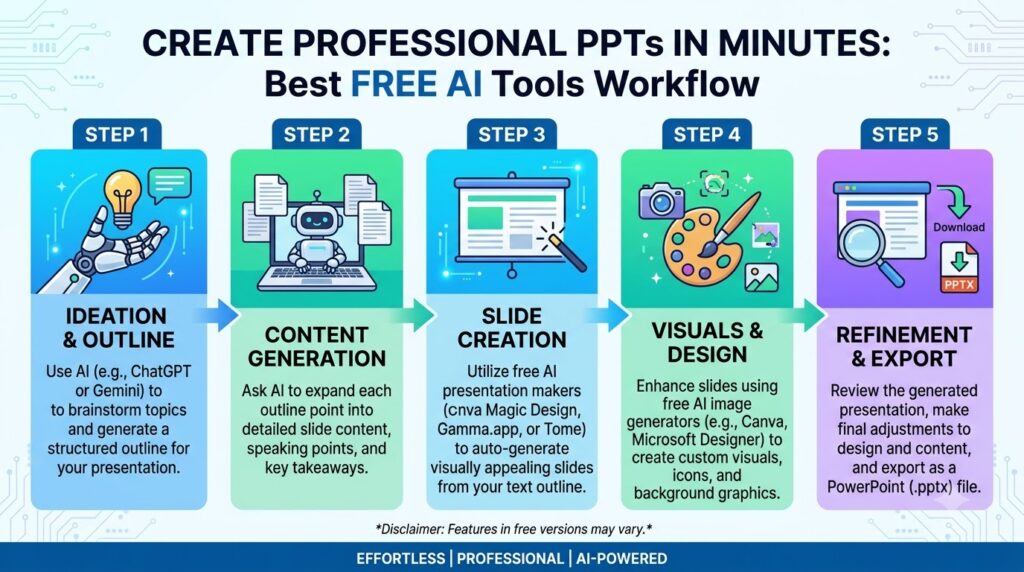
Free AI Workflow for Students
A practical zero-cost workflow looks like this:
This setup requires only a free Google account and a free Canva account.
Advantages of AI PPT Tools for Different Users
Students
- Faster assignment preparation
- Better visual quality
- Easy collaboration
- Professional seminar presentations
Teachers
- Quick lesson creation
- Reusable templates
- Interactive classroom materials
- Better visual explanations
Freelancers
- Faster client proposals
- Improved presentation quality
- Professional branding
- Reduced design workload
Business Owners
- Sales presentations
- Product demos
- Investor updates
- Staff training materials
Common Mistakes to Avoid
Overloading Slides
AI tools sometimes generate too much text. Keep slides concise and explain details verbally during the presentation.
Using Too Many Animations
Simple transitions are usually more professional than excessive effects.
Ignoring Branding
Add your:
- Logo
- Brand colors
- Company name
- Contact information
Not Practicing
Even the best AI-generated presentation requires practice and confident delivery.
Are Free AI PPT Tools Good Enough?
For most users, yes. Free AI presentation tools are more than sufficient for:
- College projects
- School assignments
- Training sessions
- Internal meetings
- Client proposals
- Webinars
- Workshops
- Freelance presentations
Only highly customized corporate branding projects may require advanced paid features.
The Future of AI Presentation Makers
AI presentation tools are improving rapidly. Future features are expected to include:
- Automatic speaker narration
- Real-time audience engagement suggestions
- Voice-to-slide generation
- AI-created infographics
- Instant multilingual presentations
- Automated data storytelling
- Personalized presentation coaching
This means presentation creation will become even faster and more accessible in the coming years.
Recommended Free AI Presentation Stack
If you want the best completely free setup, use:
Content & Outline
- Google Gemini
Slide Design
- Canva
Charts
- Google Sheets
Final Export
- Canva → PPTX
This combination provides professional results without purchasing any software.
Conclusion
Artificial intelligence has transformed the way presentations are created. Instead of spending hours designing slides manually, modern Free AI Tools for PPT can help generate outlines, create attractive layouts, suggest visuals, and export professional PowerPoint presentations within minutes.
Among all the available options, Canva stands out as the best all-around free tool because it combines AI-powered design, thousands of templates, easy editing, and PPT export support. Gamma is excellent for modern business presentations, while Google Slides with Gemini is ideal for collaborative educational and professional work.
The most effective approach is to use AI for research, structure, and initial slide creation, then refine the presentation with your own examples, visuals, branding, and speaking points. This combination of AI efficiency and human creativity produces presentations that are not only visually impressive but also clear, engaging, and professional.
Whether you are a student preparing a seminar, a teacher creating classroom materials, a freelancer pitching a client, or a business owner presenting an idea, free AI presentation tools can help you create high-quality PowerPoint presentations faster, easier, and more professionally than ever before.