The best AI tools for consultants in 2026 include ChatGPT for research, analysis and writing; Claude for long-document analysis and structured reasoning; Perplexity for source-backed research; Microsoft 365 Copilot for Word, Excel and PowerPoint workflows; Notion AI for knowledge management; Fireflies.ai for meeting documentation; Gamma for presentations; and Zapier for workflow automation.
Consultants can use AI throughout an engagement, from initial market research and client discovery to data analysis, proposal writing, meeting summaries, presentations and final recommendations. Recent consulting-focused reviews also show that the strongest AI stacks are built around different workflow layers rather than one tool attempting to do everything.
The important distinction is that AI should accelerate consulting work without replacing professional judgment. A consultant still needs to verify research, challenge assumptions, understand the client situation and take responsibility for recommendations.
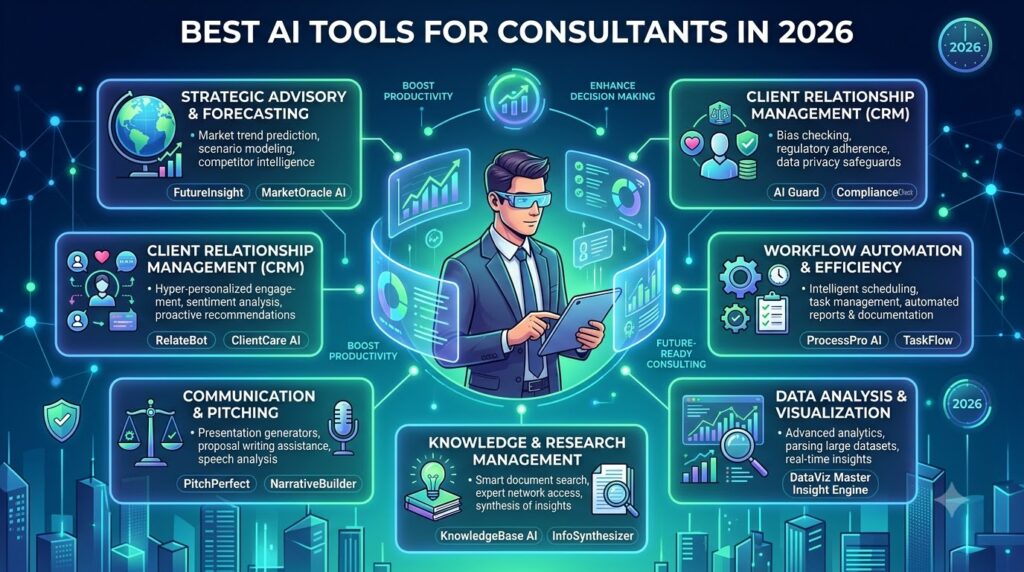
Consulting involves a large amount of research, analysis, communication and documentation.
A consultant may spend the morning researching an industry, the afternoon analyzing client data, and the evening preparing a presentation for the next day’s meeting.
AI can reduce some of this repetitive work.
Modern AI tools can summarize large documents, organize research, analyze spreadsheets, draft proposals, prepare meeting notes, generate presentation structures and help consultants communicate findings more efficiently.
The consulting industry is also changing because clients themselves have access to increasingly capable AI systems. Recent reporting from the Financial Times describes growing pressure on traditional consulting firms as companies bring more technology work in-house and use AI for tasks previously performed by external advisers.
That makes AI knowledge increasingly important for consultants.
The question is no longer simply whether consultants should use AI.
The better question is:
Which AI tools actually improve the consulting workflow without compromising accuracy, confidentiality or the quality of client deliverables?
This guide examines the most useful options for 2026.
What Are AI Tools for Consultants?
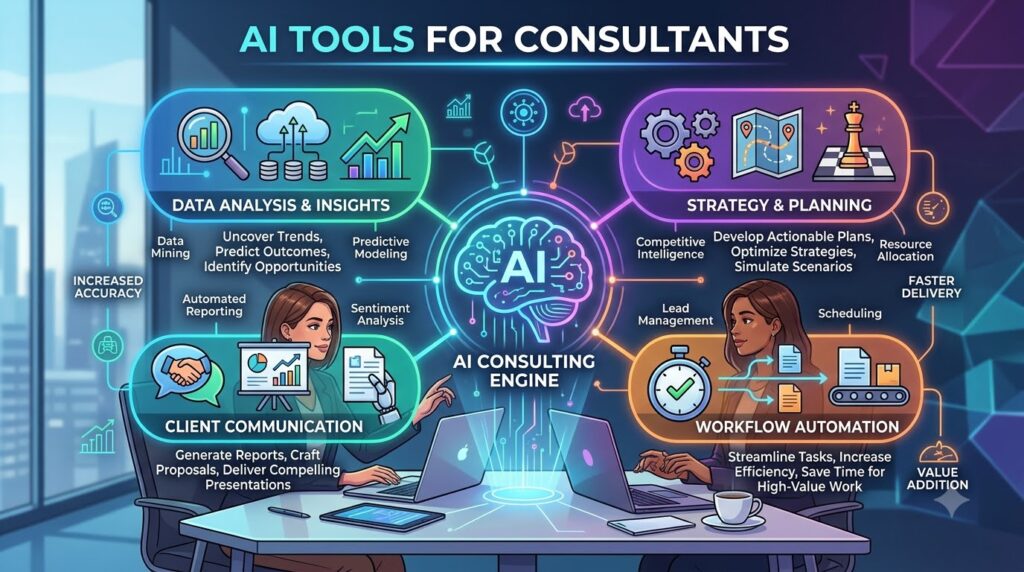
AI tools for consultants are software applications that use artificial intelligence to support research, analysis, communication, project delivery, knowledge management and other consulting activities.
These tools can assist with:
- Market research
- Competitor research
- Industry analysis
- Data analysis
- Financial modeling
- Client interviews
- Meeting notes
- Proposal writing
- Report writing
- Presentation creation
- Knowledge management
- Project management
- Workflow automation
- Client communication
- Strategic analysis
The best AI tools for consulting are not necessarily specialized consulting platforms.
General-purpose AI assistants can be extremely useful because consultants work across different industries and problems.
For example, a strategy consultant may use one AI system to analyze a market report, another to search for current information, another to capture a client meeting, and another to turn the findings into a presentation.
That creates a consulting AI stack rather than a single AI application.
Best AI Tools for Consultants in 2026
| AI Tool | Best For | Main Consulting Use |
|---|---|---|
| ChatGPT | General consulting work | Research, analysis, writing |
| Claude | Long documents | Analysis, synthesis, reasoning |
| Perplexity | Research | Source-backed market research |
| Microsoft 365 Copilot | Office workflows | Word, Excel, PowerPoint, Teams |
| Notion AI | Knowledge management | Notes, documentation, internal knowledge |
| Fireflies.ai | Meetings | Transcription and summaries |
| Gamma | Presentations | Deck and document creation |
| Zapier | Automation | Connecting business workflows |
| Miro AI | Workshops | Brainstorming and visual collaboration |
| NotebookLM | Source-based research | Document synthesis and Q&A |
Tool features, availability and pricing can change by plan, region and product version. Verify current details on the vendor’s website before purchasing.
1. ChatGPT — Best Overall AI Tool for Consultants
ChatGPT is one of the most flexible AI tools for consultants because it can support many different stages of an engagement.
Consultants can use it for:
- Market research
- Brainstorming
- Data analysis
- Document summarization
- Proposal writing
- Client communication
- Interview-question generation
- Strategic frameworks
- Report drafting
- Presentation outlines
- Meeting preparation
ChatGPT’s Deep Research capability can research complex questions across the web and other available sources and produce a documented report with citations or source links.
That makes it useful when a consultant needs to investigate a question rather than simply generate text.
Example Consultant Workflow
A consultant could provide a project brief and ask ChatGPT to:
- Identify the key business questions.
- Create a research framework.
- Suggest relevant sources.
- Organize findings.
- Identify contradictions.
- Generate hypotheses.
- Create an executive-summary structure.
The consultant can then independently verify the important findings.
Best For
Best for: Independent consultants, management consultants, strategy consultants, business consultants and consulting teams that need one flexible AI assistant.
2. Claude — Best for Long Documents and Complex Analysis
Claude is particularly useful when consulting work involves lengthy documents.
Consultants frequently work with:
- RFPs
- Annual reports
- Research reports
- Client documents
- Contracts
- Interview transcripts
- Business plans
- Policy documents
- Internal reports
An AI assistant that can process large amounts of context can reduce the manual effort required to locate themes and organize information.
Claude can help consultants compare documents, summarize material, identify recurring themes and turn unstructured information into structured analysis.
Practical Use Case
Suppose a consultant receives several interview transcripts from a client project.
Instead of manually reading every transcript and creating a separate spreadsheet of themes, the consultant can use AI to create an initial thematic analysis.
The consultant can then review the original transcripts to confirm the findings.
Best For
Best for: Strategy consultants, research consultants, management consultants and professionals working with long documents.
3. Perplexity — Best for Research and Source Discovery
Perplexity is useful when a consultant needs current web research with visible sources.
Consulting research often requires information about:
- Competitors
- Industries
- Markets
- Regulations
- Technologies
- Companies
- Consumer trends
- Products
- Business models
Perplexity can help create an initial research map and identify sources that deserve further investigation.
This is especially useful for desk research.
However, consultants should not treat an AI-generated answer as the final source.
For client-facing work, open the underlying source and verify the original information.
Best For
Best for: Market research, competitor research, industry research and consultants who need source-backed information.
4. Microsoft 365 Copilot — Best for Word, Excel and PowerPoint
Microsoft 365 Copilot is particularly useful for consultants who already work extensively in Microsoft applications.
Microsoft currently provides Copilot across applications including Word, Excel, PowerPoint, Outlook and Teams. Microsoft says Copilot can use work context and connected files, messages and meetings to assist with everyday tasks.
This is highly relevant to consulting because many client deliverables are created in Word, Excel and PowerPoint.
Copilot in Word
Consultants can use Word-based AI assistance for:
- Drafting reports
- Rewriting sections
- Summarizing documents
- Improving clarity
- Creating executive summaries
Copilot in Excel
Consultants can use Excel AI assistance for:
- Data analysis
- Formula assistance
- Trend analysis
- Financial models
- Tables
- Charts
- Data interpretation
Copilot in PowerPoint
Consultants can use PowerPoint AI assistance to help turn ideas and existing content into presentation material.
Microsoft specifically positions Copilot in PowerPoint for transforming ideas into presentations and Copilot in Excel for analyzing and visualizing data.
Best For
Best for: Management consultants, corporate consultants and consulting teams already using Microsoft 365.
5. Notion AI — Best for Consulting Knowledge Management
Consulting projects generate a large amount of information.
That information can include:
- Meeting notes
- Client requirements
- Research
- Project plans
- Interview notes
- Deliverables
- Internal methodologies
- Frameworks
- Checklists
- Lessons learned
Notion can serve as a central workspace for organizing this information, while its AI features can assist with searching, summarizing and working with workspace content.
For consulting firms, this becomes particularly valuable when knowledge needs to be reused across multiple engagements.
Example
A consultant could maintain a knowledge base containing:
Industry research → Frameworks → Previous project notes → Templates → Case studies → Methodologies
AI can then help retrieve and summarize relevant information when starting a new engagement.
Best For
Best for: Consulting firms, independent consultants, project teams and knowledge-intensive businesses.
6. Fireflies.ai — Best for Client Meeting Notes
Client meetings are one of the most important sources of consulting information.
A consultant may need to remember:
- Client requirements
- Business problems
- Stakeholder concerns
- Decisions
- Deadlines
- Action items
- Follow-up questions
Meeting AI tools can capture and summarize conversations so consultants do not have to manually document every detail.
Fireflies.ai is designed around AI meeting transcription, summaries and conversation intelligence.
Why Meeting AI Matters
Consider a one-hour client meeting.
If the consultant spends another 20–30 minutes manually creating structured notes afterward, that creates additional administrative work.
AI can produce an initial meeting record that the consultant reviews and corrects.
The biggest benefit is not simply transcription.
The real value is turning a conversation into searchable project knowledge.
Important Privacy Consideration
Consultants should always follow applicable client agreements and organizational policies before recording or transcribing meetings.
Participants may need to be informed or provide consent depending on the circumstances and applicable law.
Best For
Best for: Consultants conducting frequent client interviews, discovery sessions and stakeholder meetings.
7. Gamma — Best AI Tool for Consulting Presentations
Consultants often need to convert research into presentations.
The challenge is not simply creating slides.
A good consulting presentation needs:
Problem → Evidence → Analysis → Insight → Recommendation → Action
AI presentation tools can help accelerate the first draft.
Gamma can be used to create presentations and other visual documents from structured ideas or written content.
Consultants can use presentation AI for:
- Proposal decks
- Workshop material
- Executive summaries
- Strategy presentations
- Research presentations
- Internal project updates
The Important Limitation
Never assume an AI-generated presentation is client-ready.
Consulting slides require careful checking of:
- Numbers
- Sources
- Charts
- Labels
- Conclusions
- Business logic
- Recommendations
The AI can accelerate slide creation, but the consultant should own the argument.
Best For
Best for: Strategy consultants, business consultants, freelance consultants and teams that frequently create presentations.
8. Zapier — Best for Consulting Workflow Automation
Zapier can connect different applications and automate repetitive workflows.
This is useful because consultants often work across multiple platforms.
For example:
Client form → Spreadsheet → Project management tool → Email notification → Calendar task
An automation platform can reduce manual movement of information between systems.
Consulting Automation Examples
A consultant could automate:
- New client inquiry notifications
- Lead capture
- Proposal follow-up reminders
- Project task creation
- Meeting follow-ups
- Client onboarding
- Document organization
- Internal notifications
AI can also be added to certain workflows for classification or content processing.
Best For
Best for: Independent consultants, consulting agencies and firms with repetitive administrative workflows.
9. Miro AI — Best for Consulting Workshops
Workshops are a major part of consulting.
Consultants use workshops to:
- Brainstorm ideas
- Map processes
- Define problems
- Prioritize initiatives
- Create customer journeys
- Develop strategies
- Identify risks
Miro provides a collaborative visual workspace with AI capabilities that can help organize and work with workshop content.
For example, a consultant can collect dozens of ideas from participants and then organize them into themes.
This can make post-workshop synthesis faster.
Best For
Best for: Strategy consultants, innovation consultants, transformation consultants and facilitators.
10. NotebookLM — Best for Source-Based Consulting Research
NotebookLM is useful when the consultant wants AI to work primarily from a defined set of sources.
This can be valuable for consulting projects where the research base is controlled.
For example, a consultant might provide:
- Client reports
- Research papers
- Industry reports
- Internal documents
- Interview transcripts
- Project documentation
The AI can then help summarize and synthesize those materials.
The advantage of this approach is that the consultant can define the information base instead of relying entirely on open-ended web generation.
Best For
Best for: Research-heavy consulting projects, knowledge synthesis and document-based analysis.
How Consultants Can Use AI Throughout a Client Project
The biggest mistake is using AI only for writing.
AI can support almost the entire consulting engagement.
Phase 1: Client Discovery
AI can help prepare:
- Discovery questions
- Interview guides
- Stakeholder questions
- Initial hypotheses
- Project objectives
- Information requests
The consultant should customize these materials based on the actual client situation.
Phase 2: Research
AI can help organize:
- Industry information
- Competitor information
- Market reports
- Company information
- Regulatory material
- Technology trends
Source verification remains essential.
Phase 3: Data Analysis
AI can help consultants examine datasets and identify:
- Trends
- Outliers
- Correlations
- Variances
- Segments
- Potential hypotheses
The consultant should verify calculations before using the findings in a client deliverable.
Phase 4: Interviews
Meeting AI can turn interviews into searchable transcripts and summaries.
The consultant can then compare themes across multiple interviews.
Phase 5: Synthesis
This is where consultants add substantial value.
AI can help organize information, but the consultant needs to decide:
What actually matters?
A list of 50 observations is not a strategy.
The consultant needs to identify the few findings that have meaningful implications for the client.
Phase 6: Recommendations
AI can help brainstorm potential recommendations.
The consultant should evaluate each recommendation against:
- Business impact
- Cost
- Feasibility
- Risk
- Timeline
- Organizational capability
Phase 7: Client Deliverables
AI can assist with:
- Executive summaries
- Reports
- Presentation outlines
- Charts
- Talking points
- Follow-up emails
The consultant remains responsible for the final deliverable.
Which AI Tools Should Consultants Use in 2026?
There is no single best AI tool for every consultant.
The right choice depends on the type of consulting work.
For Strategy Consultants
A useful combination can be:
ChatGPT + Perplexity + Claude + PowerPoint Copilot
This combination covers research, synthesis, reasoning and presentations.
For Management Consultants
A practical stack can include:
ChatGPT + Claude + Microsoft 365 Copilot + meeting AI
This focuses on analysis, documents, presentations and client meetings.
For Independent Consultants
A solo consultant may not need ten different subscriptions.
A simpler stack can be:
ChatGPT or Claude + Perplexity + Notion + Gamma
This covers most common research, writing, knowledge-management and presentation needs.
For Research Consultants
A research-focused stack can include:
Perplexity + ChatGPT + Claude + NotebookLM
This combination emphasizes source discovery, analysis and document synthesis.
AI Tools for Consultants: Free vs Paid
Not every consultant needs to purchase multiple AI subscriptions.
Free versions can be useful for:
- Basic brainstorming
- Simple writing
- General research
- Basic summarization
- Testing workflows
Paid plans become more relevant when a consultant needs higher usage limits, advanced models, team features, business controls or additional integrations.
The best approach is to start with the workflow that consumes the most time.
For example:
If research is the bottleneck → start with a research AI.
If presentations are the bottleneck → start with presentation AI.
If meetings are the bottleneck → start with meeting AI.
If administrative work is the bottleneck → start with automation.
This is usually better than subscribing to many tools simultaneously.
A Simple AI Stack for a Solo Consultant
A solo consultant can build a useful AI workflow without maintaining a huge software stack.
Tool 1: General AI Assistant
Use ChatGPT or Claude for research, drafting, analysis and brainstorming.
Tool 2: Research Assistant
Use Perplexity when current, source-backed web research is important.
Tool 3: Knowledge Base
Use Notion or another structured workspace to organize project information.
Tool 4: Meeting Assistant
Use a meeting transcription tool when appropriate and permitted.
Tool 5: Presentation Tool
Use Gamma or Microsoft PowerPoint with Copilot for faster presentation development.
Tool 6: Automation
Add Zapier when repetitive administrative workflows become significant.
This creates a simple six-layer workflow:
Research → Think → Capture → Organize → Present → Automate
How to Use AI Without Losing Consulting Quality
AI can make consultants faster, but speed should not become the only goal.
A consultant should maintain a review process.
Check Every Important Number
Do not publish AI-generated statistics without verification.
Check the original source.
Verify Company Information
AI can confuse companies, products, executives and markets.
Verify important facts.
Check Citations
A citation is useful only when it actually supports the statement being made.
Review the Logic
AI can create a convincing argument that contains an incorrect assumption.
The consultant needs to challenge the reasoning.
Protect Client Information
Client data can be commercially sensitive.
Consultants should understand the data-handling terms of every AI service before uploading confidential information.
For example, OpenAI states that ChatGPT Business, Enterprise and other specified business offerings do not use business inputs and outputs to train models by default, while providing security and access controls for business customers.
That does not mean every AI tool has the same policy.
Each vendor should be evaluated independently.
AI Security and Confidentiality for Consultants
Confidentiality is one of the most important issues when adopting AI.
Consultants may handle:
- Strategic plans
- Financial information
- Customer information
- Product roadmaps
- Pricing
- Internal research
- Contracts
- Employee information
- Acquisition plans
- Competitive intelligence
Before uploading this information, check:
- Data retention
- Model-training policies
- Encryption
- Access controls
- Workspace permissions
- Data residency
- Compliance certifications
- Third-party integrations
- Contractual terms
Enterprise AI systems increasingly provide administrative controls for these requirements.
OpenAI, for example, states that eligible business offerings provide encryption, access controls and business-data privacy commitments.
Microsoft similarly positions Microsoft 365 Copilot as connected to organizational work data and provides enterprise security and privacy features.
How Much Time Can AI Save a Consultant?
The exact amount varies considerably by project, tool, workflow and consultant skill.
Rather than relying on a generic “AI saves X hours” claim, consultants can calculate their own result.
For example, suppose a consultant spends:
2 hours researching + 1 hour summarizing + 1 hour creating a first draft = 4 hours
If a properly configured AI workflow reduces the first-pass work to:
45 minutes research support + 30 minutes synthesis + 45 minutes drafting = 2 hours
The theoretical first-pass reduction is:
4 hours − 2 hours = 2 hours
That represents a 50% reduction in first-pass production time, but it does not mean the consultant should cut verification time by 50%.
This distinction matters.
AI can reduce production time while the consultant still spends substantial time reviewing sources, checking calculations and improving recommendations.
What AI Cannot Replace in Consulting
AI is powerful, but consulting involves responsibilities that go beyond information processing.
AI cannot independently own the client relationship.
AI cannot replace trust.
AI cannot fully understand organizational politics from documents alone.
AI cannot take responsibility for a strategic recommendation.
AI cannot guarantee that a proposed solution will work in a specific organization.
Human consultants remain important for:
- Executive communication
- Stakeholder management
- Negotiation
- Leadership
- Judgment
- Change management
- Strategic prioritization
- Relationship building
- Ethical decision-making
This is why AI should be treated as a consulting productivity layer, not as the consultant itself.
The Future of AI for Consultants
The next stage of consulting AI is moving toward agents and integrated workflows.
Instead of using AI separately for every task, consultants will increasingly be able to create workflows where AI performs several connected steps.
For example:
Client brief → Research → Source collection → Analysis → Draft findings → Presentation outline → Follow-up tasks
The consultant reviews the important stages instead of manually completing every administrative step.
Recent consulting analysis describes the market as shifting toward clients using AI and internal teams for work that traditionally went to external consultants, while consultants increasingly differentiate themselves through specialized expertise, implementation and strategic guidance.
This creates both pressure and opportunity.
Consultants who simply sell information may face more competition from AI.
Consultants who combine domain expertise + AI + proprietary knowledge + implementation capability + human relationships can create a stronger value proposition.
Best AI Tools for Consultants by Use Case
| Consulting Task | Recommended AI Tool |
| General research and analysis | ChatGPT |
| Long-document analysis | Claude |
| Current web research | Perplexity |
| Excel analysis | Microsoft 365 Copilot |
| PowerPoint presentations | Microsoft 365 Copilot / Gamma |
| Knowledge management | Notion AI |
| Meeting transcription | Fireflies.ai |
| Workshop collaboration | Miro AI |
| Source-based document research | NotebookLM |
| Workflow automation | Zapier |
Conclusion
The best AI tools for consultants in 2026 are not necessarily the tools with the largest number of features. They are the tools that solve specific problems across research, analysis, meetings, knowledge management, presentations and automation.
ChatGPT is a strong all-purpose AI assistant for consulting research, writing and analysis. Claude is useful for long documents and complex synthesis. Perplexity is valuable for current research and source discovery. Microsoft 365 Copilot is particularly useful for consultants who work heavily in Word, Excel, PowerPoint and Teams.
Notion AI can support knowledge management. Fireflies.ai can reduce the manual effort involved in documenting meetings. Gamma can accelerate presentation creation.
Miro AI can support collaborative workshops. NotebookLM can help consultants synthesize controlled collections of source material. Zapier can connect repetitive workflows and reduce administrative tasks.
The strongest approach is not to use every AI tool available. Instead, identify the most time-consuming part of your consulting workflow and select the tool that solves that specific problem.
A consultant who spends hours researching should prioritize research AI. A consultant who spends hours preparing decks should prioritize presentation AI. A consultant who spends hours documenting meetings should prioritize meeting intelligence.
And a consultant who manages large amounts of internal knowledge should prioritize knowledge-management AI.
Most importantly, AI should accelerate the consultant’s thinking, not replace it.
The consultant remains responsible for verifying information, understanding the client’s situation, challenging assumptions and delivering recommendations that can withstand scrutiny.
The future of consulting is therefore unlikely to be simply “AI versus consultants.” It is more accurately consultants using AI versus consultants who do not.