Artificial intelligence is changing how architects and engineers approach design, research, documentation, visualization, analysis, and project management. The best AI tools for architects and engineers can reduce repetitive work, generate design alternatives, analyze project data, improve presentations, and help professionals make faster decisions without replacing human expertise.
In 2026, AI is becoming increasingly integrated into established AEC software rather than existing only as separate experimental applications. Autodesk, for example, now integrates AI capabilities across tools used by architects and engineers, including Forma, Revit, and AutoCAD. Autodesk describes AI applications ranging from real-time environmental analysis and generative design to automation of repetitive CAD workflows.
For architects, AI can be particularly useful during site analysis, concept development, floor-plan exploration, visualization, BIM workflows, and presentations. Engineers can use AI for research, documentation, data analysis, coding assistance, calculations that require verification, project coordination, and automating repetitive workflows.
This guide covers some of the best AI tools for architects and engineers in 2026, what each tool does, who should use it, and where it fits into a professional workflow.
Best AI Tools for Architects and Engineers: Quick Comparison
| AI Tool | Best For | Architecture | Engineering | Main Advantage |
|---|---|---|---|---|
| Autodesk Forma | Site & early design | ✅ | ✅ | AI-powered design analysis |
| Autodesk Revit | BIM & building design | ✅ | ✅ | Generative design and BIM |
| Autodesk AutoCAD | CAD workflows | ✅ | ✅ | AI-assisted drafting |
| Finch | Floor-plan generation | ✅ | ⚪ | AI-assisted layouts |
| ChatGPT | Research & productivity | ✅ | ✅ | Versatile AI assistant |
| Claude | Long documents & reasoning | ✅ | ✅ | Document analysis |
| Perplexity | Technical research | ✅ | ✅ | Source-backed research |
| Adobe Firefly | Design visualization | ✅ | ⚪ | Generative creative workflows |
| Midjourney | Concept visualization | ✅ | ⚪ | High-quality visual exploration |
| Gamma | Presentations | ✅ | ✅ | Fast presentation creation |
| NotebookLM | Project research | ✅ | ✅ | Source-grounded analysis |
1. Autodesk Forma — Best AI Tool for Early-Stage Architectural Design
Autodesk Forma is one of the most important AI-enabled platforms for architects working during the early stages of a project.
Forma is designed around site planning, feasibility studies, conceptual design, environmental analysis, and connected project workflows. Autodesk currently describes Forma Site Design as a data-driven cloud platform for site planning and early design that connects with Revit.
What can architects use Forma for?
Architects can use Forma to:
- Explore building massing
- Evaluate site options
- Analyze environmental conditions
- Study daylight and sun exposure
- Investigate wind and noise
- Compare different design scenarios
- Explore early building layouts
- Develop schematic designs
- Move concepts toward detailed BIM workflows
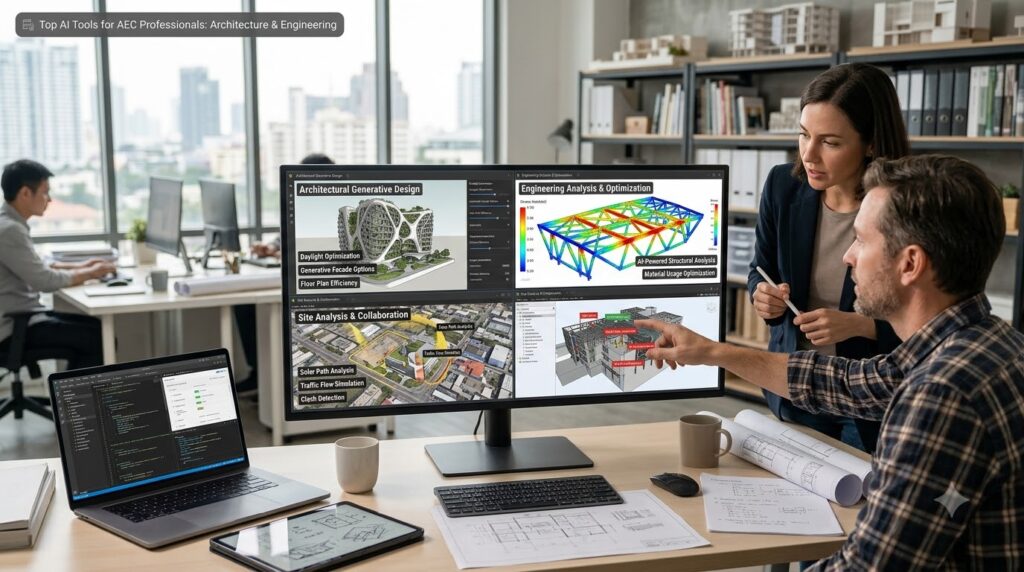
Autodesk says Forma provides AI-powered analysis for factors such as sun hours, daylight potential, operational energy, wind, and microclimate.
One particularly interesting development in 2026 is Building Layout Explorer, an experimental generative AI capability that can generate and evaluate floor-plan options from a massing model during early design.
Why architects should consider it
Traditional early-stage design can require manually creating multiple options and evaluating them one by one. AI-assisted workflows can accelerate this exploration so architects can spend more time evaluating design quality and less time producing repetitive alternatives.
Forma is especially useful for:
Architects → Urban designers → Real-estate developers → Planning teams → AEC firms
2. Autodesk Revit — Best for BIM and AI-Assisted Building Design
Revit remains one of the most important tools for building information modeling, and its AI capabilities are becoming increasingly relevant to architecture and engineering workflows.
Autodesk’s current documentation identifies Generative Design and Autodesk Assistant among AI-related workflows available in Revit. Generative Design can produce design alternatives based on specified goals, constraints, and inputs.
What makes Revit useful with AI?
AI-assisted Revit workflows can help professionals:
- Explore design alternatives
- Automate repetitive tasks
- Search documentation using natural language
- Work with BIM information
- Develop building models
- Coordinate architectural and engineering information
- Move from conceptual design toward detailed documentation
The combination of Forma and Revit is particularly interesting because Autodesk is positioning Forma for earlier design exploration while Revit remains central to detailed model-based BIM workflows.
Best for
Revit is particularly valuable for:
- Architects
- Structural engineers
- MEP engineers
- BIM managers
- Building designers
- Contractors working with BIM models
AI does not remove the need for BIM standards, checking, coordination, or professional review. Instead, it can reduce the amount of repetitive work required to reach a usable model.
3. Autodesk AutoCAD — Best AI-Assisted CAD Tool
AutoCAD is another established AEC tool that now includes AI-powered functionality.
Autodesk says AI capabilities in AutoCAD include tools such as Markup Import, Markup Assist, Smart Blocks, and My Insights: Macro Advisor.
These features are particularly useful because CAD workflows often contain repetitive activities that don’t necessarily require extensive creative decision-making.
How AI can help AutoCAD users
Depending on the workflow, AI-assisted CAD features can help with:
- Understanding markups
- Identifying drawing information
- Reusing blocks
- Automating repetitive actions
- Improving drawing workflows
- Finding productivity insights
For engineers and architects who already spend significant time in AutoCAD, using built-in AI capabilities can be more practical than adding a completely separate AI application.
4. Finch — Best AI Tool for Floor-Plan Exploration
Finch is an AI-assisted design platform focused on architectural planning and floor-plan generation.
One notable workflow connects Autodesk Forma, Finch, and Revit. Autodesk describes a process where site massing from Forma can move into Finch, where AI can help generate compliant floor plans, before the developing design moves into Revit as a native model.
Why Finch is interesting
Architectural design involves constant iteration.
An architect might need to explore:
- Different apartment layouts
- Office configurations
- Circulation patterns
- Building cores
- Room arrangements
- Area distributions
- Multiple planning options
AI-assisted layout generation can make it easier to explore alternatives before committing significant time to detailed modeling.
Best workflow
A useful conceptual workflow is:
Site → Massing → AI-assisted layouts → Revit/BIM → Detailed design
This makes Finch particularly interesting for architects working on repetitive building typologies and early-stage planning.
5. ChatGPT — Best General-Purpose AI Assistant for Architects and Engineers
OpenAI ChatGPT is not an architectural CAD program or engineering simulation platform, but it can be extremely useful as a general-purpose assistant.
Architects and engineers can use it for tasks surrounding their technical work.
Practical uses of ChatGPT
You can use an AI assistant to help with:
- Project research
- Design briefs
- Meeting summaries
- Specification drafts
- Client emails
- Presentation text
- Project documentation
- Technical explanations
- Brainstorming
- Spreadsheet analysis
- Python scripts
- Dynamo-related logic
- Revit automation concepts
- AutoCAD scripting
- Project checklists
- Construction documentation workflows
For example, an engineer could provide a technical problem and ask the AI to explain the methodology in simpler language.
An architect could ask it to turn a design concept into a structured presentation narrative.
Important limitation
ChatGPT should not be treated as the final authority for structural calculations, building-code compliance, life-safety decisions, or other regulated professional decisions.
Use AI to accelerate thinking and documentation, but verify important technical outputs against applicable standards, project requirements, calculations, and professional judgment.
6. Claude — Best for Long Technical Documents
Claude is another useful general-purpose AI assistant, particularly when working with long documents and complex written material.
Architects and engineers regularly deal with:
- Specifications
- RFPs
- Contracts
- Design briefs
- Standards
- Reports
- Meeting transcripts
- Project documentation
- Technical proposals
An AI system capable of analyzing large amounts of text can help professionals locate information, summarize documents, compare requirements, and identify areas that require attention.
Examples
An architect could ask:
“Summarize the client’s requirements and identify conflicting design constraints.”
An engineer could use it to:
- Extract requirements from a specification
- Compare two versions of a document
- Summarize a technical report
- Organize research
- Create a preliminary checklist
The final interpretation should still be reviewed by the responsible professional.
7. Perplexity — Best AI Tool for Technical Research
Perplexity is useful when research is a significant part of your workflow.
Architects and engineers often need to research:
- Building materials
- Sustainability technologies
- Design precedents
- Engineering concepts
- Product information
- Industry standards
- Construction technologies
- New software
- Environmental strategies
Instead of manually opening dozens of search results, an AI research engine can help organize information into a more readable research response.
Why research matters in architecture and engineering
AI-generated answers can sound convincing even when incorrect. Therefore, source verification is particularly important for professional work.
Use AI research tools as a starting point, then check the original:
- Standard
- Manufacturer documentation
- Government publication
- Engineering authority
- Academic paper
- Product specification
- Official software documentation
This approach combines AI speed with professional verification.
8. Adobe Firefly — Best for Architectural Visualization Concepts
Adobe Firefly can be useful for architects who need to communicate visual concepts quickly.
Architectural presentations often require multiple visual directions before a final rendering is produced.
AI image-generation tools can help explore:
- Material palettes
- Interior concepts
- Landscape ideas
- Facade treatments
- Lighting moods
- Furniture concepts
- Urban environments
- Presentation imagery
Example workflow
Instead of immediately producing a detailed final rendering, an architect can first explore several conceptual directions:
Concept → AI visualization → Client feedback → Detailed 3D model → Final rendering
This can reduce the time needed to communicate early ideas.
AI-generated imagery should be clearly treated as conceptual when it does not represent the actual final design.
9. Midjourney — Best for Architectural Concept Inspiration
Midjourney is another popular generative image tool that can help architects explore visual ideas.
It is particularly useful during brainstorming and concept development.
Architectural applications
Architects can experiment with prompts describing:
- Contemporary residences
- Sustainable buildings
- Minimalist interiors
- Brutalist architecture
- Parametric facades
- Tropical architecture
- Urban public spaces
- Landscape architecture
- Museum concepts
- Hospitality interiors
For example:
Prompt idea:
Contemporary sustainable cultural center, passive solar design, exposed structural system, natural stone and timber facade, landscaped public plaza, architectural visualization, realistic daylight, professional architectural photography.
The result should be considered an inspiration or concept rather than a technically accurate construction drawing.
10. Gamma — Best AI Tool for Architecture Presentations
Architects and engineers frequently need to turn technical information into presentations for:
- Clients
- Stakeholders
- Investors
- Project teams
- Planning authorities
- Internal reviews
Gamma can help create presentation structures and visual layouts from written information.
Useful presentation topics
You could create presentations around:
- Project concepts
- Site analysis
- Design alternatives
- Sustainability strategies
- Engineering proposals
- Project timelines
- Client presentations
- Design review meetings
The advantage is speed. Instead of spending hours starting a presentation from a blank slide, AI can help establish the initial structure that you can then edit.
11. NotebookLM — Best for Project-Specific Research
NotebookLM is especially useful when you want AI to work around a defined collection of source materials.
For architecture and engineering projects, source material might include:
- Project briefs
- Reports
- Research papers
- Meeting notes
- Design documents
- Technical references
- PDFs
- Planning information
The important idea is that the AI is working with the material you provide rather than relying only on a general conversation.
Potential workflow
Upload relevant project information and use AI to help:
- Summarize the documents.
- Identify important requirements.
- Create project notes.
- Find information inside the sources.
- Compare different documents.
- Generate questions for project meetings.
This can be particularly useful when a project has accumulated a large amount of documentation.
12. Microsoft Copilot — Best for Office-Based AEC Work
Microsoft Copilot can be useful for architects and engineers whose work is heavily connected to Word, Excel, PowerPoint, Outlook, and Teams.
The value isn’t necessarily in replacing specialized architecture software. Instead, it can help with the administrative and analytical work surrounding projects.
Examples
An architect can use AI assistance for:
- Client emails
- Meeting summaries
- Project proposals
- Presentation preparation
- Project spreadsheets
An engineer can use it for:
- Data analysis
- Tables
- Reports
- Spreadsheet work
- Project correspondence
- Presentation development
This makes office-integrated AI particularly useful for multidisciplinary firms.
How AI Is Changing Architecture and Engineering Workflows
The biggest change isn’t simply that AI can “generate designs.”
The more important transformation is that AI can connect different parts of the professional workflow.
A traditional architecture workflow might look like:
Brief → Research → Sketch → CAD → Modeling → Analysis → Presentation → Documentation
AI can assist at several points:
Brief → AI research → Concept alternatives → Generative design → Analysis → Visualization → Documentation → Review
The professional remains responsible for deciding whether the resulting design is appropriate.
Best AI Tools for Architects by Task
If you’re an architect, the best tool depends on what you actually need to accomplish.
For site analysis
Autodesk Forma is one of the strongest choices because it is designed specifically around site planning and early-stage analysis.
For BIM
Autodesk Revit remains the core choice for model-based building design, with AI-assisted and generative design capabilities.
For floor-plan exploration
Finch is particularly interesting for AI-assisted layout generation.
For visual concepts
Adobe Firefly and Midjourney can help explore visual directions.
For research
ChatGPT, Claude, Perplexity, and NotebookLM can support different research workflows.
For presentations
Gamma and Microsoft Copilot can speed up presentation development.
Best AI Tools for Engineers by Task
Engineers should select AI tools based on their discipline and workflow.
Civil engineers
Useful applications include:
- Site planning
- Infrastructure research
- Data analysis
- Documentation
- CAD automation
- Project coordination
Autodesk’s broader AI ecosystem includes engineering-oriented workflows such as generative modeling and connected project workflows.
Structural engineers
AI can assist with:
- Research
- Calculation preparation
- Documentation
- Spreadsheet analysis
- Code research
- Report writing
- Automation
However, structural calculations and final design decisions must remain subject to appropriate engineering review.
Mechanical engineers
AI can help with:
- Engineering research
- Design brainstorming
- Technical documentation
- Data analysis
- Automation
- Programming assistance
Electrical engineers
Useful applications include:
- Documentation
- Research
- Data analysis
- Programming
- Project coordination
- Technical report preparation
The best results generally come from combining AI with specialized engineering software rather than expecting a general AI chatbot to perform the complete engineering workflow.
How to Use AI in Architecture Without Losing Design Quality
AI can generate hundreds of possibilities, but more possibilities don’t automatically mean better architecture.
A strong workflow is:
Step 1: Define the problem
Clearly identify:
- Site constraints
- Client requirements
- Budget
- Program
- Regulations
- Environmental conditions
- Project objectives
Step 2: Use AI for exploration
Generate multiple possibilities instead of immediately selecting the first result.
Step 3: Apply professional judgment
Evaluate each alternative based on actual project requirements.
Step 4: Test the concept
Use appropriate analytical and BIM tools.
Step 5: Refine manually
Architectural quality often depends on details that cannot be captured by a simple prompt.
Step 6: Document and verify
The final design should be developed through the appropriate professional software and checked by qualified team members.
How Engineers Should Use AI Safely
Engineers should be especially careful when using generative AI for technical work.
AI can help with:
- Explaining concepts
- Organizing calculations
- Creating scripts
- Processing data
- Drafting reports
- Finding potential errors
- Generating checklists
- Researching technical topics
But AI output should not automatically be accepted as technically correct.
For important engineering decisions, verify:
- Input assumptions
- Units
- Equations
- Loads
- Boundary conditions
- Material properties
- Design codes
- Safety factors
- Software results
- Applicable regulations
The safest approach is AI-assisted engineering, not AI-only engineering.
AI Tools vs Traditional Architecture and Engineering Software
AI tools are not necessarily replacements for established professional software.
| Workflow | Traditional Tool | AI Contribution |
| CAD | AutoCAD | Automation and drawing assistance |
| BIM | Revit | Generative design and assistance |
| Site design | Forma | AI-powered analysis |
| Layouts | BIM/CAD | Faster option exploration |
| Visualization | Rendering software | Concept generation |
| Research | Search engines | Faster synthesis |
| Documentation | Word/PDF tools | Drafting and summarization |
| Data analysis | Excel | Natural-language assistance |
| Presentations | PowerPoint | Automated structure and content |
This hybrid model is likely to be more useful than trying to replace the entire AEC software stack with one AI application.
What Should Architects Look for in an AI Tool?
Before adopting an AI tool, consider five things.
1. Does it fit your existing workflow?
An AI tool that requires constant manual file conversion may create more work than it saves.
2. Does it understand your project data?
For professional AEC work, context matters.
3. Can you verify its output?
This is especially important for engineering and regulatory work.
4. Does it protect project information?
Architecture and engineering firms may handle confidential:
- Client information
- Building plans
- Proprietary designs
- Tender documents
- Engineering calculations
- Commercial information
Check the provider’s data handling and privacy policies before uploading sensitive project material.
5. Does it save meaningful time?
AI adoption should be measured by workflow improvement, not simply by how impressive a demonstration looks.
Best AI Workflow for an Architecture Firm in 2026
A practical architecture AI stack could look like this:
Autodesk Forma
↓
Site analysis and early concept exploration
Finch
↓
AI-assisted floor-plan exploration
Revit
↓
Detailed BIM development
ChatGPT / Claude
↓
Research, documentation and communication
Firefly / Midjourney
↓
Concept visualization
Gamma / PowerPoint Copilot
↓
Client presentations
This creates a workflow where specialized AEC software handles the technical model while AI tools accelerate supporting tasks.
Best AI Workflow for an Engineering Firm
An engineering-focused stack could be:
Specialized engineering software
↓
Engineering analysis and modeling
Revit / AutoCAD / Civil 3D where appropriate
↓
Design and documentation
ChatGPT / Claude
↓
Research, explanations, documentation and automation
Perplexity / NotebookLM
↓
Source-based research
Excel + Copilot
↓
Data analysis
Automation tools
↓
Repetitive administrative workflows
The important principle is that AI should support the engineering system rather than become an uncontrolled replacement for it.
Are AI Tools Going to Replace Architects and Engineers?
AI is unlikely to eliminate the need for professional architects and engineers simply because designing a building involves much more than generating an attractive image.
Professionals still need to handle:
- Client requirements
- Site conditions
- Regulations
- Safety
- Engineering judgment
- Coordination
- Budget constraints
- Constructability
- Professional liability
- Communication
- Construction realities
Autodesk itself describes its AI approach as augmenting professional expertise rather than replacing it.
The professionals who benefit most from AI will likely be those who learn how to integrate it into existing workflows.
Which AI Tools Are Best for Architects and Engineers?
There is no single best AI tool for every architect or engineer.
For architectural site planning and early design, Autodesk Forma is one of the strongest options because its AI-powered workflows are specifically designed around the built environment.
For BIM, Autodesk Revit remains essential, with generative design and AI-assisted capabilities.
For AI-assisted floor-plan exploration, Finch is worth considering, particularly when connected with Forma and Revit.
For research and general productivity, ChatGPT, Claude, Perplexity, and NotebookLM can handle many supporting tasks.
For visual concept generation, Adobe Firefly and Midjourney can accelerate creative exploration.
For presentations and office work, Gamma and Microsoft Copilot can reduce repetitive preparation.
The most effective strategy is not to choose one AI application and use it for everything. Instead, build a hybrid AI workflow in which specialized architecture and engineering software handles technical work while AI assistants handle exploration, research, communication, automation, and repetitive tasks.
In 2026, the biggest advantage of AI for architects and engineers is therefore not simply faster design. It is the ability to explore more options, process more information, automate repetitive work, and spend more time on professional judgment and high-value decisions.
Conclusion
The best AI tools for architects and engineers in 2026 are not necessarily the tools that produce the most impressive demonstrations. The most valuable tools are those that integrate into real professional workflows and help teams work faster without compromising design quality, technical accuracy, or professional responsibility.
Autodesk Forma and Revit are particularly important for architecture and BIM workflows, while Finch offers interesting AI-assisted floor-plan capabilities. General AI assistants such as ChatGPT and Claude can support research, documentation, analysis, and automation, while image-generation platforms can accelerate conceptual visualization.
The future of AEC is likely to be a combination of human expertise + specialized software + AI assistance. Architects and engineers who learn how to use these technologies strategically can spend less time on repetitive tasks and more time solving the complex design and engineering problems that require professional judgment.