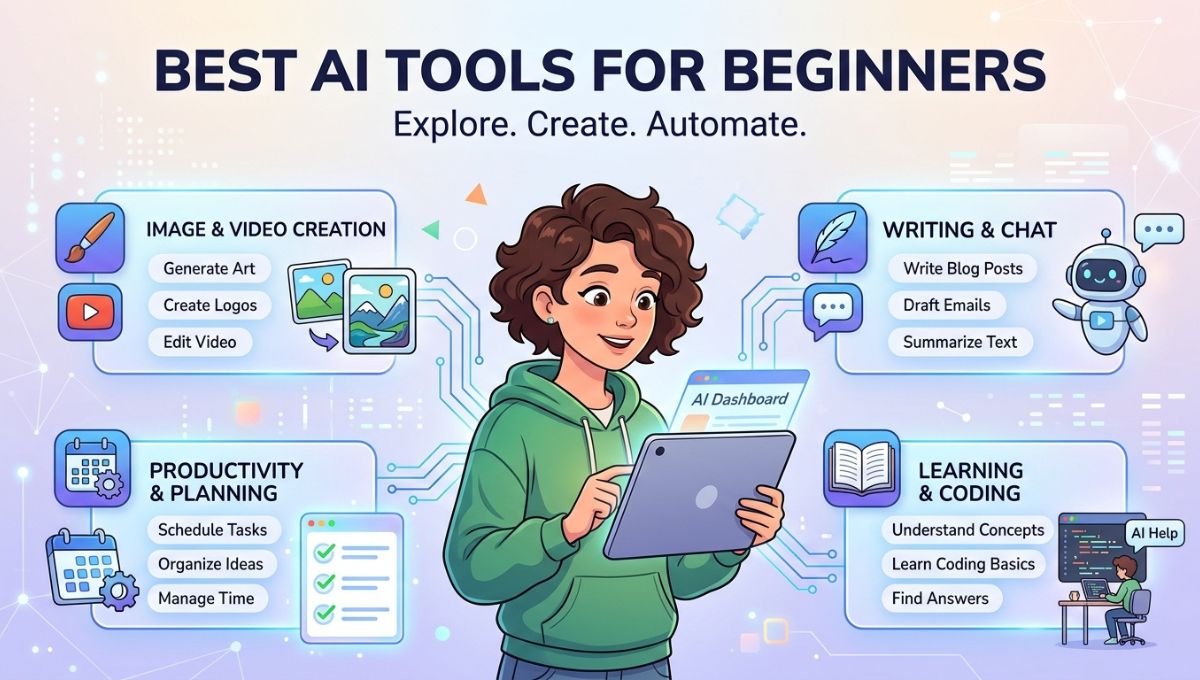
Artificial intelligence is no longer a technology reserved for developers, data scientists, or large corporations. In 2026, AI has become accessible to everyone, from students and freelancers to entrepreneurs, content creators, and small business owners. With just a few clicks, beginners can use AI tools to write articles, create stunning images, edit videos, automate repetitive tasks, generate presentations, analyze data, and even build websites without writing a single line of code.
The growing popularity of AI has also led to the development of user-friendly platforms designed specifically for people with little or no technical experience. These tools feature intuitive interfaces, natural language prompts, and step-by-step guidance, making it easy for anyone to start exploring artificial intelligence.
If you’re new to AI, choosing the right platform can feel overwhelming because hundreds of tools are now available. Some specialize in writing, while others focus on graphic design, coding, research, productivity, or video editing. The best approach is to begin with versatile tools that are easy to learn and provide immediate value.
This guide explores the best AI tools for beginners in 2026, highlighting platforms that combine simplicity, powerful features, and practical applications. Whether your goal is learning AI, improving productivity, or growing your business, these beginner-friendly tools can help you get started confidently.
ChatGPT
ChatGPT is widely regarded as one of the best AI tools for beginners because of its conversational interface and broad range of capabilities. Instead of learning complicated commands, users simply ask questions or describe tasks in everyday language.
Beginners use ChatGPT to write blog posts, emails, social media captions, product descriptions, business proposals, resumes, and creative stories. It can also explain difficult concepts, solve math problems, generate coding examples, summarize documents, brainstorm ideas, and assist with research.
One of ChatGPT’s greatest strengths is its flexibility. Whether you’re a student preparing assignments, a freelancer creating content, or a business owner seeking marketing ideas, ChatGPT adapts to your needs. As your AI skills improve, you can explore advanced prompting techniques and automation features without switching to another platform.
Google Gemini
Google Gemini is another excellent AI assistant for beginners, especially for users already familiar with Google’s ecosystem. It integrates with Gmail, Google Docs, Sheets, Drive, Calendar, and Search, allowing users to complete everyday tasks more efficiently.
Gemini helps beginners draft emails, summarize documents, organize research, generate reports, answer questions, and create presentations. Its strong research capabilities make it particularly useful for students, educators, and professionals looking for reliable information.
Because Gemini works naturally within familiar Google applications, beginners can quickly incorporate AI into their daily workflow without learning entirely new software.
Microsoft Copilot
Microsoft Copilot brings artificial intelligence directly into Microsoft 365 applications such as Word, Excel, PowerPoint, Outlook, and Teams. Beginners who already use Microsoft Office can easily access AI-powered assistance while working on everyday tasks.
Users can create professional documents, analyze spreadsheets, prepare presentations, summarize meetings, and draft emails with minimal effort. Excel users benefit from automated formulas and data analysis, while Word users receive writing suggestions and content generation assistance.
Microsoft Copilot reduces repetitive office work, allowing beginners to improve productivity without requiring technical expertise.
Canva AI
Canva AI has transformed graphic design into a beginner-friendly experience. Even users with no design background can create professional-looking social media posts, presentations, posters, business cards, brochures, resumes, and marketing materials using simple prompts.
AI-powered features such as Magic Design, background removal, text generation, image editing, and automatic layout suggestions simplify the creative process. Instead of spending hours learning complex design software, beginners can produce polished graphics within minutes.
Small businesses, teachers, students, and content creators particularly benefit from Canva AI’s intuitive interface and extensive collection of templates.
Grammarly AI
Grammarly AI is one of the easiest AI tools for beginners who want to improve their writing. It not only corrects grammar and spelling but also enhances sentence structure, clarity, tone, and overall readability.
Students use Grammarly AI to improve essays and assignments, professionals rely on it for business emails and reports, while bloggers and marketers use it to polish online content before publishing.
The tool works across browsers, word processors, and email platforms, making it a convenient writing assistant for everyday communication.
Perplexity AI
Perplexity AI is an excellent research companion for beginners who want reliable answers backed by credible sources. Instead of presenting long lists of search results, it provides summarized responses along with citations that help users verify information.
Students use Perplexity AI for assignments, researchers explore technical topics, and professionals conduct market research more efficiently. Its conversational interface encourages follow-up questions, making research feel natural and interactive.
For beginners looking to replace traditional search engines with a smarter alternative, Perplexity AI is an excellent choice.
NotebookLM
NotebookLM is a unique AI research assistant designed to help users understand their own documents. Beginners can upload PDFs, notes, presentations, textbooks, reports, or research papers and ask questions based on the uploaded content.
The platform generates summaries, explains difficult concepts, extracts key insights, and organizes information into easy-to-understand formats. Students preparing for exams, educators creating study materials, and professionals reviewing reports find NotebookLM particularly valuable.
Its ability to personalize research makes it one of the most practical AI learning tools available.
ElevenLabs
ElevenLabs introduces beginners to AI-powered voice generation through a simple and intuitive interface. Users can convert written text into realistic speech for podcasts, YouTube videos, audiobooks, presentations, and educational content.
The platform supports multiple languages and offers natural-sounding voices that require no recording equipment. Content creators appreciate the ability to produce professional voiceovers quickly while businesses use ElevenLabs for customer communication and training materials.
For anyone interested in audio content, ElevenLabs provides an easy entry point into AI voice technology.
Runway
Runway simplifies video editing by using artificial intelligence to automate complex editing tasks. Beginners can remove backgrounds, generate subtitles, edit objects, enhance video quality, and even create videos from text prompts.
Traditional video editing software often requires extensive training, but Runway allows users to produce impressive results through AI-assisted workflows. Social media creators, educators, marketers, and small businesses benefit from faster video production without advanced editing skills.
As short-form video continues dominating online platforms, Runway offers beginners an efficient way to create engaging visual content.
Gamma AI
Gamma AI makes presentation creation easier by automatically designing slides from simple prompts. Users only need to provide their ideas, and the platform generates visually appealing presentations with organized layouts and professional formatting.
Students use Gamma AI for classroom projects, entrepreneurs create investor pitches, businesses prepare client presentations, and educators develop teaching materials. The platform saves hours of manual formatting while helping beginners create polished presentations with minimal effort.
Its user-friendly design and collaborative features make it one of the most accessible AI productivity tools available.
Why Beginners Should Start Using AI Tools
Learning artificial intelligence today provides valuable advantages for both personal and professional growth. AI tools reduce repetitive work, improve efficiency, and help users complete tasks that once required specialized skills.
Beginners who become comfortable using AI gain practical experience that can improve employability, increase productivity, and support career development. Whether writing content, designing graphics, editing videos, conducting research, or managing projects, AI allows users to accomplish more in less time.
Rather than replacing creativity, these tools enhance it by handling routine tasks while allowing people to focus on ideas, strategy, and decision-making.
Starting with beginner-friendly platforms also builds confidence before exploring more advanced AI technologies.
Tips for Getting the Best Results from AI
New users should begin with simple prompts and gradually experiment with more detailed instructions. The more clearly you explain your request, the better the AI’s response will be.
Always review AI-generated content before publishing or sharing it. Although modern AI is highly capable, human oversight ensures accuracy, originality, and quality.
Combining multiple AI tools often produces better results than relying on a single platform. For example, you can use ChatGPT for writing, Canva AI for graphics, Grammarly AI for editing, Runway for videos, and ElevenLabs for voiceovers.
Continuous practice is the fastest way to improve AI skills. Exploring different features and experimenting with new prompts helps beginners discover creative ways to use artificial intelligence in everyday work.
Conclusion
Artificial intelligence has become more accessible than ever, making it possible for beginners to improve productivity, creativity, and learning without requiring technical expertise. The best AI tools for beginners—including ChatGPT, Google Gemini, Microsoft Copilot, Canva AI, Grammarly AI, Perplexity AI, NotebookLM, ElevenLabs, Runway, and Gamma AI—offer intuitive interfaces and practical features that simplify everyday tasks.
Whether you’re writing documents, creating designs, researching information, producing videos, or organizing projects, these AI platforms provide an excellent starting point for exploring the possibilities of artificial intelligence. As your confidence grows, you’ll discover new ways to automate work, enhance creativity, and develop valuable digital skills that will remain relevant in an increasingly AI-driven world.
The future belongs to individuals who understand how to work alongside artificial intelligence. By starting with beginner-friendly AI tools today, you can build the knowledge and experience needed to succeed in tomorrow’s rapidly evolving digital landscape.