
Artificial intelligence has transformed the way people create, edit, proofread, and refine written content across virtually every industry. Tasks that once required hours of careful editing, multiple rounds of proofreading, and extensive language corrections can now be completed in just seconds with the help of AI-powered writing assistants.
Students use AI to enhance assignments, essays, and research papers with greater accuracy and clarity. Professionals rely on these tools to draft polished emails, reports, proposals, and presentations more efficiently. Bloggers, content creators, and marketers leverage AI to produce engaging, high-quality content at scale, while businesses use it to maintain consistent, professional communication across teams and customer interactions.
As the demand for faster, smarter, and more accurate writing solutions continues to grow, two platforms have emerged as some of the most widely discussed and heavily used AI writing tools in the market today: Grammarly and QuillBot.
Both tools are built to improve writing, but they approach this goal differently.
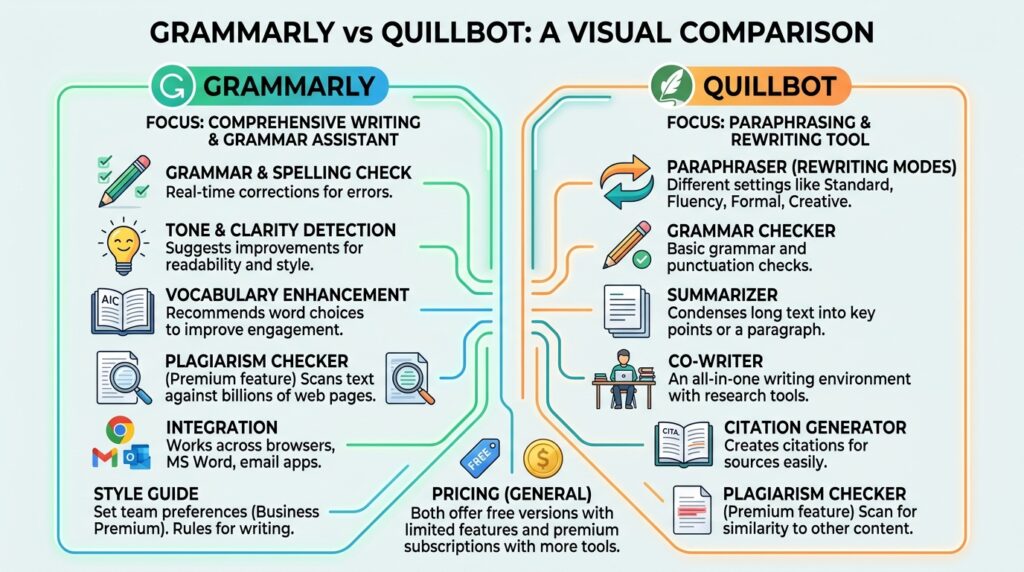
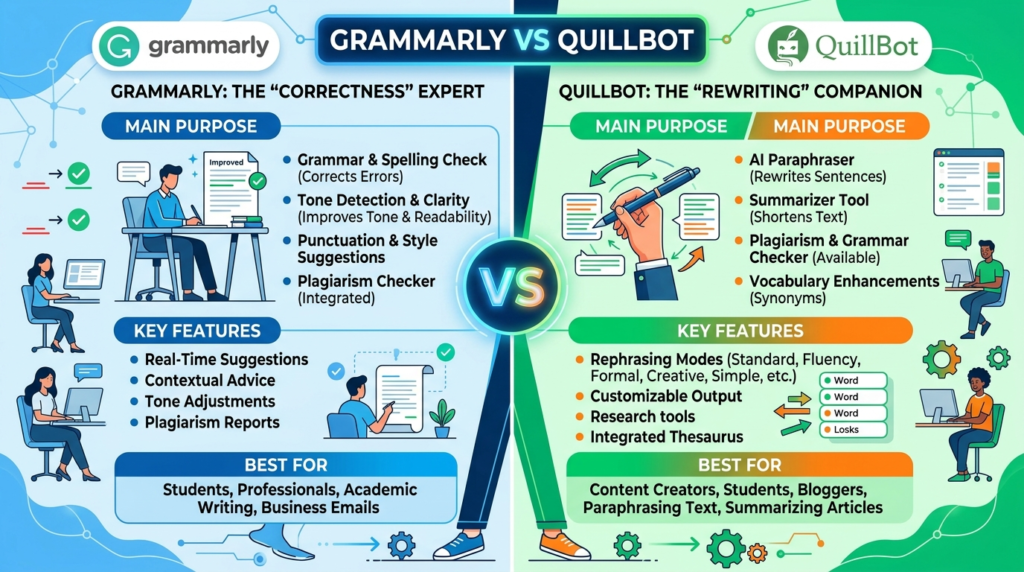
Grammarly focuses primarily on grammar correction, sentence clarity, tone enhancement, punctuation accuracy, and professional writing refinement.
QuillBot, meanwhile, specializes in paraphrasing, rewriting, summarizing, and helping users restructure content while maintaining its original meaning.
Because these tools solve different writing problems, the comparison between Grammarly vs QuillBot has become increasingly important for students, professionals, researchers, content creators, and businesses trying to determine which platform offers the best value for their needs.
Some users need a tool that catches grammar mistakes and improves sentence flow.
Others need a tool that can quickly rewrite text, summarize lengthy content, or generate alternate phrasing.
Choosing the wrong tool can lead to inefficiency, unnecessary spending, and frustration.
This detailed comparison examines every important aspect of both platforms, including:
Core functionality
Writing accuracy
Paraphrasing performance
Grammar correction
Ease of use
Integrations
Academic usefulness
Professional applications
Pricing
Customization
Overall productivity value
By the end of this comparison, readers will have a clear understanding of where each platform excels and which tool is better suited to their writing workflow.
Understanding Grammarly and QuillBot

Before comparing features, it is important to understand what each platform is designed to do.
Although both tools operate within the writing assistance space, their core focus differs significantly.
What is Grammarly?
Grammarly is an AI-powered writing assistant designed to help users produce grammatically correct, clear, concise, and professional-quality writing.
It works as an intelligent editing layer across multiple platforms and identifies writing issues in real time.
Its core capabilities include:
Grammar correction
Spell checking
Punctuation improvement
Tone analysis
Clarity suggestions
Sentence rewrites
Vocabulary enhancement
Plagiarism detection
Grammarly is widely used by:
Students
Business professionals
Corporate teams
Writers
Editors
Job seekers
Marketers
Its main purpose is to improve original writing.
Rather than rewriting entire passages, Grammarly refines what users have already written.
What is QuillBot?
QuillBot is an AI-powered writing and paraphrasing platform focused on rewriting and restructuring text.
Its primary function is to help users express the same ideas in different ways.
Its major features include:
Paraphrasing
Sentence restructuring
Summarization
Grammar checking
Citation generation
Translation assistance
QuillBot is especially popular among:
Students
Researchers
Academic writers
Bloggers
Content editors
SEO writers
Its purpose is not simply to correct writing.
It helps users reshape text for clarity, variation, brevity, or expansion.
This distinction is central to understanding the comparison.
Core Purpose: Editing vs Rewriting
The biggest difference between these two AI writing tools lies in their design philosophy.
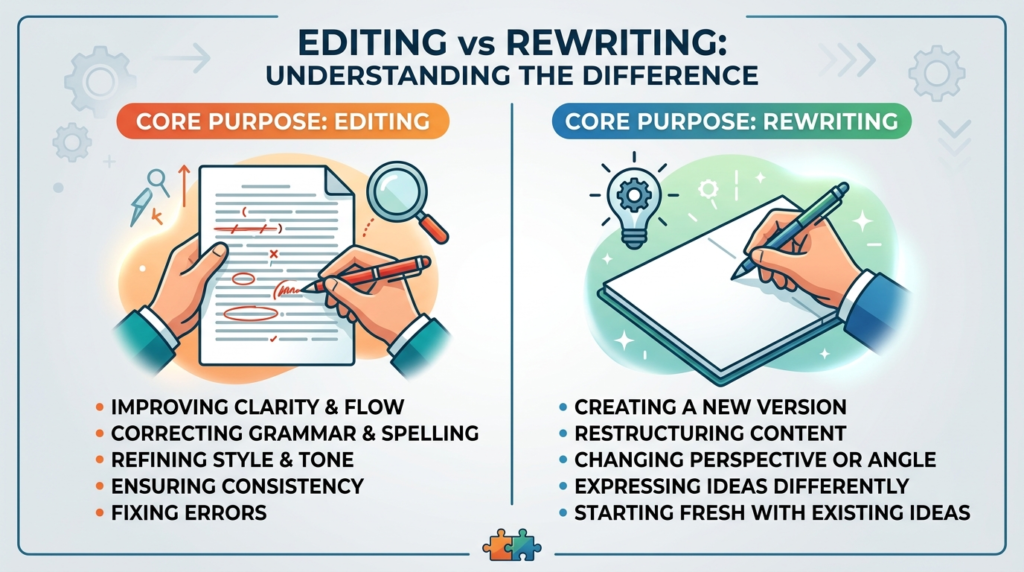
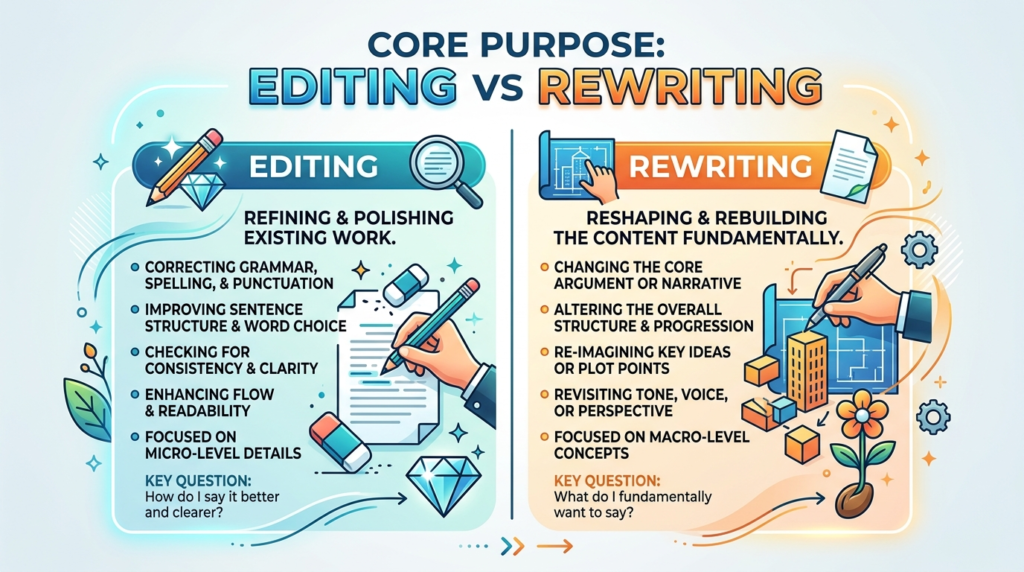
Grammarly is primarily an editing assistant.
It improves content by identifying and correcting errors while preserving the writer’s original structure and intent.
It is ideal for polishing original writing.
QuillBot, by contrast, is a rewriting assistant.
It transforms existing text into alternate versions.
It is ideal for paraphrasing and restructuring.
This means:
If users write original drafts and need refinement, Grammarly is usually more useful.
If users frequently rewrite or summarize content, QuillBot often offers greater value.
Feature Comparison
A direct comparison highlights the differences clearly.
| Feature | Grammarly | QuillBot |
|---|---|---|
| Grammar correction | Advanced | Moderate |
| Spell checking | Excellent | Good |
| Paraphrasing | Basic | Advanced |
| Tone suggestions | Strong | Limited |
| Summarizer | Limited | Strong |
| Citation generator | No | Yes |
| Plagiarism checker | Yes | Limited |
| Browser integration | Yes | Yes |
| Mobile keyboard | Yes | Limited |
| Writing analytics | Advanced | Basic |
| Translation support | Limited | Yes |
| Academic rewriting | Moderate | Strong |
This table reveals an important reality.
These tools overlap, but they excel in different areas.
Grammar Correction Accuracy
Grammar correction remains one of the most important functions for writing software.
Grammarly’s Grammar Performance
Grammarly is widely recognized for its advanced grammar correction engine.
It identifies:
Spelling mistakes
Comma misuse
Sentence fragments
Incorrect tense
Subject-verb disagreement
Passive voice
Word repetition
Clarity issues
Its recommendations are usually context-aware and highly accurate.
It often explains why changes are suggested.
This educational element helps users improve over time.
For many users, Grammarly functions as both an editor and a writing coach.
QuillBot’s Grammar Performance
QuillBot includes grammar correction functionality.
It can catch many common errors.
However, its correction depth is generally less advanced.
It is not as detailed in explaining corrections.
Its grammar checker works best as a supporting feature rather than a primary editing solution.
Grammar Winner
Grammarly
Its correction accuracy is significantly stronger.
Paraphrasing Quality
Paraphrasing is where QuillBot has built much of its reputation.
Grammarly Paraphrasing
Grammarly offers limited sentence rewrite suggestions.
These suggestions improve clarity but do not provide full paraphrasing flexibility.
Its focus is editing rather than transformation.
QuillBot Paraphrasing
QuillBot specializes in paraphrasing.
It offers multiple modes including:
Standard
Fluency
Formal
Creative
Simple
Expand
Shorten
These modes allow users to adjust rewriting style depending on context.
Its ability to restructure text while preserving meaning is one of the strongest in the market.
This makes it particularly useful for students and researchers.
Paraphrasing Winner
QuillBot
This is its strongest category.
Writing Enhancement and Clarity
Improving readability is essential.
Grammarly
Grammarly provides strong recommendations for:
Conciseness
Sentence clarity
Readability
Word choice
Professional tone
Its suggestions often improve writing flow significantly.
This makes content easier to read and more polished.
QuillBot
QuillBot improves clarity through restructuring.
However, it does not provide the same detailed editorial feedback.
Writing Enhancement Winner
Grammarly
Summarization Capabilities
Summarization is increasingly valuable.
Grammarly
Grammarly offers limited summarization.
It focuses primarily on editing.
QuillBot
QuillBot includes strong summarization tools.
Users can condense lengthy articles, essays, and documents while preserving key points.
This is especially useful for:
Students
Researchers
Writers reviewing long material
Summarization Winner
QuillBot
Ease of Use
Ease of use affects daily productivity.
Grammarly User Experience
Grammarly offers a highly polished interface.
Its suggestions appear directly while users write.
Corrections are easy to accept or reject.
The experience feels smooth and efficient.
QuillBot User Experience
QuillBot is also very simple.
Users paste text, select a mode, and receive rewritten output instantly.
Its interface is clean and focused.
Ease of Use Verdict
Both platforms perform strongly.
This category is essentially a tie.
Platform Integrations
Integration flexibility can dramatically improve workflow efficiency.
Grammarly Integrations
Grammarly supports:
Google Docs
Microsoft Word
Outlook
Browsers
Mobile keyboards
Desktop apps
This broad compatibility makes it highly versatile.
QuillBot Integrations
QuillBot supports:
Web platform
Browser extension
Microsoft Word
Its integration ecosystem is smaller.
Integration Winner
Grammarly
Academic Use
Students represent a major user group.
Grammarly for Students
Grammarly helps students:
Correct grammar
Improve clarity
Polish essays
Maintain professionalism
It is excellent for final editing.
QuillBot for Students
QuillBot helps students:
Paraphrase sources
Rewrite complex passages
Summarize articles
Simplify research notes
This makes it especially valuable during drafting and research phases.
Academic Winner
Depends on need:
Editing: Grammarly
Rewriting: QuillBot
Professional Use
Professional writing demands precision.
Grammarly
Ideal for:
Emails
Reports
Presentations
Client communication
Business proposals
Its tone suggestions are highly valuable.
QuillBot
Useful for rewriting but less specialized for professional refinement.
Professional Winner
Grammarly
Pricing Comparison
| Plan Type | Grammarly | QuillBot |
|---|---|---|
| Free plan | Strong | Strong |
| Premium pricing | Higher | Lower |
| Team options | Available | Limited |
| Feature specialization | Editing | Rewriting |
Grammarly Pricing
Grammarly’s premium pricing reflects its advanced editing capabilities.
It is generally more expensive.
QuillBot Pricing
QuillBot is more affordable.
This makes it attractive for students.
Pricing Winner
Affordability: QuillBot
Professional value: Grammarly
Who Should Choose Grammarly?
Grammarly is best for:
Business professionals
Corporate teams
Writers
Editors
Job applicants
Anyone needing polished original writing
It is ideal for final-stage editing.
Who Should Choose QuillBot?
QuillBot is best for:
Students
Researchers
Academic writers
Bloggers
SEO writers
Content rewriters
It is ideal for restructuring text.
Pros and Cons
Grammarly Pros
Excellent grammar correction
Strong clarity suggestions
Professional tone analysis
Broad integrations
Educational feedback
Grammarly Cons
Higher pricing
Limited paraphrasing depth
QuillBot Pros
Outstanding paraphrasing
Strong summarizer
Affordable pricing
Flexible rewriting modes
QuillBot Cons
Weaker grammar correction
Fewer integrations
Less editorial feedback
Real-World Use Cases
A student writing a research paper may benefit from QuillBot during drafting and Grammarly during final editing.
A business professional preparing client communication will usually benefit more from Grammarly.
A content marketer rewriting multiple versions of ad copy may find QuillBot more efficient.
A job applicant polishing a resume and cover letter will likely prefer Grammarly.
Use case matters greatly.
Final Verdict: Grammarly vs QuillBot
The answer depends entirely on writing goals.
If users need advanced grammar correction, professional polish, and stronger editorial guidance, Grammarly is the better choice.
It offers deeper writing refinement.
If users need fast paraphrasing, affordable rewriting, and summarization support, QuillBot is the stronger option.
It dominates in transformation-focused writing tasks.
Neither tool completely replaces the other.
Many users benefit from using both together.
Conclusion
The competition between Grammarly vs QuillBot reflects two different approaches to writing improvement.
Grammarly focuses on correcting and polishing original writing.
Its strength lies in professional refinement, accuracy, and clarity.
QuillBot focuses on rewriting and restructuring content.
Its strength lies in paraphrasing flexibility and summarization.
For users seeking the best grammar-focused editing assistant, Grammarly remains one of the strongest options available.
For users seeking efficient rewriting and paraphrasing, QuillBot continues to lead.
The right choice depends on whether users prioritize correction or transformation.
As AI writing tools continue to evolve, both platforms remain essential solutions for improving writing efficiency and quality in different ways.