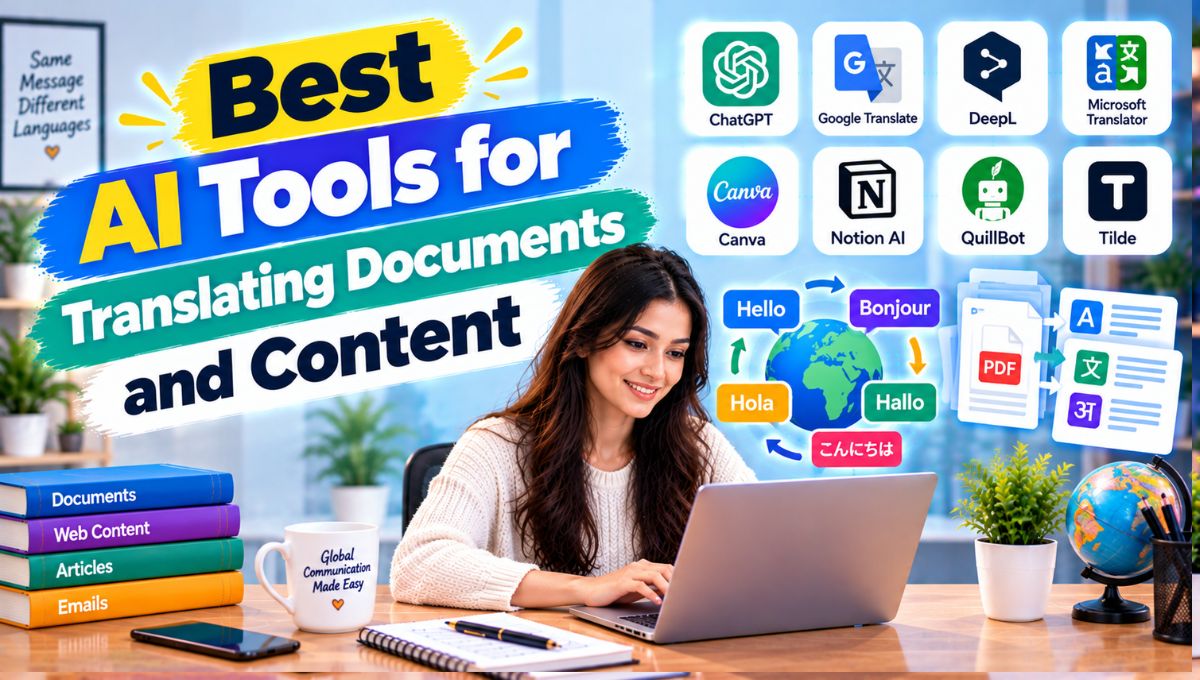
Translating documents manually can be slow, especially when you need to handle PDFs, Word files, PowerPoint presentations, spreadsheets, websites, articles, product descriptions, or large amounts of business content. Modern AI translation tools can translate this material much faster while preserving much of the original meaning, structure, terminology, and formatting.
The best AI tools for translating documents and content in 2026 include DeepL, Google Translate, Microsoft Azure Translator, Google Docs translation, ChatGPT, Claude, Gemini, and several specialized localization platforms. However, these tools are not interchangeable. Some are designed specifically for full-document translation, while others are better for rewriting, localization, contextual translation, or translating content directly inside an existing workflow.
For example, Google Translate can translate DOCX, PDF, PPTX, and XLSX files through its document interface, while DeepL offers document translation with formatting preservation, glossaries, style rules, translation memories, and enterprise workflows. Microsoft Azure Translator goes further for developers and organizations that need document translation APIs, custom translation models, glossaries, and automated workflows.
This guide compares the leading options and explains which type of translator makes sense for bloggers, students, businesses, marketers, researchers, agencies, developers, and multilingual content teams.
Best AI Translation Tools
| AI Translation Tool | Best For | Main Strength |
|---|---|---|
| DeepL | Professional document translation | Formatting, terminology and translation quality |
| Google Translate | Quick document translation | Simple and broad language coverage |
| Microsoft Azure Translator | Enterprise and developers | APIs, custom translation and automation |
| Google Docs Translate | Google Workspace users | Easy translation directly inside Docs |
| ChatGPT | Contextual translation and rewriting | Context, tone and flexible instructions |
| Claude | Long documents and contextual translation | Document analysis and natural-language editing |
| Google Gemini | Google ecosystem users | Files, Docs and contextual AI assistance |
| Smartcat | Localization teams | Translation management and collaboration |
| Phrase | Enterprise localization | Translation management and localization workflows |
| Amazon Translate | Developers and AWS users | Cloud-based automated translation |
| SYSTRAN | Enterprise and specialized translation | Customizable translation technology |
| QuillBot Translator | Quick content translation | Simple translation and writing workflow |
What Is AI Document Translation?
AI document translation uses machine-learning and language models to convert written content from one language into another.
Traditional machine translation primarily focused on replacing words and phrases between languages.
Modern AI systems can analyze larger portions of the surrounding text to understand context.
That can improve how the system handles:
- Idioms
- Sentence structure
- Technical terminology
- Formal language
- Informal language
- Context-dependent words
- Business terminology
- Marketing copy
- Repeated phrases
Document translation adds another layer.
Instead of copying paragraphs into a translation box, you upload an entire file.
Depending on the tool, it may preserve:
- Headings
- Paragraphs
- Tables
- Formatting
- Fonts
- Images
- Page structure
- Captions
- Footnotes
- Layout
This is why a dedicated document translation platform can be substantially more useful than a basic online translator for professional work.
1. DeepL
Best for: Professional document translation, business content and high-quality multilingual workflows
DeepL is one of the strongest options for users who regularly translate documents rather than isolated sentences.
Its file translation system supports major document formats and can preserve the original formatting, images and fonts. DeepL currently supports document translation across more than 100 languages and offers tools such as glossaries, style rules and translation memories for more consistent business terminology.
Supported workflows include files such as:
- Word documents
- PowerPoint presentations
- PDFs
- Excel files
- HTML
- TXT
- SRT
- Images
The exact file limits and supported features depend on the plan. For example, DeepL’s current documentation lists different size and character limits for Word and PowerPoint files depending on the subscription.
Why DeepL is useful
One of its biggest advantages is that translation does not have to be a completely manual process.
A business can create a glossary containing preferred terminology.
For example:
Original term: Customer Success Manager
Preferred translation: Company-approved local-language equivalent
The glossary helps maintain consistency instead of allowing the system to choose different translations throughout a document.
DeepL also supports style rules, translation memories, formal/informal tone controls and quality-related features.
Best use cases
DeepL is particularly useful for:
- Business documents
- Legal and administrative drafts
- Marketing materials
- Presentations
- Technical documentation
- Websites
- PDFs
- Multilingual content teams
- Localization projects
For professional document translation, it should be one of the first tools to test.
2. Google Translate
Best for: Quick and accessible document translation
Google Translate remains one of the easiest ways to translate a document without setting up a complex workflow.
Its web interface currently supports document translation for:
- DOCX
- PPTX
- XLSX
Google’s current documentation states that uploaded documents can be up to 10 MB, with PDFs limited to 300 pages through the standard document interface.
The workflow is simple:
- Open Google Translate.
- Select Documents.
- Choose the source and target languages.
- Upload the document.
- Translate it.
- Download the result.
Where Google Translate works well
It is particularly convenient for:
- Students
- Travelers
- Small businesses
- Quick document checks
- General correspondence
- Basic reports
- Everyday content
Google also provides website translation capabilities, which can be useful when you need to understand content published in another language.
Important limitation
Google’s standard document interface has limitations around images and scanned content. Google notes that text found in images and scanned PDF pages can appear in the output document without being translated through this workflow.
That means scanned PDFs deserve extra checking.
3. Microsoft Azure Translator
Best for: Developers, enterprises and automated document translation
Microsoft Azure Translator is designed more for organizations and developers than casual users.
Its Document Translation service supports automated translation of files while preserving source presentation and format. It also supports custom translation models, custom glossaries, language detection and API integration.
Current Microsoft documentation lists support for formats including:
- CSV
- HTML
- ODP
- XLIFF
- DOCX
- XLSX
- PPTX
- TXT
- TSV
Microsoft also supports OCR-based translation for scanned PDFs and image-related document workflows.
Why businesses use Azure Translator
Imagine a company receives hundreds of product documents every month.
Manually uploading every file isn’t an efficient workflow.
Instead, developers can build an automated system:
Document uploaded → Azure Translator → Target language → Translated document → Internal system
This can be integrated into enterprise content workflows.
Custom translation
Microsoft’s Custom Translator capabilities can be useful when generic translation isn’t enough.
For example, a medical, manufacturing or financial organization may have terminology that needs to be translated consistently.
Best use case
Azure Translator is particularly appropriate for:
- Enterprise translation
- SaaS applications
- Automated workflows
- Large document collections
- Localization systems
- Developer projects
- Custom translation requirements
4. Google Docs Translate
Best for: Google Workspace users
If your document already lives inside Google Docs, you may not need to move it to a separate translation platform.
Google Docs includes a Translate document feature.
You can open a document, choose Tools → Translate document, select the target language and create a translated copy. Google says the translated document opens as a new document and can also appear in Google Drive.
This makes the feature useful for:
- Students
- Writers
- Teachers
- Teams
- Bloggers
- Researchers
- Google Workspace users
Best use case
Use Google Docs translation when the content is already being created and managed inside Google Workspace.
The advantage is convenience rather than having to download, upload and reformat the document.
5. ChatGPT
Best for: Contextual translation, rewriting and localization
General-purpose AI assistants can be useful when translation requires more than direct language conversion.
For example, instead of asking only:
Translate this article into Spanish.
you can provide additional instructions:
Translate this article into natural Spanish for readers in Spain. Keep the headings unchanged, preserve the technical terminology, avoid literal translations, and maintain a professional but conversational tone.
That additional context can be valuable.
ChatGPT can also help with:
- Translating sections
- Explaining difficult phrases
- Rewriting translations
- Localizing marketing copy
- Simplifying language
- Comparing original and translated versions
- Creating bilingual content
- Adapting tone for a specific audience
A particularly interesting development in 2026 is that DeepL now offers an MCP-based connector that can be used inside ChatGPT, Claude and Microsoft Copilot. DeepL says the connector can translate documents while preserving formatting and can apply organizational glossaries and style rules.
This creates a hybrid workflow:
AI assistant → DeepL translation engine → formatted translated document
That can be useful for teams that want both AI assistance and a dedicated translation engine.
6. Claude
Best for: Long documents, contextual translation and language editing
Claude is useful when translation is part of a larger document-processing task.
Anthropic’s documentation says Claude can translate languages and work with long documents, summaries and other types of written material.
For example, you could ask Claude to:
- Translate a report
- Preserve the original structure
- Explain difficult terminology
- Identify ambiguous sentences
- Compare two translated versions
- Rewrite the translation for a specific audience
- Summarize the document after translation
This makes it different from a dedicated file translator.
A translation platform focuses primarily on translation.
A general AI assistant can combine translation with analysis and editing.
Best use case
Claude is particularly useful when the workflow looks like:
Read → Translate → Analyze → Rewrite → Summarize
rather than simply:
Upload → Translate → Download
7. Google Gemini
Best for: Translation and document work inside Google’s AI ecosystem
Gemini can work with files and documents and can be useful when translation is part of a larger AI workflow.
Google’s current Gemini documentation says users can add files such as PDFs and documents to prompts. Gemini can also work with files from Google Drive in supported environments.
This makes Gemini useful for tasks such as:
- Translating content
- Summarizing translated documents
- Comparing original and translated files
- Rewriting translated content
- Extracting information from multilingual documents
Gemini can also work directly within Google Docs for eligible users, allowing AI-assisted document creation, editing and refinement.
Best use case
Gemini is especially useful when your translation workflow already lives inside Google Drive, Docs and other Google Workspace products.
8. Smartcat
Best for: Translation agencies and localization teams
Smartcat is designed around multilingual content operations rather than simple one-off translation.
It can be useful for organizations managing:
- Large translation projects
- Multiple translators
- AI translation
- Translation memories
- Terminology
- Review processes
- Localization
- Multilingual content
This matters because professional localization is rarely just:
English → Spanish
A real localization workflow can involve:
English → Spanish → Review → Terminology check → Client approval → Publication
A translation management system can help coordinate these stages.
Best use case
Smartcat is particularly relevant to translation agencies, localization departments and businesses producing content in many languages.
9. Phrase
Best for: Enterprise localization and software translation
Phrase is designed for localization workflows where translation needs to be integrated into ongoing content production.
This can be useful for:
- Software interfaces
- Websites
- Mobile applications
- Product content
- Marketing materials
- Global campaigns
Software localization is different from translating a Word document.
The same phrase may appear hundreds of times across an application, and changing it manually can create inconsistencies.
Translation memory and terminology management become important in this environment.
Best use case
Phrase is best considered when translation is part of a larger software or enterprise localization process.
10. Amazon Translate
Best for: Developers and AWS-based applications
Amazon Translate is a cloud machine-translation service designed for developers and organizations.
Instead of manually uploading individual documents, developers can integrate translation into software systems.
Potential applications include:
- Customer support
- E-commerce
- Multilingual applications
- Chat systems
- Document workflows
- Content localization
- Automated communications
For example:
Customer message → Application → Amazon Translate → Agent’s language
This type of workflow can make multilingual communication possible without requiring every employee to speak every language.
Best use case
Amazon Translate is especially relevant if your organization already uses AWS infrastructure.
11. SYSTRAN
Best for: Enterprise and specialized translation environments
SYSTRAN has a long history in machine translation and provides solutions aimed at businesses and organizations.
It can be useful for organizations that require:
- Enterprise translation
- Specialized terminology
- Multilingual communication
- Translation automation
- Customization
Specialized industries often need more control than general-purpose consumer translators provide.
A financial organization, government department or technical company may have thousands of industry-specific terms that need to remain consistent.
Best use case
SYSTRAN is worth considering when specialized or enterprise translation requirements are more important than simple consumer convenience.
12. QuillBot Translator
Best for: Writers who want translation alongside rewriting
QuillBot is primarily known for AI writing and paraphrasing, but its translation functionality can also be useful for writers who need to move between languages while editing content.
This can be useful for:
- Blog content
- Short articles
- Emails
- Social media
- Student writing
- Marketing copy
Its main advantage is workflow convenience.
A writer may translate a paragraph and then use writing tools to improve the resulting English or target-language copy.
Best use case
QuillBot makes more sense for content creators and writers than for organizations managing thousands of localization files.
AI Translation vs Human Translation
AI translation has become extremely capable, but it doesn’t eliminate the need for human review in every situation.
| Factor | AI Translation | Human Translation |
|---|---|---|
| Speed | Very fast | Slower |
| Large document volume | Excellent scalability | Resource intensive |
| Consistency | Strong with terminology tools | Depends on workflow |
| Context understanding | Improving | Strong human interpretation |
| Cultural nuance | Can miss subtle meaning | Stronger human judgment |
| Idioms | Variable | Usually easier to adapt |
| Legal documents | Requires review | Professional review recommended |
| Marketing localization | Useful first draft | Human review often valuable |
| Cost per additional word | Usually low | Higher |
| Revisions | Fast | Requires additional work |
For routine content, AI can significantly reduce translation time.
For legal contracts, regulatory documents, medical information, highly sensitive business materials or culturally important campaigns, human review may still be appropriate.
What Is the Difference Between Translation and Localization?
These terms are often used interchangeably, but they are not exactly the same.
Translation focuses primarily on converting content from one language to another.
Localization adapts the content for a particular market or audience.
For example:
“Call us at 9:00 AM.”
A localization workflow might need to consider:
- Local time conventions
- Date formats
- Currency
- Measurement units
- Cultural references
- Local spelling
- Formality
- Product terminology
For a global website, localization is often more important than literal translation.
How to Translate a PDF With AI
The exact process depends on the tool, but a typical workflow is:
Step 1: Check the PDF
Determine whether it contains:
- Selectable text
- Scanned pages
- Tables
- Images
- Complex layouts
Step 2: Choose the translator
For straightforward document translation, options include DeepL or Google Translate.
For enterprise workflows, Azure Translator and translation-management platforms may be more appropriate.
Step 3: Upload the PDF
Select the original language and target language.
Step 4: Generate the translation
Let the AI process the document.
Step 5: Inspect formatting
Check:
- Headings
- Tables
- Page breaks
- Images
- Footnotes
- Numbers
- Currency
- Names
Step 6: Review important sections
Never assume that a translated document is automatically perfect.
Step 7: Export the final file
Save the translated version separately from the original.
DeepL currently supports PDF translation and, on eligible Pro plans, can provide the translated PDF as either PDF or DOCX. DeepL also notes that scan quality, fonts and image size can affect scanned-document translation quality.
How to Translate a Word Document With AI
Word documents are generally easier to translate than scanned PDFs because the text is already structured.
A good workflow is:
DOCX → AI translator → terminology check → formatting review → final DOCX
DeepL supports Word document translation, while Microsoft Azure Translator supports DOCX as part of its document translation service.
Google Translate also supports DOCX uploads through its document translation interface.
How to Translate PowerPoint Presentations
PowerPoint translation creates a special challenge because text needs to fit inside existing slide layouts.
A literal translation can sometimes become longer than the original.
For example:
English:
“AI improves productivity.”
The translated sentence may require more characters or words.
That can cause:
- Text overflow
- Smaller fonts
- Broken layouts
- Misaligned objects
DeepL supports PPTX translation and aims to preserve document formatting, while Google Translate supports PPTX document translation within its stated file limits.
Always inspect the translated presentation visually before publishing it.
How to Translate Excel and Spreadsheet Content
Spreadsheet translation requires more caution than ordinary text.
You may need to preserve:
- Formulas
- Cell references
- Column headings
- Currency
- Dates
- Data validation
- Product names
- Technical codes
Google Translate currently supports XLSX document translation, while Microsoft Azure Translator supports XLSX as part of its document translation capabilities.
Don’t translate cells blindly if the spreadsheet contains formulas or machine-readable codes.
Translate the human-readable content while protecting the underlying logic.
How to Translate Website Content With AI
Website translation is more complicated than translating a Word document.
A complete website may contain:
- Navigation
- Product descriptions
- Blog posts
- Metadata
- Buttons
- Checkout text
- Images
- Alt text
- Structured data
- URLs
- Legal pages
Google Translate provides website translation functionality, while enterprise localization systems can integrate translation into broader content-management workflows.
For SEO-focused websites, don’t simply translate visible text.
You should also review:
- Search intent
- Keywords
- Titles
- Meta descriptions
- Headings
- Internal links
- Slugs
- Image alt text
- Local terminology
A direct translation can be grammatically correct but still fail to match what people actually search for in the target market.
AI Translation for SEO Content
AI translation can be particularly useful for websites expanding into new languages.
Suppose an English website has:
1,000 articles
Manually translating all 1,000 articles may be expensive.
An AI-assisted workflow can create initial translations much faster.
But publishing everything automatically is not necessarily a good strategy.
A better workflow is:
Original article → AI translation → Keyword localization → Human review → SEO optimization → Publication
The important step is keyword localization.
For example, translating an English keyword literally may produce a phrase that native speakers rarely search.
Instead, research how users in the target country actually search for the topic.
AI Translation for Business Documents
Businesses frequently need to translate:
- Contracts
- Proposals
- Reports
- Product documentation
- Emails
- Presentations
- Employee materials
- Training documents
- Marketing campaigns
- Customer communications
For these workflows, terminology consistency becomes extremely important.
A company should create a terminology database containing:
- Product names
- Brand terms
- Industry terms
- Department names
- Legal terminology
- Preferred translations
Tools such as DeepL provide glossary and style-rule features specifically for this kind of consistency.
AI Translation for Academic Documents
Students and researchers can use AI translation for:
- Research papers
- Articles
- Abstracts
- Study materials
- Foreign-language sources
- Notes
- Presentations
However, academic terminology needs careful checking.
A small translation error can change the meaning of a research finding.
For important academic work, compare the original sentence against the translated version instead of blindly copying the output.
AI Translation for Legal Documents
Legal translation requires particular caution.
Contracts contain terms where seemingly small differences can have major consequences.
AI can help with:
- Initial translation
- Understanding foreign-language documents
- Comparing versions
- Identifying sections requiring attention
But important legal documents should be reviewed by a qualified human professional where accuracy has legal consequences.
The same principle applies to:
- Immigration documents
- Court documents
- Regulatory filings
- Agreements
- Compliance documents
AI Translation for Marketing Content
Marketing translation requires more than language accuracy.
The translated copy must also preserve:
- Brand voice
- Emotional tone
- Cultural context
- Call-to-action intent
- Product positioning
For example, a slogan that works in English may sound unnatural or meaningless when translated literally.
This is where AI assistants such as ChatGPT, Claude and Gemini can complement dedicated translation engines.
A useful workflow is:
Dedicated translation → AI localization → Native-language review
How to Choose the Best AI Translation Tool
Before choosing a platform, answer seven questions.
1. What are you translating?
A paragraph, PDF and software application require different tools.
2. How large are the files?
File-size and character limits vary by platform and subscription.
3. Do you need formatting preservation?
If yes, prioritize dedicated document translators.
4. Do you need a glossary?
Businesses with recurring terminology should strongly consider this feature.
5. Do you need an API?
Developers should prioritize API availability, supported formats, latency and pricing.
6. Is the content confidential?
Check:
- Data retention
- Privacy policy
- Encryption
- Enterprise controls
- Training/data-use policies
- Administrative controls
Don’t upload highly sensitive documents without understanding how the provider handles uploaded content.
7. Will humans review the output?
If the translation is going directly to customers, regulators or legal counterparties, the review process matters as much as the AI model.
A Practical AI Translation Workflow
For most professional content teams, a strong workflow looks like this:
Stage 1: Prepare the source
Clean up the original document before translation.
Remove unnecessary comments, duplicate text and formatting errors.
Stage 2: Create terminology rules
Identify names and phrases that must remain consistent.
Stage 3: Translate with AI
Use a dedicated document translator or AI assistant depending on the project.
Stage 4: Review terminology
Check product names, industry terms and numbers.
Stage 5: Review formatting
Make sure the translated text fits correctly.
Stage 6: Localize
Adapt:
- Currency
- Dates
- Measurements
- Examples
- Cultural references
- Keywords
Stage 7: Human review
Have a native or qualified reviewer check important content.
Stage 8: Publish
Only after the final quality check should the document go live.
Can AI Translation Replace Human Translators?
For some routine translation tasks, AI can significantly reduce the amount of manual work required.
But replacing the entire translation process is a different question.
Human expertise remains particularly valuable for:
- Literary translation
- Legal translation
- Medical communication
- Advertising
- Cultural localization
- Sensitive communications
- Complex technical content
- Brand voice
A more realistic model is often:
AI handles the first-pass translation.
Humans handle judgment, cultural adaptation and quality control.
This hybrid approach can provide both speed and oversight.
Common AI Translation Mistakes
Translating word for word
Literal translation can produce grammatically correct but unnatural language.
Ignoring the audience
Spanish for Spain and Spanish for Latin America can require different choices.
The same applies to English, Portuguese, French, Chinese and other widely used languages.
Translating names
Proper names and product names should not automatically be translated.
Ignoring numbers
Check:
- Dates
- Currency
- Decimal separators
- Percentages
- Measurements
Forgetting images
Text inside images may require a separate workflow.
DeepL, for example, currently offers image translation for PNG and JPEG as a beta feature, while Microsoft Azure Translator documents image and OCR-related document translation capabilities.
Publishing without review
AI can make mistakes.
Google itself warns users that AI systems such as Gemini can make mistakes and recommends checking responses rather than relying on them blindly.
How Much Time Can AI Translation Save?
Consider a hypothetical 20-page business document.
Suppose manual translation and formatting takes:
- 5 hours translation
- 2 hours formatting
- 1 hour terminology checking
Total:
8 hours
An AI-assisted workflow might take:
- 30 minutes initial preparation
- 30 minutes AI translation
- 1.5 hours review
- 1 hour formatting and localization
Total:
3.5 hours
Hypothetical time saved:
8 − 3.5 = 4.5 hours
That’s a reduction of approximately 56% in production time.
This is only an example. Actual savings depend on language pair, document complexity, review requirements, formatting and translation quality.
Best AI Translation Tools by Use Case
| Use Case | Tools to Consider |
|---|---|
| PDF translation | DeepL, Google Translate, Azure Translator |
| Word documents | DeepL, Google Translate, Azure Translator |
| PowerPoint | DeepL, Google Translate, Azure Translator |
| Excel | DeepL, Google Translate, Azure Translator |
| Website content | Google Translate, DeepL, localization platforms |
| SEO content | DeepL + ChatGPT/Claude/Gemini |
| Business documents | DeepL, Azure Translator |
| Enterprise localization | Smartcat, Phrase, Azure Translator |
| Google Workspace | Google Docs Translate, Gemini |
| AWS applications | Amazon Translate |
| Contextual rewriting | ChatGPT, Claude, Gemini |
| Developer API | Azure Translator, Google Cloud, Amazon Translate, DeepL API |
| Quick personal translation | Google Translate, QuillBot |
Final Thoughts
The best AI tools for translating documents and content in 2026 depend heavily on the type of material you are translating.
For dedicated document translation, DeepL stands out for its combination of file support, formatting preservation, terminology controls and multilingual document workflows. DeepL currently supports more than 100 languages for document translation and provides features such as glossaries, style rules and translation memories.
Google Translate is an excellent choice when you want a straightforward way to translate common document formats without setting up a specialized localization workflow. Its current document interface supports DOCX, PDF, PPTX and XLSX files within stated size and page limits.
Microsoft Azure Translator is more appropriate for organizations and developers that need automated document translation, APIs, custom translation and enterprise workflows.
Meanwhile, ChatGPT, Claude and Gemini become particularly useful when translation is only one part of the task. They can help translate, explain, rewrite, summarize and localize content based on additional instructions.
The best workflow is therefore not always about finding one tool that does everything.
For many professional projects, the most effective process is:
Translate → Review → Localize → Format → Verify → Publish
AI can make the first four steps considerably faster, but important documents should still receive appropriate human review.