Artificial intelligence is changing photography in ways that go far beyond simple photo filters. In 2026, AI tools can help photographers organize large image libraries, select the best shots, remove distractions, reduce noise, sharpen soft images, improve portraits, replace skies, upscale low-resolution photos, and speed up repetitive editing tasks.
For professional photographers, the biggest advantage is often time. A wedding photographer may need to process thousands of images from a single event. A portrait photographer may need to make similar adjustments across an entire gallery. A wildlife photographer may have to rescue high-ISO images with noise or slight focus problems. AI can automate many of these repetitive steps while still allowing photographers to make the final creative decisions.
The market has also become much more competitive. Adobe Lightroom and Photoshop remain major choices, but photographers now have alternatives such as Luminar Neo, Topaz Photo, ON1 Photo RAW, Capture One, DxO PhotoLab, ACDSee Photo Studio, and specialized AI tools for culling and batch editing. Current 2026 testing continues to rank Lightroom highly for professional editing and batch processing, while tools such as Luminar Neo and Topaz stand out for specific AI-powered workflows.
The best AI photography tool depends on the type of photography you do and how much automation you want. Some tools are designed as complete photo editors, while others specialize in one particular job such as noise reduction, sharpening, upscaling, culling, or retouching.
What Are AI Tools for Photographers?
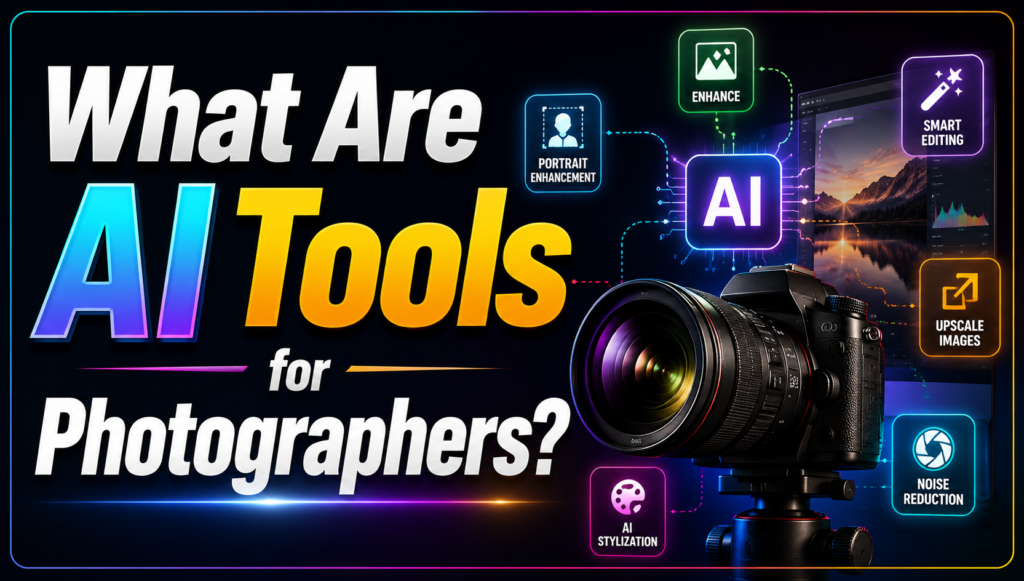
AI photography tools use machine-learning models to analyze images and automatically identify subjects, faces, backgrounds, skies, objects, noise, blur, and other visual elements.
Traditional photo editing often requires photographers to manually select an area and adjust several settings. AI can automate some of these decisions.
For example, an AI-powered editing tool may recognize a person and automatically create a mask around them. Another tool can identify a sky and replace it or adjust its exposure separately. An AI denoising tool can analyze an image and distinguish photographic detail from digital noise.
This does not mean that AI completely replaces photographers. Instead, it can reduce repetitive technical work and give photographers more time to concentrate on composition, storytelling, color style, and client requirements.
1. Adobe Lightroom
Adobe Lightroom remains one of the strongest overall choices for photographers in 2026. It combines photo organization, RAW processing, batch editing, masking, and AI-powered features in a mature workflow.
Recent Lightroom versions use AI to help with tasks such as intelligent subject and sky selections and noise reduction. Its batch-processing capabilities are particularly useful for photographers who need to edit hundreds or thousands of images.
Lightroom is especially useful for wedding, event, portrait, travel, landscape, and commercial photographers who need to manage large collections.
Its biggest advantage is that AI features are integrated into an established professional workflow. Instead of using a separate AI application for every task, photographers can handle much of their editing within Lightroom.
Best for: Professional photographers and large photo libraries
Key strengths: RAW processing, organization, batch editing, AI masking, noise reduction
Main drawback: Subscription-based access and a relatively complex workflow for beginners
2. Adobe Photoshop
Photoshop remains one of the most powerful choices for photographers who need advanced image manipulation.
While Lightroom is generally better for organizing and processing large photo collections, Photoshop is designed for detailed editing and compositing.
Its generative AI capabilities can help photographers extend images, create or modify visual elements, remove unwanted objects, and experiment with creative compositions.
Photoshop is particularly useful when a photograph needs more than conventional exposure and color adjustments.
For example, commercial photographers may use it for product cleanup, advertising images, composites, and detailed retouching.
Current 2026 reviews continue to highlight Photoshop’s powerful generative AI capabilities, although its extensive feature set can make it less approachable for beginners.
Best for: Advanced retouching and creative image manipulation
Key strengths: Generative AI, layers, masking, compositing, detailed editing
Main drawback: Steeper learning curve
3. Topaz Photo
Topaz Photo is one of the strongest AI-focused tools for improving image quality.
Instead of trying to replace a complete photo editor, it specializes in tasks such as denoising, sharpening, upscaling, recovering detail, and correcting certain forms of blur.
Topaz currently offers tools designed for denoising, sharpening, unblurring, upscaling, face recovery, lighting adjustments, and restoration. Its latest models include Wonder, Denoise Max, Super Focus, and High Fidelity, introduced as part of the company’s 2026 Next-Gen release.
This makes it especially useful for wildlife, sports, event, wedding, night, and low-light photographers.
For example, a wildlife photographer may have a valuable image captured at a high ISO with visible noise. Topaz can be used to reduce that noise while attempting to preserve important details such as fur and feathers.
Its sharpening tools can also target problems such as motion blur and missed focus.
Best for: Image enhancement and rescue
Key strengths: Denoising, sharpening, upscaling, blur correction
Main drawback: It works best as a specialized enhancement tool rather than a complete photo-management system
4. Luminar Neo
Luminar Neo is designed to make advanced photo editing more accessible through AI-powered tools.
It includes features for sky replacement, portrait enhancement, lighting adjustments, masking, and other automated edits. The software can also be used as a standalone application or alongside other photography workflows.
Luminar Neo is particularly attractive to photographers who want impressive results without spending years learning complicated editing software.
Current 2026 reviews continue to highlight Luminar Neo’s sky replacement and beginner-friendly approach, while noting that the quality of individual AI tools can vary.
It is a strong choice for landscape photographers, hobbyists, travel photographers, and creators who want to experiment with creative edits.
Best for: Beginners and creative photographers
Key strengths: AI editing, sky replacement, portrait tools, easy workflow
Main drawback: Less comprehensive than Lightroom for some professional catalog and batch-editing workflows
5. ON1 Photo RAW
ON1 Photo RAW 2026 is an interesting alternative for photographers who want many tools in one application.
It combines photo organization, RAW processing, editing, effects, layers, and AI-powered features.
This all-in-one approach can be appealing to photographers who do not want to depend entirely on multiple applications.
Current 2026 reviews describe ON1 Photo RAW as a versatile option that combines organization, RAW editing, effects, AI tools, and layer-based editing. It is also available through both subscription and perpetual-license options, depending on the edition and purchase terms.
Best for: Photographers looking for an all-in-one alternative
Key strengths: RAW editing, organization, AI tools, layers, value
Main drawback: Its interface may take some time to learn
6. Capture One
Capture One is widely used by professional photographers, particularly in studio and commercial photography.
Its strengths include RAW processing, tethered shooting, color management, and detailed control over images.
Although it is not purely an AI photo editor, its modern workflow incorporates AI-assisted features that can speed up masking, selection, and editing.
For photographers who care deeply about color accuracy and professional studio workflows, Capture One remains an important Lightroom alternative.
Best for: Studio, commercial, fashion, and professional photographers
Key strengths: RAW processing, color control, tethering, professional workflow
Main drawback: Higher cost and a more specialized workflow for beginners
7. DxO PhotoLab
DxO PhotoLab is another strong option for photographers who prioritize image quality.
The software is particularly well regarded for lens corrections, RAW processing, and noise reduction.
Its AI-powered noise reduction can be particularly valuable for photographers working in difficult lighting conditions.
For landscape, wildlife, architecture, and low-light photography, DxO can be a powerful part of an image-processing workflow.
Current 2026 software comparisons continue to highlight DxO PhotoLab for lens correction and noise reduction.
Best for: Photographers who prioritize RAW quality and noise reduction
Key strengths: RAW processing, optical corrections, noise reduction
Main drawback: Less focused on the all-in-one cloud ecosystem provided by Adobe
8. ACDSee Photo Studio Ultimate
ACDSee Photo Studio Ultimate 2026 is another alternative for photographers who want editing and photo management in one application.
Its workflow includes management, viewing, development, and editing tools. The software also includes AI-assisted features such as AI Denoise, Hair Masking, Face Edit, and Sky Replacement.
One interesting feature is its ability to work directly with original photo files rather than requiring photographers to duplicate everything into a traditional catalog system.
The software is Windows-focused, making it particularly relevant for PC photographers.
Best for: Windows photographers seeking an Adobe alternative
Key strengths: Photo management, RAW editing, AI tools, local-file workflow
Main drawback: Windows-only availability
9. Aftershoot
Aftershoot focuses on one of the most time-consuming parts of professional photography: culling and editing large numbers of images.
For wedding and event photographers, selecting the best photographs from thousands of frames can take hours.
AI-powered culling tools can analyze images and help identify photographs based on factors such as sharpness, duplicates, closed eyes, and overall image quality.
This can significantly reduce the amount of time photographers spend reviewing every frame manually.
Aftershoot is therefore less about replacing Photoshop and more about improving the workflow before and during batch editing.
Best for: Wedding and event photographers
Key strengths: AI culling and workflow automation
Main drawback: It is more specialized than a complete photo editor
10. AI Photo Culling and Editing Tools
AI culling has become increasingly important for professional photographers.
A photographer may return from an event with thousands of images, many of which are duplicates or technically weak. Reviewing every image manually can consume a significant portion of the post-production process.
AI culling tools can identify likely keepers and help photographers narrow down a large collection.
This is particularly valuable for:
- Wedding photographers
- Sports photographers
- Event photographers
- School photographers
- Portrait photographers
- High-volume commercial photographers
The important point is that AI culling should assist the photographer rather than make every final decision automatically. A photograph may be technically imperfect but still emotionally important, so human review remains valuable.
AI Tools for Different Photography Needs
Different photography genres benefit from different AI tools.
Best AI Tools for Portrait Photography
Portrait photographers often need skin retouching, face enhancement, background adjustments, and color correction.
Adobe Photoshop, Lightroom, Luminar Neo, and Topaz Photo can all play useful roles.
For detailed professional retouching, Photoshop remains a strong choice. For faster global adjustments and catalog management, Lightroom is usually more convenient.
Best AI Tools for Wedding Photography
Wedding photographers typically deal with very large collections.
Speed is therefore extremely important.
Lightroom is useful for catalog management and batch editing, while AI culling tools can reduce the time spent selecting images. Topaz Photo can be useful when an important image suffers from noise, blur, or insufficient sharpness.
Best AI Tools for Wildlife Photography
Wildlife photography frequently involves high ISO settings, long lenses, motion, and difficult lighting.
Topaz Photo is particularly useful in this area because its current tools target denoising, sharpening, and detail recovery. Topaz specifically highlights wildlife and high-ISO photography as use cases for its enhancement tools.
Best AI Tools for Landscape Photography
Landscape photographers can benefit from Lightroom, Luminar Neo, Photoshop, and DxO PhotoLab.
Luminar Neo is particularly attractive for photographers who frequently work with skies and atmospheric effects, while Lightroom provides strong RAW processing and organization.
Best AI Tools for Low-Light Photography
Low-light photography often produces digital noise and reduced detail.
Topaz Photo and DxO PhotoLab are particularly relevant for this type of work. Topaz’s current Denoise tools are designed to reduce high-ISO noise while preserving important image details.
AI Photography Tools Comparison
| AI Tool | Best For | AI Strength | Best User |
|---|---|---|---|
| Adobe Lightroom | Overall editing | Masking, noise reduction, batch workflow | Professionals |
| Adobe Photoshop | Advanced editing | Generative AI and retouching | Professionals |
| Topaz Photo | Image enhancement | Denoise, sharpen, upscale | All levels |
| Luminar Neo | Easy AI editing | Sky, portrait and creative tools | Beginners |
| ON1 Photo RAW | All-in-one editing | AI editing and effects | Enthusiasts |
| Capture One | Studio photography | AI-assisted masking and workflow | Professionals |
| DxO PhotoLab | RAW quality | Noise reduction and corrections | Enthusiasts/Pros |
| ACDSee Photo Studio | Windows workflow | Denoise, masking, face tools | PC users |
| Aftershoot | Culling | AI selection and workflow | High-volume photographers |
How AI Can Save Photographers Time
The biggest benefit of AI is not necessarily creating a photograph from nothing. For many photographers, the real value is reducing repetitive work.
Consider a wedding photographer who shoots 4,000 images.
Without AI assistance, the photographer may need to manually review thousands of photographs, identify duplicates, reject technically poor images, apply edits, synchronize adjustments, and then perform detailed corrections.
AI can help with several of these stages.
The photographer can then spend more time reviewing important creative decisions instead of performing repetitive technical operations.
This is one reason AI-assisted batch editing and culling are becoming increasingly important in professional photography workflows.
Should Photographers Use AI?
AI can be extremely useful, but photographers should use it carefully.
The purpose should be to improve efficiency while preserving the photographer’s creative identity.
AI-generated edits can sometimes introduce unnatural textures, excessive sharpening, strange facial details, or unrealistic backgrounds. This is particularly important for professional work where authenticity matters.
Photographers should therefore review AI results at 100% magnification before delivering important images to clients.
AI should be treated as an assistant rather than an automatic replacement for professional judgment.
How to Choose the Best AI Photography Tool
Before purchasing an AI photography tool, consider your workflow.
If you regularly edit thousands of images, prioritize catalog management, batch processing, and culling.
If you photograph wildlife or sports, look for strong denoising and sharpening capabilities.
If you shoot portraits, prioritize skin retouching, face enhancement, masking, and background tools.
If you create landscape photography, sky and atmospheric editing may be more important.
If you work professionally, also consider RAW support, export quality, color management, hardware requirements, and integration with your existing applications.
Finally, check whether the tool uses a subscription, one-time purchase, credits, or a combination of pricing models.
Conclusion
The best AI tools for photographers in 2026 are not necessarily the tools with the most AI features. The right choice is the one that solves the specific problems in your photography workflow.
Adobe Lightroom remains one of the best overall choices for photographers who need organization, RAW processing, batch editing, and AI-assisted adjustments. Adobe Photoshop is the stronger choice for detailed retouching, compositing, and generative editing.
For photographers who mainly need to rescue or enhance difficult images, Topaz Photo is one of the most compelling specialized options. Its current tools cover denoising, sharpening, upscaling, blur correction, face recovery, and other enhancement tasks.
Luminar Neo is a strong option for beginners and creative photographers who want AI-powered editing without a highly complicated workflow. ON1 Photo RAW provides an attractive all-in-one alternative, while Capture One remains a strong choice for studio and commercial photographers.
For photographers working with large volumes of images, AI culling tools such as Aftershoot can be particularly valuable because they target one of the most time-consuming parts of professional photography.
Ultimately, AI is becoming a productivity tool for photographers rather than simply a source of automated effects. Used correctly, it can reduce repetitive editing, improve technically challenging images, speed up client delivery, and give photographers more time to focus on creativity.
The strongest workflow in 2026 may not involve choosing one AI tool at all. Many photographers can benefit from combining a main RAW editor such as Lightroom or Capture One with specialized AI software for enhancement, culling, or advanced retouching. The key is to use AI where it genuinely saves time while keeping the photographer in control of the final image.