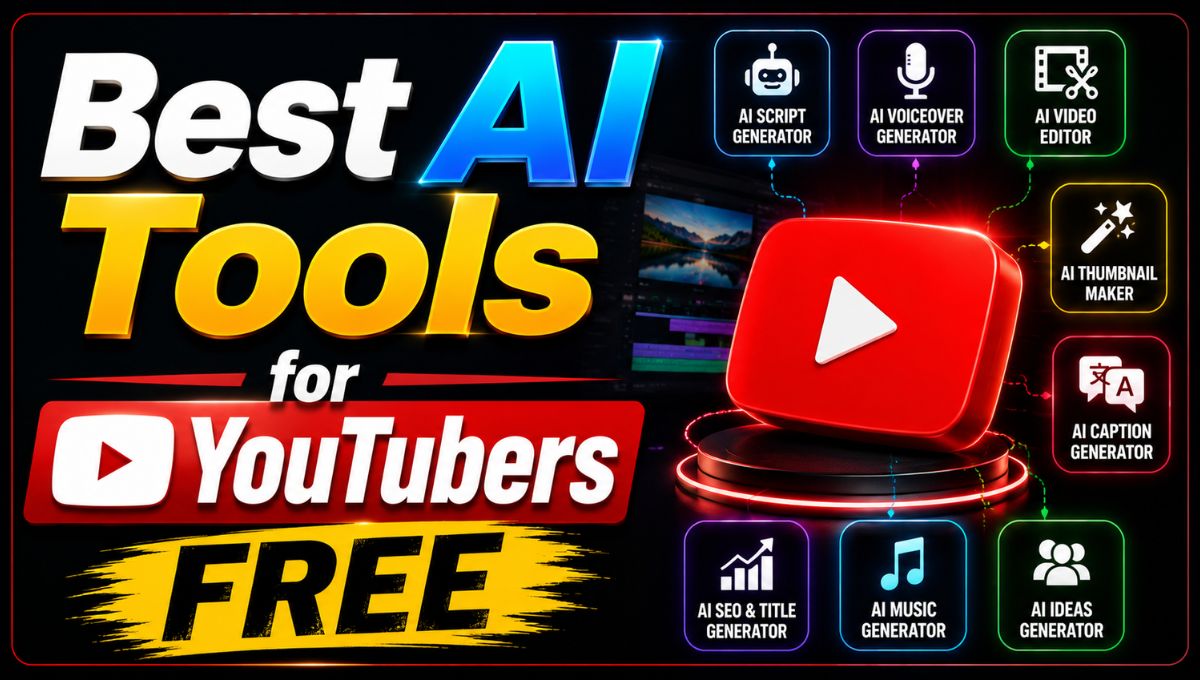
YouTube has become one of the most competitive platforms for video creators, but producing high-quality content does not always require an expensive production team. Today, free AI tools can help YouTubers with almost every part of the content creation process, from finding video ideas and writing scripts to editing footage, generating captions, creating thumbnails, and improving audio.
Artificial intelligence is especially useful for creators who work alone. A solo YouTuber may have to handle research, scripting, recording, editing, thumbnail design, SEO, publishing, and audience engagement. AI tools can automate or simplify many of these tasks, allowing creators to spend more time on storytelling and building their channels.
The good news is that several platforms offer free plans or free AI features. However, “free” does not always mean unlimited. Some services provide monthly credits, limit video duration, add watermarks, or restrict premium AI features. For example, current 2026 reviews show that Fliki’s free plan is limited to three credits per month and exports are capped at one minute and 720p, while Clipchamp provides a comparatively generous free editing plan with 1080p export and several AI-powered features.
YouTube itself is also adding AI features to its creator tools. YouTube Create currently offers AI-powered features including video and image generation, AI editing, voiceover, music, and captions, although some features are experimental and available only in selected countries. In India, several of these AI features are currently available on supported mobile devices.
In this guide, we look at some of the best free AI tools for YouTubers in 2026 and explain what each tool is best suited for.
What Can AI Tools Do for YouTubers?
AI tools can help throughout the YouTube content creation process.
Creators can use AI to generate video ideas, create outlines, write first drafts of scripts, summarize research, improve titles, generate captions, remove unwanted background noise, create thumbnails, resize videos, and repurpose long videos into Shorts.
The biggest advantage is speed.
Instead of spending several hours completing repetitive tasks manually, creators can use AI to produce a first version and then spend their time reviewing and improving it.
This is particularly useful for small channels where one person handles the entire production process.
1. YouTube Create
YouTube Create is one of the first tools YouTubers should explore because it is built specifically around creating content for YouTube.
The app provides editing features such as captions, voiceover, music, and other video creation tools. YouTube has also introduced experimental AI features within Create, including AI-generated video clips and images.
One particularly useful feature for Indian creators is the availability of AI-generated video features in India. YouTube’s current documentation states that Gemini Omni in YouTube Create is available on supported mobile devices in India, along with several other countries.
YouTube Create can also generate images with Nano Banana and provides an AI editing workflow for Shorts. The platform currently supports selecting multiple clips and photos and adding features such as voiceover, music, and captions before exporting or publishing the result.
Best for: YouTube Shorts and beginner creators
Key advantage: Direct YouTube-focused creation workflow
Free: Yes, with availability depending on the feature and region
2. CapCut
CapCut is one of the most useful free tools for YouTubers who create Shorts or social-media-focused videos.
Its AI-assisted editing features can help with automatic captions, background removal, effects, text animation, and other editing tasks.
Creators can import footage, automatically generate captions, adjust the text style, cut unnecessary sections, and create a finished video without needing advanced editing knowledge.
CapCut is particularly useful for short-form content because its templates and automated editing features can significantly reduce production time.
Best for: YouTube Shorts and beginner-friendly editing
Key advantage: Fast editing and automatic captions
Free: Yes, although some features may require paid access
3. Microsoft Clipchamp
Microsoft Clipchamp is another strong choice for creators looking for a free AI-assisted video editor.
Its free plan supports 1080p HD video editing and includes tools such as automatic captions, text-to-speech, noise removal, background replacement, and other editing features. A recent 2026 review described the free plan as particularly generous compared with many competing AI video editors.
The interface uses a simple drag-and-drop workflow, making it suitable for beginners.
Clipchamp is especially useful for YouTubers who record tutorials, presentations, screen recordings, educational videos, or talking-head content.
Best for: Beginners and desktop-based editing
Key advantage: Free 1080p editing with useful AI features
Free: Yes
4. Canva
Canva is useful for YouTubers who need more than just video editing.
Creators can use it to design thumbnails, channel graphics, social-media posts, presentations, and video content. Its AI features can assist with writing, design generation, image creation, and other creative tasks.
For YouTubers, one of Canva’s biggest advantages is its thumbnail workflow.
A strong thumbnail is an important part of presenting a video to potential viewers, and Canva provides templates and design tools that make it easier for creators without professional graphic-design experience.
Best for: Thumbnails and channel branding
Key advantage: Combines AI design tools with a large library of templates
Free: Yes, with some premium features restricted
5. ChatGPT
ChatGPT can be useful for almost every text-based part of YouTube production.
Creators can use it to brainstorm video topics, generate outlines, develop hooks, improve scripts, create descriptions, suggest title variations, and turn long-form content into Shorts ideas.
However, AI-generated scripts should not simply be copied and published. The strongest results usually come when creators provide their own ideas, experiences, research, and tone and then use AI to organize or improve the material.
ChatGPT can also help creators build repeatable workflows. For example, a YouTuber could create a standard process for turning one video topic into a script, title options, description, chapter ideas, and Shorts concepts.
Best for: Research, scripts, titles, descriptions, and content planning
Key advantage: Flexible text and brainstorming assistance
Free: Yes, with usage limits depending on the plan
6. Gemini
Google Gemini can also be useful for YouTubers, particularly creators who already use Google’s ecosystem.
It can assist with brainstorming, research, writing, summarization, and content planning. Creators can use it to develop video structures, compare ideas, rewrite scripts, and create supporting text.
Gemini is also increasingly connected to Google’s broader AI ecosystem. YouTube’s own AI creation tools use Google’s generative AI technology, including Gemini Omni for certain YouTube Create features.
Best for: Research, planning, writing, and Google ecosystem users
Key advantage: Strong integration with Google’s AI ecosystem
Free: Yes, with limits depending on the account and feature
7. Descript
Descript is particularly useful for YouTubers who produce talking-head videos, interviews, podcasts, tutorials, and educational content.
Its major advantage is transcript-based editing. Once a video has been transcribed, creators can edit the content by working with the text instead of relying entirely on a traditional timeline.
Descript can also help generate captions and improve the editing workflow.
This can be extremely useful for creators who spend a lot of time removing pauses, mistakes, or unwanted sections from spoken videos.
Best for: Podcasts, interviews, tutorials, and talking-head videos
Key advantage: Edit video through a transcript
Free: Yes, with limitations
8. Adobe Express
Adobe Express can be useful for YouTubers who need quick graphic and content-creation tools.
It can help create thumbnails, social graphics, promotional content, and short videos without requiring the full complexity of Adobe Premiere Pro or Photoshop.
Its AI-assisted creative features can make it easier for beginners to generate and customize visual content.
Best for: Thumbnails, graphics, and promotional content
Key advantage: Simple interface with Adobe’s creative ecosystem
Free: Yes, with premium features available separately
9. Fliki
Fliki is designed for AI-powered video creation and can be useful for YouTubers who produce faceless content.
It can generate scripts, create videos, provide AI voices, generate subtitles, and offer AI avatars.
The platform supports multiple content formats and can be useful when creators want to turn written material into narrated videos.
However, its free plan is quite restricted. A recent 2026 review found that the free version provides three credits per month, limits exports to one minute and 720p, and restricts several advanced generation features.
Therefore, Fliki is worth testing for occasional projects, but frequent YouTubers may quickly outgrow the free plan.
Best for: Faceless YouTube channels
Key advantage: Script-to-video workflow with AI voices and avatars
Free: Yes, but highly limited
10. Kapwing
Kapwing is an online video creation and editing platform that can be useful for YouTubers who want AI-assisted editing without installing complex desktop software.
It provides tools for video editing, subtitles, resizing, and content creation.
Kapwing is particularly useful for creators who repurpose long YouTube videos into Shorts and other social-media formats.
Its browser-based workflow also makes it convenient for creators who work across multiple devices.
Best for: Repurposing and online video editing
Key advantage: Browser-based AI-assisted content workflow
Free: Yes, with limitations
Best Free AI Tools for YouTubers by Task
Different AI tools are better suited to different parts of the YouTube workflow.
| Task | Recommended Free AI Tool |
|---|---|
| Video ideas | ChatGPT, Gemini |
| Script writing | ChatGPT, Gemini |
| Video editing | YouTube Create, CapCut, Clipchamp |
| Automatic captions | YouTube Create, CapCut, Clipchamp |
| YouTube thumbnails | Canva, Adobe Express |
| Faceless videos | Fliki, Canva |
| Talking-head editing | Descript |
| Shorts creation | YouTube Create, CapCut |
| Video repurposing | Kapwing, Descript |
| Voiceover | YouTube Create, Fliki, Clipchamp |
| Channel graphics | Canva, Adobe Express |
How to Build a Free AI YouTube Workflow
You do not need to use ten different tools to run a YouTube channel.
A simple free workflow can cover most of the production process.
Start with ChatGPT or Gemini for brainstorming and script development.
Then record your video using your phone, camera, or screen recorder.
Use YouTube Create, CapCut, or Clipchamp to edit the footage and add captions.
For thumbnails, use Canva or Adobe Express.
Finally, use YouTube Studio to upload, optimize, and publish the video.
This workflow keeps the number of tools manageable while still allowing AI to assist with most repetitive tasks.
Are Free AI Tools Enough for YouTube?
For beginners, free AI tools can be more than enough to start a channel.
A new creator does not necessarily need expensive editing software, a professional design subscription, or an AI video-generation platform.
The most important factors remain the quality of the idea, storytelling, consistency, audio, presentation, and value provided to viewers.
AI can reduce the time required to produce content, but it cannot automatically create a successful channel.
Creators should also avoid publishing large amounts of generic AI-generated content without adding original value. YouTube’s policies still apply to AI-assisted and AI-generated content, and creators remain responsible for the content they publish.
Tips for Using AI as a YouTuber
Use AI as an assistant rather than allowing it to completely control your content.
Start with your own idea and experience. Then use AI to improve the structure, generate alternatives, or speed up repetitive work.
Always fact-check information before including it in a video.
Review AI-generated captions because speech-recognition systems can misunderstand names, numbers, accents, and technical terms.
When using AI-generated images, voices, or video, make sure you understand the rights and platform requirements associated with the content.
YouTube states that creators are responsible for the content they create and publish, including content made with YouTube’s AI features.
You should also pay attention to AI disclosure requirements. YouTube has continued updating its approach to AI-generated and meaningfully altered content, including creator-facing disclosure tools.
Conclusion
The best AI tools for YouTubers do not have to be expensive. In 2026, creators can use a combination of free AI tools to handle scripting, editing, captions, thumbnails, voiceovers, and content planning.
YouTube Create is one of the most interesting options for creators who want a YouTube-focused mobile workflow, especially because several AI features are now available in India. CapCut is a strong option for Shorts and quick editing, while Clipchamp stands out for its generous free editing capabilities and 1080p support.
For thumbnails and visual branding, Canva and Adobe Express are useful starting points. ChatGPT and Gemini can help with ideas, scripts, research, titles, and descriptions. Descript is particularly useful for transcript-based editing, while Fliki and Kapwing can help creators experiment with AI-generated and repurposed video content.
The best approach is not to automate everything. Instead, use AI where it saves time and keep human creativity at the center of your channel.
For a new YouTuber, a simple combination such as ChatGPT + YouTube Create or CapCut + Canva can provide a practical starting workflow without requiring a large monthly budget. As the channel grows, you can then upgrade only the tools that genuinely save time or improve production quality.