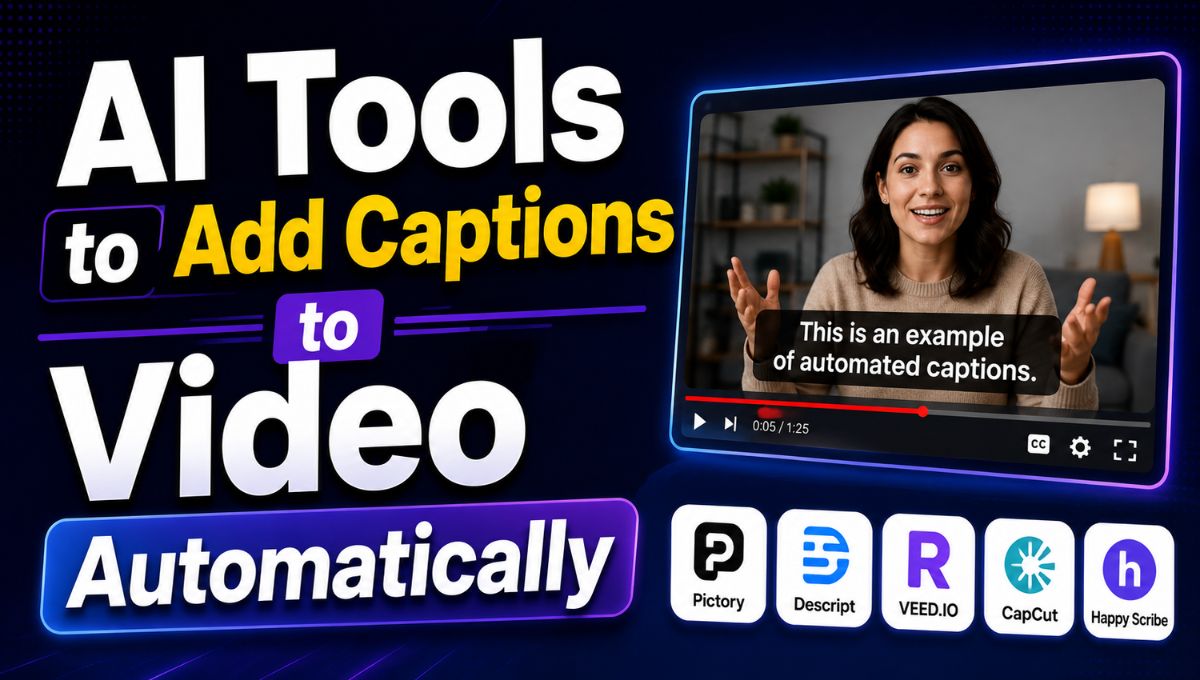
Adding captions to videos used to be a slow and repetitive process. Creators often had to listen to the entire recording, type every sentence manually, adjust the timing, and then format the subtitles so they appeared correctly on screen. AI has changed this workflow completely.
Today, AI-powered caption tools can listen to a video’s audio, convert speech into text, synchronize captions with the speaker, and add them directly to the video within minutes or even seconds. Many tools also provide features for caption styling, translation, speaker detection, animated text, and subtitle file exports.
Automatic captions are particularly useful for YouTube creators, Instagram and Facebook users, TikTok creators, educators, marketers, businesses, and anyone producing videos regularly. Captions can make videos easier to understand when viewers cannot use sound and can also improve accessibility for people who are deaf or hard of hearing. Recent 2026 comparisons show that tools such as CapCut, Descript, VEED, Captions, Submagic, and Kapwing are among the commonly used options for automatic captioning.
The best tool depends on what you need. Some platforms are designed for quick social media captions, while others are better for professional editing, multilingual subtitles, or downloadable SRT files.
What Are AI Automatic Caption Tools?
AI caption tools use speech-recognition technology to analyze the audio in a video and convert spoken words into written text. The software then matches the text with the appropriate point in the video timeline.
Instead of manually typing subtitles, users can upload a video and let the AI generate an initial caption track automatically.
Modern tools can do much more than basic transcription. Depending on the platform, they may identify different speakers, highlight words, translate captions into other languages, add animated effects, correct punctuation, and allow users to edit the transcript directly.
For creators producing multiple videos every week, this can save a significant amount of time.
Why Automatically Add Captions to Videos?
Captions have become an important part of modern video content. Social media users frequently watch videos in situations where turning on audio is inconvenient or impossible. Captions allow viewers to understand the message without depending entirely on sound.
Captions are also important for accessibility. A well-captioned video gives people who have difficulty hearing a way to follow the spoken content.
For businesses and marketers, captions can make promotional videos, tutorials, interviews, product demonstrations, and educational content easier to consume.
AI makes this process considerably faster because the initial transcription is created automatically.
Best AI Tools for Automatic Video Captions
1. CapCut
CapCut is one of the most popular options for creators who want automatic captions along with a full video editor. Its auto-caption feature can transcribe spoken audio and synchronize the text with the video.
It is particularly useful for short-form content such as Instagram Reels, TikTok videos, and YouTube Shorts.
CapCut also provides caption styling options, allowing creators to change fonts, colors, positioning, and animation effects.
One of its biggest advantages is accessibility for beginners. Users do not need advanced video-editing skills to generate captions.
Best for: Social media creators and beginners
Key advantage: Automatic captions combined with a full video-editing workflow
Free option: Available, although features and limits can vary by region and plan.
2. Descript
Descript takes a different approach to video editing because it treats the transcript as a central part of the editing workflow.
After a video is transcribed, users can edit the video by working with the text transcript. Removing words or sections from the transcript can also remove the corresponding parts of the video.
This makes Descript particularly useful for podcasts, interviews, tutorials, webinars, and talking-head videos.
The platform can generate captions, style them, and either burn them into the video or export caption files.
Best for: Podcasts, interviews, tutorials, and transcript-based editing
Key advantage: Edit video through its transcript
Free option: Yes, with usage limitations
3. VEED
VEED is a browser-based video editor that includes AI-powered automatic subtitles. Users can upload a video, generate captions, edit the transcript, customize the appearance, and export the finished video.
The platform is useful for creators who do not want to install desktop editing software.
VEED also supports other video-editing functions, making it possible to complete several parts of the production process in one browser-based workspace.
Best for: Online video editing and social media content
Key advantage: Captions, editing, and other video tools in one browser-based platform
Free option: Yes, with limitations.
4. Captions AI
Captions AI is designed heavily around short-form video creation and mobile-friendly workflows.
The platform can automatically generate captions and provides tools for creating visually engaging videos. This makes it particularly attractive to social media creators who want captions that look more dynamic than traditional subtitles.
Creators can customize the appearance of captions and use different styles to match the tone of their videos.
Best for: Mobile creators and short-form videos
Key advantage: Social-first caption styles
Free option: Available, with limits depending on the plan.
5. Submagic
Submagic focuses heavily on animated captions for short-form content.
Instead of producing basic text at the bottom of a video, it is designed to create more attention-grabbing caption styles. This makes it useful for creators producing Shorts, Reels, and TikTok content where visual presentation is particularly important.
The platform also offers additional AI-powered features aimed at short-form content creation.
Best for: TikTok, Instagram Reels, and YouTube Shorts
Key advantage: Animated and highly styled captions
Free option: Trial or limited access may be available depending on the current plan.
6. Kapwing
Kapwing is an online creative platform that combines video editing with automatic subtitles and other content-creation features.
It can be useful for teams and individual creators who want to generate captions without moving between multiple applications.
Users can upload videos, generate subtitles, edit the text, customize the appearance, and export their content.
Best for: Browser-based video creation and collaboration
Key advantage: Captions combined with a broader online editing platform
Free option: Yes, although free exports can have restrictions.
7. Adobe Premiere Pro
Professional editors who already use Adobe Premiere Pro can generate captions directly within their editing workflow.
This is useful because editors do not necessarily need to export their finished video to a separate captioning platform. Automatic transcription and caption-generation features can be integrated into the editing process.
Premiere Pro is more advanced than many beginner-focused caption apps, making it better suited to professional video production.
Best for: Professional editors and production teams
Key advantage: AI captioning within a professional editing environment
Free option: No permanent free version of Premiere Pro
8. DaVinci Resolve
DaVinci Resolve is another professional video-editing platform that provides automatic transcription and subtitle-related features.
It is particularly attractive to editors who want a powerful desktop editing application with advanced color grading, audio, visual effects, and captioning capabilities in the same environment.
The learning curve can be higher than that of simple online caption tools, but experienced editors can benefit from having everything in one application.
Best for: Professional video editors
Key advantage: Professional editing and caption workflows in one application
AI Caption Tools Comparison
| Tool | Best For | Automatic Captions | Caption Styling | Free Option |
|---|---|---|---|---|
| CapCut | Social media creators | Yes | Excellent | Yes |
| Descript | Podcasts and interviews | Yes | Good | Yes |
| VEED | Online editing | Yes | Good | Yes |
| Captions AI | Mobile creators | Yes | Excellent | Yes |
| Submagic | Animated captions | Yes | Excellent | Limited/Trial |
| Kapwing | Online teams | Yes | Good | Yes |
| Premiere Pro | Professional editing | Yes | Advanced | No |
| DaVinci Resolve | Professional editors | Yes | Advanced | Yes |
Features and free-plan limits can change, so users should verify the current plan before committing to a tool. Current 2026 comparisons show significant differences between platforms in areas such as watermarks, transcription limits, export formats, and pricing.
How AI Caption Generation Works
The process is usually straightforward.
First, upload the video to the selected platform. The AI analyzes the audio and identifies spoken words.
Next, the speech-recognition system converts the audio into a written transcript. The software then divides the transcript into caption segments and assigns timestamps based on when each phrase is spoken.
The user can review the generated captions and correct mistakes. This step is important because AI transcription can still make errors when the audio contains background noise, strong accents, multiple speakers, technical terminology, or unclear speech.
Finally, the captions can be styled and exported. Depending on the platform, users may either permanently embed the captions into the video or download a subtitle file such as SRT.
Automatic Captions vs Manual Subtitles
Manual captioning provides complete control, but it can take considerable time.
AI captioning is much faster because the transcription and timing are automated. For creators who publish regularly, this can dramatically simplify production.
However, AI-generated captions should not always be published without checking them.
Names, locations, technical terms, slang, numbers, and industry-specific vocabulary can sometimes be transcribed incorrectly.
The best workflow is therefore AI generation followed by human review.
This gives creators the speed of artificial intelligence while maintaining the accuracy expected from professionally produced content.
What Makes a Good AI Caption Tool?
Before choosing a caption generator, consider several important features.
Caption Accuracy
Accuracy should be the first priority. A visually attractive caption is not useful if the words are incorrect.
Clear audio generally produces better results, while background noise and overlapping speakers can reduce accuracy.
Timing
Captions should appear at the right moment. Good synchronization makes the video easier to follow and prevents viewers from reading text that does not match the speech.
Styling
For social media videos, styling can be almost as important as transcription.
Tools with animated captions, different fonts, colors, highlighting, and positioning options give creators more flexibility.
Language Support
If you create multilingual content, check whether the platform supports the languages you need.
Some AI caption platforms now support transcription and translation across dozens of languages.
Export Options
Some creators only need captions permanently embedded into the video. Others need SRT or VTT files for YouTube, websites, courses, or professional editing workflows.
Choose a tool that supports the export format required by your platform.
Watermarks
Free plans may place a watermark on exported videos. If you are producing content for a business or professional brand, check this before selecting a free plan.
Recent comparisons show that watermark restrictions remain common among several free captioning platforms.
How to Add Captions Automatically
The basic process is similar across most AI caption tools:
- Upload your video.
- Select the automatic caption or subtitle feature.
- Choose the spoken language.
- Allow the AI to transcribe the audio.
- Review the generated captions.
- Correct spelling or transcription mistakes.
- Adjust timing if necessary.
- Customize the font, size, color, and position.
- Export the captioned video or subtitle file.
The entire process can be much faster than manually transcribing and timing every sentence.
Best AI Caption Tool for Different Users
There is no single tool that is perfect for everyone.
For beginners: CapCut is a strong starting point because it combines automatic captions with straightforward video editing.
For short-form creators: CapCut, Captions AI, and Submagic are strong choices because they offer visually engaging caption styles.
For podcasters: Descript is particularly useful because its transcript-based editing workflow connects directly with captions.
For browser-based editing: VEED and Kapwing are convenient options.
For professional editors: Adobe Premiere Pro and DaVinci Resolve are better suited to complex production workflows.
For subtitle files: Look for a platform that supports SRT or other standard subtitle exports rather than only burned-in captions.
Tips for Better AI-Generated Captions
Even the best AI tools require some attention from the creator.
Always check names and proper nouns. AI can misunderstand uncommon names or specialized terminology.
Keep captions short enough to read comfortably. Long blocks of text can overwhelm viewers.
Use strong contrast between the caption and the background. If the text is difficult to read, viewers may ignore it.
For short-form videos, avoid placing captions too close to the bottom or edges because platform interface elements can cover them.
Do not overcrowd the screen with excessive animation. Captions should support the video rather than distract from the speaker.
Most importantly, watch the final video with the sound turned off. This is one of the easiest ways to check whether your captions communicate the message clearly.
Conclusion
AI tools have made automatic video captioning faster and more accessible than ever. What once required manual transcription and detailed timeline editing can now be completed with a few clicks.
For social media creators, CapCut is a practical all-in-one option, while Captions AI and Submagic are useful for more dynamic short-form caption styles. Descript is particularly valuable for transcript-based editing, while VEED and Kapwing offer convenient browser-based workflows. Professional editors may prefer Premiere Pro or DaVinci Resolve because caption generation can be integrated directly into a larger editing workflow.
The best AI caption tool ultimately depends on your video type, editing experience, budget, language requirements, and preferred export format. Regardless of which platform you choose, always review AI-generated captions before publishing. A quick human check can correct transcription errors and ensure that your final video looks professional.
As AI-powered video editing continues to develop, automatic captioning is likely to become an increasingly standard part of the content-production process. For creators producing videos regularly, adopting the right captioning workflow can save time while making content more accessible, engaging, and easier to consume.