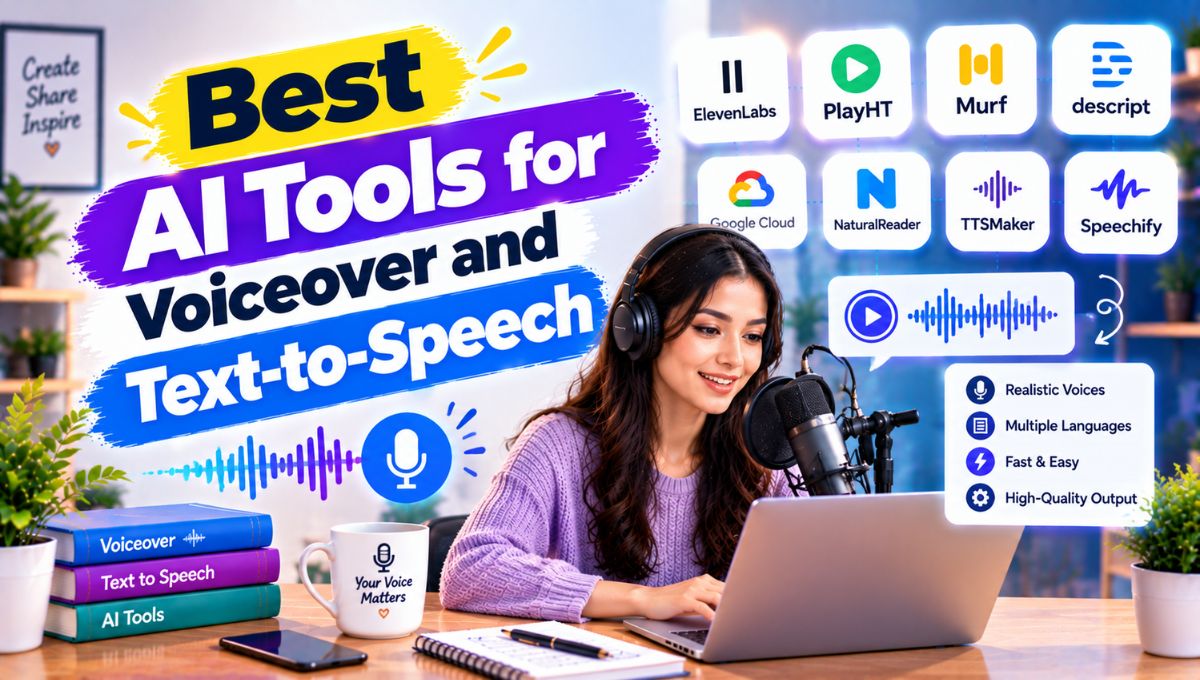
AI voiceover and text-to-speech tools have become practical alternatives to traditional voice recording for many content workflows. Instead of hiring a voice actor or recording every sentence manually, creators can turn a written script into natural-sounding narration, adjust pronunciation and pacing, generate multiple language versions, and create audio for videos, podcasts, courses, presentations, websites, and applications.
The best AI tools for voiceover and text-to-speech in 2026 are not identical. Some focus on highly expressive narration, while others are designed for corporate training, video editing, accessibility, voice cloning, multilingual localization, or developer APIs. ElevenLabs, Murf AI, Descript, Speechify, LOVO AI, WellSaid Labs, Resemble AI, PlayHT, and major cloud speech platforms all approach the problem differently.
For most creators, the important factors are voice naturalness, pronunciation control, emotional delivery, language support, editing capabilities, licensing, voice-cloning safeguards, and the amount of audio you need to produce.
Quick Comparison: Best AI Voiceover and Text-to-Speech Tools
| AI Tool | Best For | Key Strength |
|---|---|---|
| ElevenLabs | Natural voiceovers and expressive narration | Realistic voices, cloning and multilingual audio |
| Murf AI | Business and e-learning | Voiceover studio and production controls |
| Descript | Podcasts and video editing | Voice generation inside an editing workflow |
| Speechify | Reading and accessibility | Turning written content into spoken audio |
| LOVO AI | Marketing and creative videos | Voice generation and broader content workflow |
| WellSaid Labs | Corporate content | Professional business narration |
| Resemble AI | Custom voices and developers | Voice cloning and voice AI infrastructure |
| PlayHT | Multilingual and API workflows | Large voice ecosystem and developer features |
| Microsoft Azure Speech | Developers and applications | Neural TTS, custom voices and APIs |
| Google Cloud Text-to-Speech | Developers and cloud applications | Scalable speech synthesis |
| Amazon Polly | Application developers | Cloud-based speech generation |
| NaturalReader | Personal reading | Simple text-to-speech experience |
The right choice depends on what you are producing. A YouTube creator may need expressive narration, while a software developer may care more about latency, APIs, supported locales, and usage-based pricing.
What Is AI Voiceover and Text-to-Speech?
Text-to-speech (TTS) is technology that converts written text into spoken audio using synthetic voices.
Traditional TTS often sounded robotic because systems had limited ability to reproduce natural rhythm, emphasis, pauses, pronunciation, and emotional variation. Modern neural speech systems use more sophisticated models to create speech that can sound considerably more natural.
An AI voiceover generator takes this concept further by giving creators controls for producing narration for specific content.
Depending on the platform, you may be able to:
- Paste or upload a script
- Select an AI voice
- Adjust speaking speed
- Control pauses
- Modify pronunciation
- Add emotion or speaking style
- Generate multiple speakers
- Clone an authorized voice
- Translate or dub content
- Export audio
- Add narration directly to video
- Generate audio through an API
This makes AI voice technology useful far beyond simple accessibility.
How Do AI Voice Generators Work?
The basic workflow is straightforward.
You provide written text, the system analyzes the language and sentence structure, and a speech model generates an audio representation of the text.
Modern systems attempt to determine factors such as:
- Sentence boundaries
- Word pronunciation
- Pauses
- Stress
- Speaking speed
- Intonation
- Emotional tone
- Language and accent
Some platforms also allow users to influence these characteristics manually.
For example, the sentence:
“This is the biggest update we’ve released this year.”
can be generated in a neutral presentation voice, an energetic marketing voice, or a calm documentary style depending on the available controls.
The quality of the script itself also matters. A paragraph written for reading silently is not always suitable for spoken narration.
Shorter sentences, intentional punctuation, natural transitions, and pronunciation-friendly wording generally produce better voiceovers.
1. ElevenLabs
Best for: Natural-sounding narration, voice cloning, multilingual content and professional creators
ElevenLabs is one of the most prominent AI voice platforms for creators who prioritize expressive and realistic speech.
Its ecosystem goes beyond basic text-to-speech and includes voice generation, voice cloning, dubbing, speech-related tools, and developer access.
One of its major strengths is expressive narration. This makes it particularly useful for:
- YouTube videos
- Documentaries
- Audiobooks
- Podcasts
- Storytelling
- Character dialogue
- Educational videos
- Marketing narration
- Multilingual content
The platform is especially attractive when the voice itself is an important part of the content experience.
Why creators use ElevenLabs
The main attraction is the ability to generate speech that can feel more conversational than traditional computer-generated narration.
Creators can experiment with different voices and styles rather than recording every sentence manually.
Voice cloning can also be useful when an authorized creator wants to maintain a consistent voice across a large content library.
However, voice cloning should always be handled carefully. Users should only clone voices when they have the necessary permission and rights.
Best use case
Choose ElevenLabs when voice quality and expressive narration are more important than having the simplest possible editing environment.
2. Murf AI
Best for: Business presentations, e-learning, marketing and professional voiceovers
Murf AI is designed around a voiceover production workflow rather than simply converting a paragraph into audio.
It is particularly useful for businesses and content teams creating:
- Training videos
- Presentations
- Product explainers
- E-learning courses
- Marketing videos
- Corporate communications
- Tutorials
Murf’s studio-style approach gives users more control over how the narration fits into the overall project.
That matters because professional voiceover isn’t just about choosing a good voice.
Timing, pronunciation, pauses and emphasis can determine whether the final narration feels polished.
Why Murf stands out
A business team may have a 10-minute training video containing dozens of sentences.
Instead of generating the entire script as one block, the team can work with smaller sections and adjust the narration to match the visual timeline.
This makes Murf particularly useful for repeatable corporate production.
Best use case
Murf is worth considering when your primary requirement is professional voiceover production rather than simple text reading.
3. Descript
Best for: Podcasting, video editing and transcript-based workflows
Descript takes a different approach because voice generation is part of a broader audio and video editing environment.
The platform is built around transcript-based editing, allowing creators to work with spoken content as text while also managing the underlying media.
Its AI voice capabilities can therefore be useful when you are already editing:
- Podcasts
- YouTube videos
- Interviews
- Tutorials
- Talking-head videos
- Social videos
- Training content
The advantage is workflow integration.
Instead of generating a voiceover in one application and moving the audio into another editor, creators can keep more of the process together.
Descript’s own 2026 guidance highlights voice generation, pacing, language support and licensing as important factors when comparing modern TTS software.
Best use case
Descript makes the most sense when voice generation and media editing need to happen in the same workflow.
4. Speechify
Best for: Reading documents, articles, webpages and accessibility
Speechify is somewhat different from creator-focused voiceover platforms.
Its core strength is converting written material into spoken audio so users can listen instead of reading everything visually.
This makes it useful for:
- Articles
- PDFs
- Documents
- Study materials
- Webpages
- Books
- Productivity
- Accessibility
A student might use it to listen to study material while commuting, while a professional could listen to documents during routine tasks.
Speechify also has creator-oriented products, so it is important to distinguish between its reading experience and its dedicated studio or production capabilities.
Best use case
Choose Speechify when the main objective is listening to written information rather than producing elaborate commercial voiceovers.
5. LOVO AI
Best for: Marketing videos, creative content and multilingual voiceovers
LOVO AI is aimed at creators who need AI-generated voices for multimedia content.
It can be useful for:
- Advertisements
- YouTube videos
- Social media content
- Explainer videos
- E-learning
- Product demonstrations
- Marketing campaigns
For marketers, the ability to create different voice styles can be useful when testing variations of the same campaign.
For example, the same script could be produced with a professional corporate voice for LinkedIn and a more energetic delivery for short-form social content.
Best use case
LOVO is worth considering when you want voice generation as part of a broader creative and marketing workflow.
6. WellSaid Labs
Best for: Enterprise and corporate voiceovers
WellSaid Labs focuses heavily on professional voice production for organizations.
This type of platform can be particularly useful for:
- Employee training
- Internal communications
- E-learning
- Product education
- Corporate presentations
- Customer education
- Brand narration
Corporate teams often have a different requirement from YouTubers.
They may need consistent voice delivery across dozens or hundreds of training modules.
A professional TTS platform can reduce the need to repeatedly schedule recording sessions when small script changes are required.
Best use case
WellSaid Labs is most relevant to organizations that value consistent professional narration and structured production workflows.
7. Resemble AI
Best for: Voice cloning, custom voice applications and developers
Resemble AI is particularly interesting for companies that want to build voice technology into their own products.
Instead of simply generating an MP3 for a video, developers may need speech generation as part of:
- Applications
- Conversational interfaces
- Games
- Customer experiences
- Virtual characters
- Voice assistants
- Brand experiences
Voice cloning and custom voice technology can help organizations create a consistent synthetic voice.
However, this area requires additional care around consent, identity rights and security.
Best use case
Consider Resemble AI when custom voice technology or developer integration is more important than a simple voiceover editor.
8. PlayHT
Best for: Multilingual speech and developer-oriented workflows
PlayHT has been widely used for AI speech generation, multilingual content and API-based applications.
It can be useful for organizations that need to generate substantial amounts of speech programmatically rather than manually producing every audio file.
Potential applications include:
- Voice assistants
- Websites
- Video narration
- Audiobooks
- E-learning
- Applications
- Automated content
- Multilingual projects
Because API offerings and product packaging can change, developers should verify current pricing, model availability, supported languages and commercial terms before building a production workflow.
Best use case
PlayHT is particularly relevant when programmatic speech generation and multilingual production are important.
9. Microsoft Azure AI Speech
Best for: Developers, enterprise applications and custom speech systems
Microsoft Azure Speech is different from creator-focused voiceover platforms.
It is primarily a cloud speech service for developers and organizations.
Azure’s text-to-speech service provides neural voices, custom voice capabilities, APIs and support for many languages and locales. Microsoft also provides SSML controls that can be used to adjust elements such as pitch, pauses, pronunciation, speaking rate and volume.
That makes it useful for:
- AI assistants
- Enterprise applications
- Navigation systems
- Accessibility
- Customer-service systems
- Interactive software
- Long-form audio
- Voice-enabled applications
Azure also supports asynchronous synthesis for long-form audio and programmatic access through SDKs and APIs.
Best use case
Azure Speech is better suited to developers and businesses building speech into software than casual creators looking for a drag-and-drop voiceover generator.
10. Google Cloud Text-to-Speech
Best for: Cloud applications and developers
Google Cloud Text-to-Speech is another developer-focused option.
Instead of primarily selling a visual voiceover studio, cloud speech services allow developers to integrate synthesized speech into applications and automated workflows.
Typical use cases include:
- AI applications
- Customer-service systems
- Voice assistants
- Accessibility tools
- Educational applications
- Automated announcements
- Software products
The biggest advantage of cloud TTS is integration.
A developer can build a workflow where text generated by an application is automatically converted into speech without a human having to open a separate voice generator.
Best use case
Google Cloud TTS makes sense when speech generation needs to be part of a larger cloud application.
11. Amazon Polly
Best for: AWS-based applications and scalable speech synthesis
Amazon Polly is Amazon Web Services’ text-to-speech service.
It is designed primarily for developers who need to convert text into spoken audio inside applications.
Possible applications include:
- Voice assistants
- E-learning platforms
- Accessibility tools
- Automated announcements
- Customer-service systems
- Applications
- Content generation
Its major advantage is its position within the AWS ecosystem.
For a company already using AWS, integrating speech synthesis into an existing architecture can be more practical than adopting an entirely separate creator platform.
Best use case
Amazon Polly is most appropriate for developers building speech functionality into AWS applications.
12. NaturalReader
Best for: Simple personal text-to-speech
NaturalReader is aimed more toward straightforward text-to-speech use.
It can be useful for people who want to listen to:
- Documents
- Web content
- Study material
- Written notes
- Articles
It is a practical option when you don’t need a complex production studio.
Best use case
NaturalReader is suitable when simplicity and reading written content aloud are the primary requirements.
AI Voiceover vs Traditional Voice Recording
AI voiceover does not completely replace human voice actors.
The two approaches solve different problems.
| Requirement | AI Voiceover | Human Voice Actor |
|---|---|---|
| Fast revisions | Very convenient | Requires another recording |
| Large amounts of narration | Highly scalable | More expensive/time-consuming |
| Consistent voice | Easy with same voice | Depends on recording conditions |
| Emotional nuance | Improving rapidly | Strong human interpretation |
| Character performance | Depends on model | Human direction can be stronger |
| Live interaction | Possible through APIs | Requires live performer |
| Initial production speed | Fast | Slower |
| Personal authenticity | Synthetic | Human |
| Voice cloning | Available on some platforms | Not applicable |
| Cost structure | Usually usage/subscription based | Talent + studio + production |
For a 5-minute explainer video that requires several revisions, AI can dramatically simplify production.
For a major advertisement, film performance, emotionally complex story, or personality-driven brand, a professional human performer may still be preferable.
The important point is that AI voice technology is another production option, not automatically a universal replacement for human narration.
What Should You Look for in an AI Voice Generator?
Choosing a voice generator based only on a 15-second demo can be misleading.
Instead, evaluate the complete workflow.
1. Naturalness
Listen for:
- Robotic rhythm
- Incorrect emphasis
- Strange pauses
- Mispronounced names
- Unnatural sentence endings
- Repetitive intonation
A voice can sound excellent in a short demonstration but perform differently with a long technical script.
2. Pronunciation Control
This is particularly important for:
- Medical terminology
- Technology terms
- Brand names
- Product names
- Acronyms
- Foreign words
- Names
The ability to manually correct pronunciation can save considerable editing time.
3. Emotional Control
For YouTube storytelling, advertising and entertainment, neutral speech may not be enough.
Look for controls related to:
- Emotion
- Stability
- Expressiveness
- Speaking style
- Emphasis
- Pauses
- Speed
4. Language Support
Don’t simply count the number of languages advertised.
Test your actual target languages.
A platform may support a language technically while offering fewer voices or less natural pronunciation in that language.
For multilingual publishing, generate the same 30–60 second sample in every important target language before choosing a platform.
5. Voice Cloning
Voice cloning can create consistency across a large content library.
But it also creates additional legal and ethical responsibilities.
Before cloning a person’s voice, make sure you have the appropriate permission.
For commercial projects, also check the platform’s licensing and usage conditions.
6. Commercial Rights
This is one of the most important considerations for YouTube creators and businesses.
Before publishing AI-generated narration commercially, check:
- Commercial-use permissions
- Voice licensing
- Output ownership
- Restrictions on redistribution
- Voice-cloning terms
- Subscription requirements
- Monetization rules
Do not assume that a free plan automatically provides the same rights as a paid plan.
7. Editing Workflow
A voice generator is only one part of production.
Ask whether the platform lets you:
- Regenerate individual sentences
- Change pronunciation
- Adjust timing
- Add pauses
- Export high-quality audio
- Edit multiple speakers
- Sync narration with video
This can matter more than the number of voices available.
Best AI Voice Tools by Use Case
Different projects require different tools.
For YouTube videos
Consider:
- ElevenLabs
- Murf AI
- Descript
- LOVO AI
YouTube creators generally benefit from expressive narration, fast regeneration and easy integration with video editing.
For faceless YouTube channels
AI voice generators can be particularly useful because the entire narration can be created without recording the creator’s own voice.
A typical workflow is:
Research → Script → AI voice → Video → Music → Captions → Final edit
However, the quality of the script and editing still determines much of the final result.
For podcasts
Consider:
- ElevenLabs
- Descript
- Murf AI
Descript is especially useful when voice generation needs to coexist with transcript-based podcast editing.
For e-learning
Consider:
- Murf AI
- WellSaid Labs
- ElevenLabs
- Azure Speech
E-learning teams often need consistent narration across many lessons, which makes pronunciation and voice consistency especially important.
For business presentations
Consider:
- Murf AI
- WellSaid Labs
- ElevenLabs
- Descript
Business users should prioritize consistency, professional delivery and commercial licensing.
For audiobooks
Consider:
- ElevenLabs
- Azure Speech
- PlayHT
- Murf AI
Long-form narration requires more than a good voice sample. Test chapter-length material for pronunciation consistency, pacing and voice fatigue.
For accessibility
Consider:
- Speechify
- NaturalReader
- Microsoft Azure Speech
- Google Cloud Text-to-Speech
The key requirement is usually clarity and language availability rather than dramatic voice performance.
For software developers
Consider:
- Azure Speech
- Google Cloud Text-to-Speech
- Amazon Polly
- Resemble AI
- ElevenLabs
Developers should compare APIs, latency, supported languages, authentication, pricing and scalability rather than focusing only on voice demos.
How to Create Better AI Voiceovers
Even the best AI voice generator cannot completely fix a poorly written script.
Use this workflow.
Step 1: Write for the Ear
Instead of writing:
“Artificial intelligence technology provides organizations with a broad range of capabilities that can improve operational efficiency.”
Try:
“AI can help businesses work faster, automate repetitive tasks, and reduce manual work.”
The second sentence is easier to understand when spoken.
Step 2: Break Long Sentences
Long sentences can cause unnatural pacing.
Use shorter sentences where possible.
This also makes it easier to regenerate individual sections.
Step 3: Add Pronunciation Guidance
If a brand name or technical term is frequently mispronounced, use the platform’s pronunciation controls when available.
Step 4: Test Multiple Voices
Generate the opening 30 seconds using three or four voices.
Do not judge the entire platform based on one voice.
Step 5: Listen With Headphones
Speakers can hide subtle problems.
Headphones make it easier to notice:
- Artificial breaths
- Sudden volume changes
- Strange pauses
- Sibilance
- Incorrect pronunciation
Step 6: Edit the Audio
Even excellent AI narration usually benefits from:
- Background music
- Volume balancing
- Noise reduction where necessary
- Strategic pauses
- Sound effects
- Compression
- Final loudness adjustment
AI generation is not the same thing as finished audio production.
A Simple AI Voiceover Workflow for YouTube
A creator can build a repeatable workflow like this:
1. Research the topic
Collect accurate information and identify the main points.
2. Write the script
Create an introduction, body sections and conclusion.
3. Optimize for speech
Shorten complicated sentences and add natural transitions.
4. Generate the narration
Choose an appropriate AI voice.
5. Correct pronunciation
Fix names, acronyms and technical terms.
6. Edit the voiceover
Remove unnecessary pauses and regenerate weak sentences.
7. Build the video
Match visuals to the narration.
8. Add captions
Use captions to improve accessibility and mobile viewing.
9. Add background audio
Keep music below the narration rather than competing with it.
10. Review the complete video
Listen for mistakes before publishing.
Can AI Voiceovers Be Monetized on YouTube?
AI-generated narration itself does not automatically determine whether a video is suitable for monetization.
The bigger issue is the overall value and originality of the content.
A channel that simply publishes automatically generated scripts with generic visuals and minimal editing may provide a very different viewer experience from a channel that uses AI narration alongside original research, commentary, editing, demonstrations and useful information.
Creators should review the current platform rules and make sure their content provides genuine value.
For commercial use outside YouTube, licensing is equally important. Always verify the specific AI provider’s current commercial-use terms before publishing or selling the generated audio.
Are AI Voice Generators Safe for Voice Cloning?
Voice cloning deserves special attention.
A cloned voice can potentially imitate a real person’s identity, so it should not be treated like an ordinary text-to-speech setting.
Use voice cloning only when:
- You own the voice
- You have explicit permission
- The provider permits the intended use
- You understand the licensing terms
- You protect the source recordings
- You disclose synthetic content where appropriate
For companies, a documented consent process is especially important.
The more realistic AI voices become, the more important responsible use becomes.
How Much Time Can AI Voiceover Save?
Consider a hypothetical 10-minute YouTube narration.
Suppose traditional recording and editing takes:
- 30 minutes scripting adjustments
- 45 minutes recording
- 30 minutes retakes
- 45 minutes editing
Total: 150 minutes
An AI-assisted workflow might take:
- 30 minutes script preparation
- 10 minutes generation
- 20 minutes corrections
- 30 minutes final editing
Total: 90 minutes
That would represent a hypothetical saving of:
150 − 90 = 60 minutes
or approximately 40% less production time.
Actual savings vary significantly depending on script complexity, pronunciation corrections, editing requirements and how much human review is involved.
Common Mistakes When Using AI Voice Generators
Choosing a voice only because it sounds realistic
Realism is not enough.
A dramatic voice may sound impressive but be unsuitable for a financial tutorial.
Using the same voice for everything
Different audiences may respond better to different delivery styles.
A documentary, children’s story, software tutorial and corporate training video do not necessarily need the same voice.
Ignoring pronunciation
One incorrectly pronounced product name can make an otherwise professional video sound amateurish.
Generating the entire script at once
Long scripts can be difficult to correct.
Breaking the project into logical sections makes revisions easier.
Ignoring licensing
A free generation tool may not provide the same commercial rights as a paid plan.
Always verify the current terms.
Overusing emotional voices
Not every sentence needs dramatic emphasis.
Natural narration often sounds better when emotional variation is used selectively.
Publishing without listening
Never assume that generated audio is perfect.
Listen to the complete file before publishing.
AI Voiceover vs AI Speech API: What’s the Difference?
This distinction is important for businesses.
An AI voiceover platform is usually designed for creators.
You open the application, enter a script, select a voice and generate audio.
An AI speech API is designed for software.
A developer sends text programmatically and receives synthesized audio.
For example:
Creator workflow:
Script → Voice Generator → MP3 → Video Editor
Developer workflow:
Application → API → Text-to-Speech Model → Audio → Application
Cloud providers such as Microsoft Azure explicitly support programmatic text-to-speech through APIs and SDKs, along with features such as SSML and custom voices.
This difference should influence your tool selection.
Which AI Voiceover Tool Should You Choose?
There is no single tool that is ideal for every voice project.
Use the following approach:
Choose ElevenLabs if expressive, natural narration and voice technology are your main priorities.
Choose Murf AI if you create business videos, presentations, training or e-learning.
Choose Descript if your voice generation needs to be closely connected to podcast and video editing.
Choose Speechify if your primary goal is listening to written content.
Choose LOVO AI if you want voice generation for marketing and creative video workflows.
Choose WellSaid Labs if professional corporate narration is the priority.
Choose Resemble AI if custom voices and developer integration matter.
Choose PlayHT if multilingual generation and API-oriented workflows are important.
Choose Azure Speech if you’re building speech into enterprise software.
Choose Google Cloud TTS or Amazon Polly when cloud infrastructure and programmatic speech synthesis are central to your application.
The Future of AI Voiceover and Text-to-Speech
AI voice technology is moving beyond simple text-to-speech.
The next stage involves more interactive and context-aware speech systems.
Instead of simply reading:
“Welcome to our website.”
future voice systems can dynamically change their delivery according to the context of the conversation.
Potential developments include:
- More expressive voices
- Better multilingual conversations
- Real-time voice agents
- More accurate pronunciation
- Personalized brand voices
- AI dubbing
- Automated localization
- Interactive characters
- Voice-enabled applications
- Better synchronization between speech and video
Cloud platforms are already expanding beyond basic synthesis. Microsoft Azure Speech, for example, supports neural voices, custom voice capabilities, real-time synthesis, long-form batch synthesis and SSML controls.
This means the market is increasingly moving from “type text and download audio” toward complete voice-production and conversational AI systems.
Final Thoughts
The best AI tools for voiceover and text-to-speech in 2026 depend on the type of audio you need to create.
Creators making YouTube videos, podcasts and documentaries generally need natural delivery, expressive voices and fast editing. Businesses creating training and marketing content need consistency, pronunciation control and reliable production workflows. Developers have different priorities, including APIs, latency, supported languages, scalability and integration.
ElevenLabs, Murf AI, Descript, Speechify, LOVO AI, WellSaid Labs, Resemble AI, PlayHT and cloud speech platforms all occupy different parts of this ecosystem.
The smartest way to choose is to take the same 100–300-word script, generate it with several shortlisted tools, and compare pronunciation, pacing, emotional delivery, editing controls and licensing. A short blind test is usually more useful than choosing a platform simply because it advertises the largest voice library.
AI voice generation can save substantial production time, but the technology works best when combined with human judgment. A well-written script, carefully selected voice, accurate pronunciation, thoughtful editing and appropriate licensing will usually matter more than simply selecting the tool with the longest feature list.