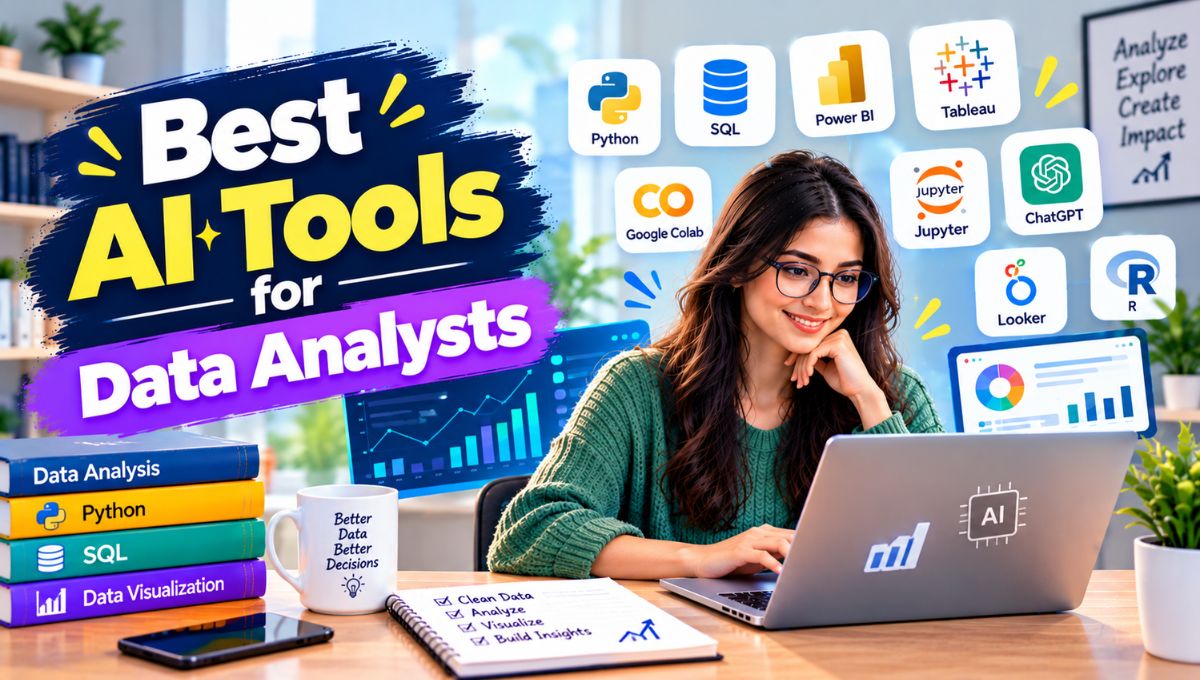
Data analysts spend much of their time cleaning datasets, writing SQL, building dashboards, checking calculations, exploring trends, creating reports, and answering repeated business questions. AI is changing each of these tasks.
The best AI tools for data analysts in 2026 can write and explain SQL, generate Python code, analyze Excel and CSV files, identify patterns, create visualizations, build dashboards, explain statistical results, query data warehouses, and help analysts communicate findings to business teams.
However, there is no single AI tool that is best for every analyst. A business analyst working primarily in Excel may benefit from Microsoft 365 Copilot, while a SQL and Python-heavy analyst may prefer Hex or Deepnote. Someone analyzing an uploaded CSV may find Julius AI or ChatGPT more convenient, while enterprise BI teams may prefer Power BI, Tableau, ThoughtSpot, Databricks, or Snowflake’s AI capabilities.
The biggest change in 2026 is that AI data analysis has moved beyond simple chatbot questions. Modern platforms increasingly connect AI directly to live databases, semantic models, notebooks, BI platforms, and governed business data. OpenAI’s current Data agent, for example, can connect to business data sources and generate interactive dashboards from natural-language questions.
This guide compares 15 of the best AI tools for data analysts in 2026, including their strengths, use cases, limitations, and the types of analysts who will benefit most from each.
Best AI Tools for Data Analysts
| Tool | Best For | Main Strength | Technical Level |
|---|---|---|---|
| ChatGPT | General-purpose analysis | Python, files, reasoning, visualization | Beginner–Advanced |
| Claude | Data interpretation | Long-context analysis and reasoning | Beginner–Advanced |
| Julius AI | Chat-based data analysis | Spreadsheet and dataset exploration | Beginner–Intermediate |
| Microsoft 365 Copilot | Excel analysis | AI inside spreadsheets | Beginner–Intermediate |
| Power BI Copilot | BI and dashboards | Natural-language BI | Intermediate–Advanced |
| Tableau | Enterprise analytics | AI-assisted BI and visualization | Intermediate–Advanced |
| Hex | SQL/Python analytics | AI notebooks and warehouse analysis | Advanced |
| ThoughtSpot | Self-service analytics | AI-powered search and agents | Intermediate–Advanced |
| Deepnote | Collaborative notebooks | AI + Python + SQL | Intermediate–Advanced |
| Databricks Genie | Lakehouse analytics | Natural-language data analysis | Advanced |
| Snowflake Cortex | Data warehouse AI | SQL and governed enterprise data | Advanced |
| Gemini | Google data ecosystem | Data analysis and Google integration | Beginner–Advanced |
| Rows | Spreadsheet analytics | AI-powered spreadsheet workflows | Beginner–Intermediate |
| Metabase | Self-service BI | Natural-language analytics | Beginner–Intermediate |
| DataRobot | Automated analytics | ML and predictive modeling | Intermediate–Advanced |
What Are AI Tools for Data Analysts?
AI data-analysis tools are applications that use artificial intelligence to help analysts work with structured and semi-structured data.
Depending on the platform, AI can assist with:
- Data cleaning
- Data exploration
- SQL generation
- Python programming
- Spreadsheet analysis
- Statistical analysis
- Data visualization
- Dashboard creation
- Forecasting
- Anomaly detection
- Data modeling
- Natural-language querying
- Report generation
- Business intelligence
- Documentation
- Data storytelling
The important distinction is that AI analysis tools are not all designed for the same environment.
Some work by uploading a CSV.
Others connect directly to a data warehouse.
Some are designed for SQL and Python notebooks.
Others are built into enterprise BI software.
This means choosing the right AI tool starts with understanding where your data lives and how you normally analyze it.
1. ChatGPT
Best for: General-purpose data analysis, Python, spreadsheets, research, and ad-hoc analysis
ChatGPT is one of the most flexible AI tools available to data analysts.
For file-based analysis, it can work with datasets and use Python-based analysis to calculate statistics, transform data, generate charts, investigate patterns, and help explain results.
The bigger 2026 development is the introduction of OpenAI’s Data agent in ChatGPT Work.
OpenAI says the Data agent can connect to approved business data sources including Amazon Redshift, BigQuery, ClickHouse, Databricks, MongoDB, Snowflake, and others. It can investigate business questions, create interactive dashboards, and help turn analysis into actions.
What analysts can use ChatGPT for
- CSV analysis
- Excel analysis
- Python coding
- SQL generation
- Data cleaning
- Exploratory data analysis
- Chart creation
- Statistical explanations
- Data transformation
- Report writing
- Dashboard planning
- Business analysis
For example, an analyst can provide a sales dataset and ask:
Identify the biggest changes in revenue by region over the last 12 months and visualize the top five changes.
The important advantage is that the analyst can continue asking follow-up questions rather than starting a new analysis each time.
Best for
- Business analysts
- Data analysts
- Freelancers
- Researchers
- Marketing analysts
- Product analysts
- Beginners learning analytics
Potential limitation
AI-generated analysis still needs validation. Analysts should inspect calculations, assumptions, code, filters, and source data before using results for important decisions.
2. Claude
Best for: Long-context data interpretation, reasoning, and analytical explanations
Claude is particularly useful when the analytical task involves large amounts of context.
A data analyst might use it to:
- Explain a dataset
- Review SQL
- Generate analytical code
- Interpret results
- Analyze documentation
- Review spreadsheets
- Explain statistical output
- Summarize business findings
Claude is especially useful when the question is not simply:
What is the average?
but:
Why might this pattern be happening, what alternative explanations should we consider, and what analysis should we run next?
That distinction matters because analysts spend considerable time interpreting results rather than simply calculating them.
Current 2026 comparisons also place Claude among the major AI options for data analysis, particularly for narrative interpretation and large workbooks.
Best for
- Analysts who work with large documents and datasets
- SQL review
- Analytical reasoning
- Business storytelling
- Research
- Complex explanations
3. Julius AI
Best for: Chat-based spreadsheet and dataset analysis
Julius AI is designed specifically around conversational data analysis.
Instead of building every chart manually, users can upload a dataset and ask questions using natural language.
Typical tasks include:
- Exploring CSV files
- Analyzing Excel data
- Creating charts
- Finding trends
- Comparing groups
- Generating summaries
- Performing calculations
Julius is particularly attractive to users who understand the analytical question but don’t necessarily want to write Python for every task.
Current 2026 comparisons position Julius as a leading choice for conversational analysis of spreadsheets and other datasets.
Example
Instead of writing code to calculate monthly revenue growth, you could ask:
Show monthly revenue growth for each product category and identify the three categories with the fastest growth.
The AI can then generate the analysis and visualization.
Best for
- Business analysts
- Non-programming analysts
- Spreadsheet-heavy workflows
- Quick exploratory analysis
- Ad-hoc reporting
Potential limitation
For complex production analytics, SQL/Python notebooks and governed BI environments usually provide more control and reproducibility.
4. Microsoft 365 Copilot in Excel
Best for: Analysts who live in Excel
Excel remains one of the most widely used data-analysis environments, and Microsoft has added AI directly into that workflow.
Microsoft 365 Copilot can assist with spreadsheet analysis, formulas, data interpretation, and generating insights.
This is particularly useful because the analyst doesn’t necessarily have to move the dataset into another application.
Common use cases
- Formula generation
- Data summarization
- Trend analysis
- Data cleaning assistance
- Creating charts
- Finding patterns
- Explaining formulas
- Asking questions about spreadsheet data
For organizations already standardized on Microsoft 365, keeping AI inside Excel can reduce workflow friction.
Best for
- Business analysts
- Finance teams
- Operations analysts
- Marketing analysts
- Excel-heavy organizations
5. Power BI Copilot
Best for: Business intelligence, semantic models, and enterprise dashboards
Power BI is one of the most important tools for professional business intelligence, and Microsoft has integrated Copilot into the broader Fabric environment.
Microsoft says Copilot can help users ask questions about data in natural language, generate visualizations and reports, create summaries, and accelerate semantic-model development.
This makes Power BI Copilot fundamentally different from simply uploading a CSV to an AI chatbot.
The data can exist within a governed BI environment.
What analysts can do
- Generate report pages
- Ask natural-language questions
- Summarize dashboards
- Explore trends
- Create visualizations
- Assist with semantic models
- Explain business changes
For example:
Why did revenue fall in Q3?
The analyst can use Copilot to investigate the available business data and surface relevant trends.
Best for
- Enterprise BI teams
- Microsoft organizations
- Business intelligence analysts
- Finance departments
- Operations teams
Potential limitation
Power BI’s AI capabilities are most valuable when the underlying semantic model and data governance are well designed.
AI cannot compensate for a poorly structured data model.
6. Tableau
Best for: Enterprise visualization and analytics
Tableau remains a major business intelligence and visualization platform, while its AI capabilities increasingly help analysts and business users explore data.
AI-powered Tableau capabilities can help surface insights, support natural-language interactions, and assist with analytical workflows.
Tableau is particularly useful for organizations where dashboards are already a central part of business reporting.
Best for
- Enterprise analysts
- BI teams
- Data visualization specialists
- Executives
- Organizations already using Tableau
Why it remains important
Data analysis doesn’t end with finding an answer.
The answer must often be communicated.
Tableau’s visualization environment helps analysts turn analysis into interactive dashboards that stakeholders can explore.
7. Hex
Best for: Analysts who work with SQL, Python, and data warehouses
Hex is particularly interesting for professional data analysts because it combines notebook-style analysis, SQL, Python, visualization, and AI.
Current 2026 comparisons place Hex among the leading options for analysts who work directly with SQL and Python against warehouse data.
Hex is useful when an analyst needs to move through a workflow such as:
SQL → Python → analysis → visualization → presentation
without constantly switching applications.
Why analysts like this model
A professional analyst often needs more than a chatbot answer.
They need:
- Reproducible analysis
- Query visibility
- Code
- Data connections
- Collaboration
- Documentation
- Interactive outputs
Hex is designed around that analytical workflow.
Best for
- Data analysts
- Analytics engineers
- Data scientists
- SQL users
- Python users
- Modern data teams
Potential limitation
It has a steeper learning curve than simple upload-and-chat tools.
8. ThoughtSpot
Best for: AI-powered self-service analytics and enterprise data exploration
ThoughtSpot has moved strongly toward an agentic analytics model.
Its current platform includes Spotter, an AI analyst, along with agents designed for data preparation, modeling, visualization, and analytics workflows.
ThoughtSpot describes Spotter as capable of answering complex questions using business context and reasoning through multi-step queries.
The platform also supports analysts working with SQL and Python while maintaining governed semantic models.
Why it matters
Traditional BI often creates a queue:
Business user asks question → analyst receives request → analyst writes query → dashboard is created → stakeholder reviews result.
Agentic analytics aims to reduce that queue.
Best for
- Enterprise BI
- Self-service analytics
- Data teams
- Organizations with governed data models
- Analysts supporting many business stakeholders
9. Deepnote
Best for: Collaborative SQL and Python notebooks
Deepnote is a collaborative data notebook platform with AI assistance.
It is especially useful for analysts who prefer notebooks but want a more collaborative environment.
Typical workflows include:
- SQL
- Python
- Data exploration
- Visualization
- Documentation
- Collaboration
- AI-assisted coding
Best for
- Data analysts
- Data scientists
- Analytics engineers
- Research teams
- Technical analysts
Potential limitation
Non-technical business users may find a notebook environment less approachable than a conversational BI platform.
10. Databricks Genie
Best for: Analysts working with Databricks lakehouse data
Databricks is heavily used by organizations managing large-scale data platforms.
Genie allows users to interact with data using natural language while leveraging the organization’s data and business context.
This makes it more suitable for enterprise data environments than a generic chatbot that requires analysts to manually upload files.
Typical workflow
Business question → Natural language → Data interpretation → Query → Result
This can reduce repetitive requests for analysts while maintaining the organization’s existing data architecture.
OpenAI’s current Data agent also lists Databricks Genie among its connected data ecosystem options, illustrating how these enterprise AI analytics environments are increasingly becoming interconnected.
Best for
- Enterprise analytics
- Lakehouse environments
- SQL analysts
- Large data teams
- Databricks customers
11. Snowflake Cortex
Best for: AI analysis inside Snowflake
Snowflake Cortex provides AI capabilities directly within the Snowflake ecosystem.
For organizations whose data already lives in Snowflake, this can be significantly more practical than exporting datasets into another AI application.
Potential workflows include:
- Natural-language analysis
- SQL assistance
- Data classification
- Summarization
- AI-powered data applications
The central advantage is that analysis can remain close to governed enterprise data.
Best for
- Snowflake customers
- Enterprise data teams
- SQL analysts
- Data engineers
- Analytics engineers
12. Gemini
Best for: Analysts working in Google’s ecosystem
Google’s Gemini ecosystem is useful for data analysis, particularly for organizations already using Google Cloud, BigQuery, Google Sheets, and related services.
Gemini can assist with:
- Data analysis
- SQL
- Spreadsheet work
- Coding
- Documentation
- Data exploration
- Business explanations
Google’s data ecosystem also includes Gemini capabilities around BigQuery and other analytics services.
Best for
- Google Workspace users
- BigQuery users
- Google Cloud teams
- Analysts working in Sheets
- Data professionals using Google’s ecosystem
13. Rows
Best for: Spreadsheet-based analysis with modern automation
Rows combines spreadsheet workflows with integrations and AI-assisted analysis.
It is useful for analysts who still prefer the spreadsheet model but want more automation and modern data connections.
Current 2026 comparisons position Rows as an option for analytical work that already lives in spreadsheets.
Best for
- Startup teams
- Business analysts
- Marketing analysts
- Spreadsheet users
- Lightweight analytics
14. Metabase
Best for: Self-service analytics on databases
Metabase is a business intelligence platform designed to make data exploration accessible to a wider audience.
Its AI capabilities make it possible for users to interact with data using natural language while still working within a BI environment.
That makes Metabase particularly useful for organizations where many employees need access to business data but not everyone is comfortable writing SQL.
Best for
- Startups
- SMBs
- Product teams
- Operations
- Business users
- SQL-backed analytics
Potential limitation
It is not designed to replace a full data-science notebook or sophisticated statistical environment.
15. DataRobot
Best for: Automated machine learning and predictive analytics
DataRobot occupies a different part of the analytics spectrum.
While tools such as Julius and ChatGPT are excellent for exploratory analysis, DataRobot is more focused on machine learning and predictive analytics.
It can help teams with workflows involving:
- Predictive modeling
- Machine learning
- Model evaluation
- Deployment
- Monitoring
- Automated model development
Best for
- Data science teams
- Advanced analysts
- Predictive analytics
- Enterprise machine learning
For a simple spreadsheet analysis, DataRobot would be unnecessary. But for organizations building predictive models, it can be much more appropriate.
AI Data Analysis Tools by Type
One of the easiest ways to choose the right tool is to divide the market into categories.
1. Chat-first analysis
Examples:
- ChatGPT
- Claude
- Julius AI
- Gemini
These are ideal when you want to ask questions conversationally.
Best for: ad-hoc analysis, files, exploration, explanations.
2. Spreadsheet AI
Examples:
- Microsoft 365 Copilot
- Rows
Best for: analysts who spend most of their time in spreadsheets.
3. AI notebooks
Examples:
- Hex
- Deepnote
Best for: SQL, Python, reproducibility, and professional analytical workflows.
4. AI-powered BI
Examples:
- Power BI
- Tableau
- ThoughtSpot
- Metabase
Best for: dashboards, semantic models, enterprise reporting, and self-service analytics.
5. Data warehouse AI
Examples:
- Databricks Genie
- Snowflake Cortex
- BigQuery/Gemini
Best for: organizations where data already lives in cloud data platforms.
This distinction is important because analysts shouldn’t necessarily move their data to an AI application.
Increasingly, the AI should come to the data.
How AI Helps Data Analysts
AI doesn’t simply save time writing formulas.
Its biggest impact comes from reducing friction throughout the analytical workflow.
Data cleaning
AI can help identify:
- Missing values
- Duplicate records
- Inconsistent categories
- Formatting errors
- Outliers
- Invalid dates
For example:
Find all columns containing inconsistent category names and suggest a standardized mapping.
SQL generation
Instead of starting from an empty editor, analysts can describe the required query in natural language.
For example:
Calculate monthly recurring revenue by customer segment for the last 12 months.
AI can generate an initial SQL query that the analyst can inspect and modify.
Python assistance
AI can write repetitive Python code for:
- pandas
- NumPy
- matplotlib
- scikit-learn
- statistical analysis
This is especially useful when an analyst knows what needs to happen but doesn’t remember the exact syntax.
Exploratory data analysis
AI can quickly investigate:
- Distribution
- Correlation
- Trends
- Segments
- Outliers
- Missing values
Visualization
AI can suggest appropriate charts based on the question.
For example:
Trend → line chart
Category comparison → bar chart
Distribution → histogram
Relationship → scatter plot
The analyst should still verify whether the chosen visualization actually communicates the result accurately.
AI Data Analysis vs Traditional Data Analysis
Traditional workflow:
Import → Clean → Query → Analyze → Visualize → Report
AI-assisted workflow:
Import → Ask → Analyze → Validate → Visualize → Explain → Act
The second workflow can be significantly faster, but it introduces another responsibility:
Validation.
An analyst should never assume that an AI-generated answer is correct simply because the output looks convincing.
Why Data Validation Still Matters
AI can make analytical errors.
Potential problems include:
- Incorrect joins
- Wrong filters
- Misinterpreted columns
- Incorrect statistical assumptions
- Duplicate counting
- Missing records
- Hallucinated explanations
- Incorrect chart selection
A good analyst therefore treats AI as an analytical assistant rather than an unquestionable authority.
For numerical analysis, tools that actually execute code or generate inspectable SQL are particularly valuable because the analyst can review how the result was produced. This is also a recurring theme in current 2026 analyst-tool comparisons.
A Practical AI Workflow for Data Analysts
A strong workflow might look like this:
Step 1: Understand the business question
Don’t start by asking AI to analyze everything.
Define the actual question.
For example:
Why did customer retention decrease in Q2?
is better than:
Analyze this dataset.
Step 2: Inspect the data
Check:
- Number of rows
- Columns
- Data types
- Missing values
- Duplicates
- Date ranges
Step 3: Use AI for exploration
Ask AI to identify possible patterns and anomalies.
Step 4: Verify important calculations
Run the SQL, Python, spreadsheet formula, or BI query yourself.
Step 5: Investigate the cause
Don’t stop at:
Sales dropped 12%.
Ask:
Which segments contributed most to the decline?
Then:
What changed in those segments?
Step 6: Visualize the result
Use the appropriate chart or dashboard.
Step 7: Communicate the insight
Turn the analysis into a concise business explanation.
A good data analyst doesn’t simply report:
Revenue decreased 12%.
A stronger insight is:
Revenue decreased 12%, primarily because enterprise renewals fell in two major regions, while SMB revenue remained stable.
That is where AI can help turn analysis into decision-ready communication.
How Much Time Can AI Save Data Analysts?
Consider a hypothetical analyst who spends 30 hours per week on analytical work.
Suppose repetitive tasks account for 25% of that time:
30 × 25% = 7.5 hours
If AI reduces that repetitive workload by 40%:
7.5 × 40% = 3 hours
The analyst could potentially recover around 3 hours per week, or approximately:
3 × 50 = 150 hours per year
This is only an illustrative calculation.
Actual savings vary considerably depending on the analyst’s workflow.
A SQL-heavy analyst may save time through AI-generated queries, while an Excel-heavy analyst may gain more from Copilot. A data scientist may benefit more from coding assistance.
Best AI Tools for Data Analysts by Use Case
| Use Case | Best Choices |
|---|---|
| Analyze CSV/Excel quickly | Julius AI, ChatGPT |
| Generate Python | ChatGPT, Claude, Gemini |
| Generate SQL | ChatGPT, Claude, Hex |
| Excel analysis | Microsoft 365 Copilot |
| Enterprise BI | Power BI, Tableau |
| AI dashboards | Power BI, ThoughtSpot |
| SQL + Python notebooks | Hex, Deepnote |
| Data warehouse analysis | Databricks Genie, Snowflake Cortex |
| Self-service BI | ThoughtSpot, Metabase |
| Google ecosystem | Gemini |
| Predictive modeling | DataRobot |
| Quick business questions | Julius AI, ChatGPT |
| Data storytelling | ChatGPT, Claude, Tableau |
| Collaborative analytics | Hex, Deepnote |
Best AI Tool for Different Types of Data Analysts
Business Analysts
Start with:
ChatGPT + Excel Copilot + Power BI
This combination covers spreadsheets, exploratory analysis, reporting, and dashboards.
Marketing Analysts
Consider:
ChatGPT + Julius AI + Power BI/Tableau
This combination is useful for campaign data, customer segments, conversion analysis, and reporting.
Product Analysts
Consider:
ChatGPT + SQL notebook + warehouse AI
The ability to investigate user behavior directly in a data warehouse is particularly valuable.
SQL Analysts
Consider:
Hex + Claude/ChatGPT + ThoughtSpot
The analyst retains SQL control while AI reduces repetitive work.
Excel Analysts
Consider:
Microsoft 365 Copilot + ChatGPT
This is a practical combination for organizations that still rely heavily on Excel.
Enterprise Data Teams
Consider:
Power BI/Tableau + Databricks/Snowflake + AI assistant
Enterprise teams generally benefit more from AI integrated into governed data environments than from constantly uploading sensitive datasets into standalone applications.
Common Mistakes When Using AI for Data Analysis
1. Asking vague questions
“Analyze this data” is too broad.
Define the business question first.
2. Trusting AI-generated numbers
Always validate important calculations.
3. Ignoring data quality
AI cannot magically fix a fundamentally unreliable dataset.
4. Using the wrong visualization
A visually attractive chart can still communicate the wrong thing.
5. Forgetting reproducibility
For important work, save the query, code, assumptions, and methodology.
6. Uploading sensitive data without checking policies
Customer, financial, employee, or confidential company data should only be processed through approved tools and configurations.
7. Confusing correlation with causation
AI can identify patterns, but a relationship between two variables doesn’t automatically establish a causal relationship.
Will AI Replace Data Analysts?
AI will automate parts of data analysis, but that doesn’t mean the analyst’s role disappears.
The tasks most likely to become automated are repetitive:
- Basic SQL
- Simple charts
- Standard reports
- Data summaries
- Routine transformations
- Repetitive spreadsheet formulas
The higher-value work remains:
- Defining the right question
- Understanding business context
- Choosing the right methodology
- Validating data
- Evaluating assumptions
- Explaining causality carefully
- Communicating insights
- Making recommendations
The analyst of the future may therefore spend less time manually producing every chart and more time determining which questions are worth answering.
How to Choose the Best AI Tool for Data Analysis
Before purchasing a tool, ask these questions.
Where does my data live?
Is it in:
- Excel?
- CSV?
- Google Sheets?
- SQL database?
- Snowflake?
- BigQuery?
- Databricks?
- Salesforce?
- A BI platform?
How technical am I?
Do you prefer:
- Natural language?
- Excel?
- SQL?
- Python?
- Notebooks?
Do I need reproducibility?
For professional analytics, being able to inspect and rerun the analysis is important.
Do I need dashboards?
If executives and stakeholders need recurring reports, a BI platform may be more appropriate than a chatbot.
Do I need enterprise governance?
Large organizations should prioritize:
- Permissions
- Data lineage
- Security
- Auditability
- Semantic models
- Access controls
Can the AI actually execute the analysis?
This is an important distinction.
A tool that merely describes what you could calculate is different from a tool that actually runs Python, executes SQL, or queries a governed data model.
The Future of AI for Data Analysts
The next generation of analytics is moving from AI assistants toward AI analytical agents.
An assistant might write a SQL query.
An agent could potentially:
- Understand the business question
- Find the correct dataset
- Query the data
- Investigate anomalies
- Generate visualizations
- Compare possible explanations
- Build a dashboard
- Write a report
- Share the result with stakeholders
OpenAI’s September 2026 Data agent announcement is an example of this direction: the system can connect to approved company data, investigate questions, build interactive dashboards, and support actions based on the analysis.
ThoughtSpot is pursuing a similar direction with agents spanning data preparation, modeling, exploration, and dashboard creation.
Microsoft is also moving Power BI toward natural-language analytics where Copilot can help generate visualizations and reports from business questions.
The important change is therefore not simply that AI can write SQL faster.
The larger shift is toward AI-assisted analytical workflows that connect the entire path from raw data to business decision.
Final Verdict
There is no single best AI tool for every data analyst in 2026. ChatGPT is one of the most flexible all-purpose options for file analysis, Python, SQL, visualization, and analytical reasoning. Its newer Data agent capabilities also extend AI analysis into connected business data and interactive dashboards.
Claude is particularly useful for analytical reasoning, explanations, and working with substantial amounts of context.
Julius AI is a strong choice for users who want conversational analysis of spreadsheets and datasets without building a notebook first.
Microsoft 365 Copilot makes the most sense for analysts who live in Excel and the Microsoft ecosystem. Power BI Copilot is better suited to professional BI environments where semantic models, dashboards, and governed business data matter.
Hex and Deepnote are strong choices for analysts who work directly with SQL and Python. ThoughtSpot is particularly interesting for organizations pursuing self-service and agentic analytics.
Databricks Genie and Snowflake Cortex make the most sense when data already lives inside those respective data platforms.
The best AI tool is therefore determined by the data, the workflow, the analyst’s technical skills, and the level of governance required.
For a beginner analyzing spreadsheets, start with an accessible tool such as ChatGPT, Julius AI, or Excel Copilot.
For a professional SQL/Python analyst, look toward Hex, Deepnote, Claude, or ChatGPT. For enterprise BI, Power BI, Tableau, ThoughtSpot, Databricks, and Snowflake become much more relevant.
Most importantly, AI should not replace analytical judgment. The strongest data analysts in 2026 will use AI to reduce repetitive work while spending more time on data quality, methodology, business context, validation, and decision-making.