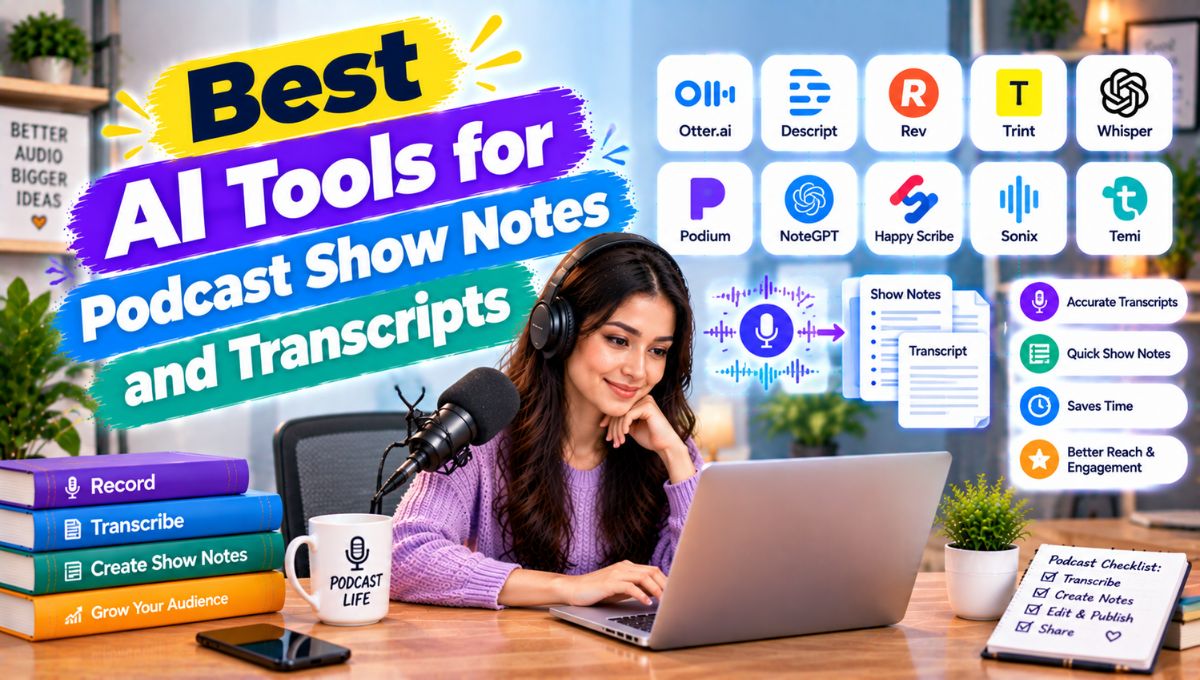
Podcast production involves much more than recording an episode. After recording a 30-minute, 60-minute, or even two-hour conversation, creators often need to produce a transcript, write show notes, create chapter timestamps, identify important quotes, prepare a podcast description, publish a blog post, create social media captions, and turn the best parts of the conversation into promotional content.
That post-production workload can take almost as much time as recording the podcast itself.
The best AI tools for podcast show notes and transcripts in 2026 can automate much of this process. Tools such as Descript, Riverside, Castmagic, Otter, Podsqueeze, Fireflies.ai, and other AI transcription platforms can convert podcast audio into searchable text and then use that transcript to generate summaries, chapters, highlights, social posts, blog content, and other marketing assets.
However, these tools are not identical.
Some are primarily transcription platforms. Some combine recording and transcription. Others specialize in transforming a finished episode into show notes and marketing content. Some are complete podcast editing environments where you can edit the audio or video simply by editing the transcript.
This guide compares the leading options and explains which type of tool makes sense for different podcast workflows.
Best AI Podcast Show Notes and Transcript Tools
| Tool | Best For | Transcription | Show Notes | Content Repurposing | Editing |
|---|---|---|---|---|---|
| Descript | All-in-one podcast production | Yes | Yes | Excellent | Yes |
| Riverside | Recording + transcription | Yes | Yes | Excellent | Yes |
| Castmagic | Show notes and repurposing | Yes | Excellent | Excellent | No/limited |
| Otter.ai | Fast transcription | Yes | Yes | Good | No |
| Podsqueeze | Podcast content repurposing | Yes | Excellent | Excellent | No |
| Fireflies.ai | Interviews and conversations | Yes | Yes | Good | No |
| Sonix | Transcription and subtitles | Yes | Limited | Good | No |
| Happy Scribe | Transcription and subtitles | Yes | Limited | Moderate | No |
| TurboScribe | Affordable transcription | Yes | Basic | Limited | No |
| Trint | Professional transcription | Yes | Moderate | Good | No |
| Notta | Transcription and summaries | Yes | Yes | Good | No |
| VEED | Video podcast content | Yes | Yes | Excellent | Yes |
| Adobe Podcast | Audio production | Yes | Limited | Moderate | Yes |
| Auphonic | Audio post-production | No primary focus | No primary focus | Limited | Audio |
| Buzzsprout | Podcast hosting + transcripts | Yes | Yes | Moderate | No |
What Are AI Podcast Show Notes and Transcript Tools?
AI podcast transcription tools convert spoken audio into written text.
For example, if you upload a 60-minute interview, the software can identify the spoken words and create a transcript.
Modern AI tools can also identify different speakers, add timestamps, clean up punctuation, summarize conversations, and organize the transcript.
AI show-notes tools go one step further.
Instead of simply giving you a text transcript, they can turn the episode into:
- Episode summaries
- Podcast descriptions
- Key takeaways
- Chapter titles
- Timestamps
- Important quotes
- Guest highlights
- Blog posts
- Social media posts
- LinkedIn posts
- Newsletter content
- SEO keywords
- Video descriptions
- Short-form content ideas
This distinction is important.
A transcription tool answers:
“What was said?”
A show-notes tool answers:
“What was important, and how can I turn it into useful content?”
The most advanced podcast AI platforms increasingly combine both.
Why Podcast Transcripts Matter in 2026
A podcast transcript is more than a text version of an episode.
It can become the foundation for an entire content ecosystem.
A single 60-minute podcast can potentially produce:
Podcast recording → transcript → show notes → blog post → newsletter → social posts → quotes → video clips → short-form content
This means transcription is increasingly becoming the first step in content repurposing.
1. Accessibility
Transcripts allow people who cannot or do not want to listen to the entire episode to access the information in text form.
They can also support accessibility and make spoken content easier to search.
2. Searchable Content
A transcript gives you a text representation of your episode that can be searched and reused.
Instead of manually remembering where a guest mentioned a particular topic, you can search the transcript for the relevant phrase.
3. Content Repurposing
A transcript provides source material for:
- Articles
- Newsletters
- Social media
- Quotes
- Videos
- Educational content
4. Research
Podcasters who interview experts can build a searchable archive of conversations.
Over time, that archive can become a valuable knowledge base.
5. Faster Show Notes
Instead of listening to an entire episode again and writing notes manually, AI can generate a first draft from the transcript.
Human editing is still important, but the starting point is much faster.
1. Descript
Descript is one of the strongest options for creators who want transcription, show notes, editing, and content repurposing in one workflow.
Its core concept is simple:
Edit the media by editing the transcript.
When Descript transcribes a recording, you can work with the spoken content as text and use that transcript as part of the editing workflow.
Its current AI capabilities can generate episode titles and show notes, remove filler words and retakes, translate content, and identify social clips. Descript also offers an AI co-editor called Underlord for automating production tasks.
Key Features
- AI transcription
- Speaker identification
- Text-based audio editing
- Text-based video editing
- AI show notes
- Episode summaries
- Chapters
- Filler-word removal
- Clip creation
- Captions
- Translation
- AI voice tools
- Content repurposing
Descript’s podcast workflow is particularly useful because the transcript is not a separate output that you download and forget about.
It becomes part of the production environment.
Best For
Descript is particularly suitable for:
- Podcast creators
- Video podcasters
- YouTubers
- Interview shows
- Solo creators
- Content teams
- Agencies
Main Advantage
The biggest advantage is the combination of transcription and editing.
If a guest says something incorrectly, you can find the sentence in the transcript and work from the text instead of searching manually through a long audio timeline.
Limitation
If you only need a basic transcript and do not need media editing, a dedicated transcription service may provide a simpler workflow.
2. Riverside
Riverside is particularly useful for podcasters who record remote interviews and want recording, transcription, show notes, and content repurposing in one platform.
Its AI tools include transcription, AI show notes, chapters, clips, hooks, and social posts.
Riverside’s AI Show Notes can generate:
- Summary
- Keywords
- SEO tags
- Takeaways
- Sound bites
- Chapter titles
- Timestamps
It can generate notes from the original recording or from an exported edited version, which is useful because show notes can be based on the final version rather than the raw recording.
Best For
- Remote podcasts
- Video podcasts
- Interviews
- Multi-speaker shows
- Podcast production teams
- Creators who want recording and post-production together
Main Advantage
Riverside reduces the number of tools required in a remote podcast workflow.
You can record the conversation, generate a transcript, edit the content, create clips, and generate show notes in the same environment.
Limitation
If your only requirement is inexpensive transcription, an all-in-one recording platform may provide more functionality than you actually need.
3. Castmagic
Castmagic is built specifically around turning long-form spoken content into usable marketing assets.
This makes it particularly interesting for podcasters whose biggest problem is not transcription itself but what happens after transcription.
Castmagic can take an audio or video file and generate:
- Transcripts
- Show notes
- Summaries
- Blog posts
- Social posts
- Quotes
- Headlines
- Content ideas
- Promotional copy
Its current transcription tool supports audio and video uploads and provides speaker-labeled, timestamped transcripts. Castmagic states that it supports more than 60 transcription languages and multiple export formats.
Best For
- Podcast show notes
- Content repurposing
- Social media
- Blog content
- Newsletter content
- Marketing teams
- Agencies
Main Advantage
Castmagic is designed around the question:
“How much content can we create from this podcast episode?”
That makes it particularly useful for creators who already have an editing workflow and want to automate the content-production stage afterward.
Limitation
It is not primarily a traditional audio/video editor.
If you want to edit your podcast by manipulating the transcript, Descript may fit that workflow better.
4. Otter.ai
Otter.ai is a well-known AI transcription platform that can also be useful for podcast interviews and recorded conversations.
It allows users to upload audio or video files and generate searchable, editable transcripts.
Otter’s current podcast transcription workflow also supports:
- Speaker identification
- Timestamps
- Summaries
- Show notes
- Quotes
- Highlights
- Content repurposing
Otter currently advertises a free starting tier with 300 transcription minutes per month.
Best For
- Interview podcasts
- Solo podcasts
- Conversation archives
- Research interviews
- Fast transcription
- Searchable transcripts
Main Advantage
Its simplicity is one of its biggest strengths.
If your primary requirement is:
“Give me a searchable transcript of this podcast.”
Otter can be a straightforward solution.
Limitation
Otter is not primarily designed as a full podcast-production environment.
If you need extensive audio editing, video editing, and social clip production, you may need another platform.
5. Podsqueeze
Podsqueeze is focused heavily on turning podcast episodes into multiple pieces of written content.
The workflow is particularly relevant for creators who want to publish more than just the podcast itself.
A typical process can be:
Upload episode → transcript → show notes → summary → blog article → social content
Useful For
- Podcast show notes
- Blog posts
- Episode summaries
- Social media
- Quotes
- Chapters
- Content repurposing
Podsqueeze is particularly attractive to independent creators who want a specialized podcast-content workflow rather than a general transcription service.
Best For
- Solo podcasters
- Small podcast teams
- Content marketers
- Newsletter creators
- Agencies managing multiple shows
Limitation
It is more focused on post-production content generation than professional audio editing.
6. Fireflies.ai
Fireflies.ai is best known for meeting transcription, but its underlying capabilities can also be useful for recorded interviews and podcast-style conversations.
It can transcribe conversations and use AI to summarize them and extract important information.
This can be useful when your podcast workflow overlaps with:
- Customer interviews
- Expert interviews
- Business conversations
- Research
- Sales interviews
- Internal content
Best For
- Interview-heavy podcasts
- Business podcasts
- Research conversations
- Podcast teams that already use Fireflies
- Searchable conversation archives
Main Advantage
Fireflies can be particularly useful when podcast interviews are part of a broader business conversation workflow.
Limitation
It is not specifically designed as a podcast-first show-notes platform.
For creators who primarily want podcast descriptions, chapters, social posts, and marketing content, specialized tools may be more efficient.
7. Sonix
Sonix is primarily a transcription platform that supports audio and video transcription.
It is useful for creators who need:
- Transcripts
- Captions
- Subtitles
- Searchable text
- Speaker identification
- Exportable text
Sonix can be useful for podcasts that also need subtitles or transcripts in multiple formats.
Best For
- Podcast transcription
- Video transcription
- Subtitles
- Captions
- Multilingual content
Limitation
Its main focus is transcription rather than generating a complete podcast marketing package.
If you need a blog post, social campaign, episode description, and content strategy from one upload, a repurposing-focused platform may be better.
8. Happy Scribe
Happy Scribe combines AI transcription with human transcription services.
This makes it particularly useful for creators who need more than automated speech recognition and may occasionally require higher-accuracy human-reviewed transcripts.
Useful For
- Podcasts
- Interviews
- Video transcription
- Subtitles
- Multilingual projects
- Professional transcription
Best For
Creators who care about transcription quality and need the option to use a human review workflow.
Limitation
Human-reviewed transcription costs more and takes longer than fully automated AI transcription.
For routine weekly podcasts where speed is the priority, automated transcription may be sufficient.
9. TurboScribe
TurboScribe focuses primarily on affordable, high-volume transcription.
It can be attractive to podcasters who already have separate editing and content-generation tools but need an inexpensive transcription layer.
Best For
- Long podcast episodes
- Bulk transcription
- Solo creators
- Researchers
- Interviews
- Cost-conscious workflows
Main Advantage
The platform’s focus is straightforward:
Convert large amounts of audio or video into text.
Limitation
It does not attempt to be a complete podcast marketing and production platform.
You may still need ChatGPT, Canva, Descript, or another tool for show notes and content repurposing.
10. Trint
Trint is designed for professional transcription and content workflows.
It can be useful for organizations that need to turn recorded conversations into searchable and reusable text.
Typical users can include:
- Media teams
- Journalists
- Content teams
- Podcasters
- Researchers
Its collaborative workflow can be particularly useful when multiple people need to review or work with transcripts.
Best For
- Professional media teams
- Podcast networks
- Journalism
- Interview research
- Collaborative transcription
Limitation
Individual podcasters may find simpler tools more appropriate if they only need basic transcripts.
11. Notta
Notta is an AI transcription and meeting-notes platform that can also process recorded audio and video.
Its AI can help produce summaries and organize conversation information.
Useful For
- Interview transcription
- Podcast transcripts
- Research
- Meetings
- Content summaries
- Conversation archives
Notta is particularly useful when podcasting is only one part of your broader transcription needs.
For example, a creator might use the same platform for:
- Podcast interviews
- Customer interviews
- Meetings
- Research conversations
Limitation
Podcast-specific content repurposing is not its primary focus.
12. VEED
VEED is particularly relevant to creators producing video podcasts.
Its AI-powered video editing environment can help creators work with transcripts, subtitles, clips, social content, and video edits.
A video podcast creates additional content opportunities because a single recording can become:
- Full YouTube episode
- Podcast audio
- Short clips
- Captions
- Social videos
- Quote graphics
- Transcript
- Blog content
VEED can be useful when video editing and transcription need to happen together.
Best For
- Video podcasts
- YouTube creators
- Short-form clips
- Social media
- Captions
- Video repurposing
Limitation
If you only produce audio podcasts, many of VEED’s video features may not be necessary.
13. Adobe Podcast
Adobe Podcast is focused more on AI-powered audio production than dedicated show-notes generation.
It can still be useful in a podcast workflow because improving the audio before transcription can improve the overall quality of the final production.
Its AI audio tools are designed to help creators improve voice recordings and remove unwanted audio problems.
Best For
- Voice cleanup
- Podcast audio
- Spoken-word recordings
- Home recording environments
- Audio quality improvement
Limitation
Adobe Podcast should not be treated as a complete show-notes platform.
A creator may use it for audio enhancement and then send the cleaned recording to Descript, Castmagic, Riverside, Otter, or another transcription tool.
14. Auphonic
Auphonic occupies a different part of the podcast workflow.
It is primarily an automated audio post-production platform.
It can help with tasks such as:
- Loudness normalization
- Level balancing
- Noise reduction
- Audio processing
- Encoding
That makes it useful before publishing the final episode.
Best For
- Audio cleanup
- Loudness normalization
- Podcast mastering
- Automated audio processing
Limitation
Auphonic is not primarily a transcript or show-notes generator.
Think of it as an audio-production tool that can complement your transcription workflow.
15. Buzzsprout
Buzzsprout is primarily a podcast hosting platform, but its ecosystem can also support podcast transcription and content workflows.
This can be useful for creators who prefer to keep hosting and related podcast features inside one platform.
Best For
- Podcast hosting
- Publishing
- Podcast management
- Basic transcription workflows
- Independent podcasters
Limitation
Dedicated AI content-repurposing tools can provide much deeper capabilities for generating social posts, blogs, quotes, and marketing content.
AI Podcast Tools by Use Case
There is no need to use the same tool for every podcast workflow.
| Your Main Need | Suitable Tools |
|---|---|
| Transcription only | Otter, TurboScribe, Sonix |
| Transcription + editing | Descript |
| Remote recording + transcription | Riverside |
| Show notes | Castmagic, Podsqueeze, Riverside, Descript |
| Blog posts from podcasts | Castmagic, Podsqueeze, Descript |
| Social content | Castmagic, Riverside, Descript, VEED |
| Video podcast editing | Descript, VEED, Riverside |
| Audio cleanup | Adobe Podcast, Auphonic |
| Human-reviewed transcripts | Happy Scribe |
| Professional media transcription | Trint, Happy Scribe |
| Interview research | Otter, Fireflies, Notta |
| Complete podcast workflow | Descript, Riverside |
What Should Good AI Show Notes Include?
A common mistake is assuming that show notes are simply a paragraph summarizing the episode.
Good show notes can include several layers.
Episode Summary
A short description explaining what the episode is about.
Key Takeaways
Three to seven major ideas discussed in the episode.
Chapters
Topic-based sections with timestamps.
For example:
00:00 – Introduction
04:32 – Why AI is changing podcast production
12:15 – Building an efficient content workflow
25:40 – Common podcast mistakes
42:10 – Future of AI podcasting
Important Quotes
Short, memorable statements from the guest or host.
Resources
Links or references mentioned during the episode.
Guest Information
A concise introduction to the guest and their expertise.
Search Terms
Relevant keywords that can help organize the episode and support discoverability.
AI tools can generate a first version of these sections, but creators should verify timestamps, names, links, and quotes before publishing.
How to Create Podcast Show Notes With AI
A reliable workflow can be surprisingly simple.
Step 1: Record the Episode
Use your preferred recording platform.
For remote interviews, a platform such as Riverside can combine recording and transcription.
Step 2: Generate the Transcript
Upload the audio or video to your transcription tool.
The AI identifies:
- Words
- Speakers
- Timestamps
- Paragraphs
- Conversation segments
Step 3: Clean the Transcript
AI transcription is not perfect.
Review:
- Names
- Companies
- Technical terms
- Numbers
- Acronyms
- Places
- Product names
This is especially important for expert interviews.
Step 4: Generate Show Notes
Ask your AI tool to produce:
- Episode summary
- Key takeaways
- Chapters
- Quotes
- Guest introduction
- Relevant keywords
- Resources
Step 5: Verify Everything
Do not publish AI-generated show notes without reviewing them.
Check:
- Timestamps
- Quotes
- Names
- Claims
- Links
- Statistics
Step 6: Repurpose the Episode
Now use the transcript to generate:
- Blog post
- Newsletter
- LinkedIn post
- Instagram captions
- X posts
- YouTube description
- Short-video hooks
- Quote graphics
This is where AI becomes particularly valuable.
One Podcast Episode Can Become Many Content Assets
Imagine a 60-minute interview.
The raw recording can become:
1 Full Podcast Episode
The original conversation.
1 Complete Transcript
A searchable text version.
1 Set of Show Notes
Summary, takeaways and chapters.
1 Blog Article
A long-form article based on the main ideas.
1 Newsletter
A concise summary for subscribers.
5–10 Social Posts
Individual ideas extracted from the conversation.
5–10 Short-Video Ideas
Strong statements turned into short-form content.
5–10 Quotes
Useful statements from the guest.
Multiple Clips
Short video or audio segments from the strongest moments.
The exact number depends on the episode and the quality of the source material.
The important concept is that one recording becomes a content source rather than a single published asset.
AI Transcription vs Human Transcription
AI transcription is usually faster and more scalable.
Human transcription can provide additional review and accuracy for difficult recordings.
| Factor | AI Transcription | Human Transcription |
|---|---|---|
| Speed | Very fast | Slower |
| Cost | Usually lower | Usually higher |
| Scalability | Excellent | Limited |
| Speaker identification | Often available | Yes |
| Timestamps | Usually available | Yes |
| Technical terms | Can make errors | Human review helps |
| Accents | Variable | Human can interpret context |
| Large podcast archive | Excellent | Expensive |
| Sensitive content | Requires privacy review | Requires provider review |
For a weekly podcast, AI transcription is often the practical starting point.
For legal, medical, academic, or highly sensitive material, additional human review may be appropriate.
How Accurate Are AI Podcast Transcripts?
Accuracy depends on the recording.
Factors that affect transcription include:
- Microphone quality
- Background noise
- Speaker overlap
- Accents
- Speaking speed
- Multiple speakers
- Technical vocabulary
- Music
- Internet recording quality
A clean studio recording with one speaker can be much easier to transcribe than a noisy multi-person conversation.
For this reason, creators should not think of AI transcription as:
Upload → perfect transcript
A better workflow is:
Upload → AI transcript → review → correction → final transcript
The same principle applies to AI-generated show notes.
How to Improve AI Podcast Transcription Accuracy
Use Good Microphones
Better source audio generally produces better transcripts.
Record Separate Tracks
When possible, recording each remote participant separately can make editing and transcription easier.
Reduce Background Noise
Fans, traffic, keyboards, and room echo can make speech recognition harder.
Correct Speaker Names
Always check speaker labels.
Create a Vocabulary List
If your podcast regularly discusses specialized topics, maintain a list of:
- Names
- Brands
- Technical terms
- Acronyms
- Product names
This can make transcript correction faster.
Privacy and Security Considerations
Podcast recordings can contain sensitive information.
Before uploading an interview to an AI service, check:
- Data retention
- Training policies
- Encryption
- Account permissions
- Data processing terms
- Team access
- File deletion options
- Enterprise controls
This becomes particularly important when podcasts include:
- Private business information
- Unreleased products
- Customer interviews
- Confidential interviews
- Personal information
- Internal discussions
Do not assume that every AI transcription provider handles uploaded recordings in exactly the same way.
How Much Time Can AI Save?
Consider a hypothetical one-hour podcast.
A traditional workflow might require:
- 1.5 hours for manual transcription
- 1 hour for show notes
- 1 hour for chapter creation
- 1.5 hours for repurposing
- 1 hour for reviewing content
Total:
6 hours
Suppose AI reduces the repetitive workload by 60%.
Estimated remaining time:
6 × 0.40 = 2.4 hours
That represents approximately:
3.6 hours saved per episode.
For a weekly podcast:
3.6 × 52 = 187.2 hours
That is roughly 23 eight-hour working days.
This is only a hypothetical productivity calculation, not a guaranteed result. Actual savings depend on episode length, audio quality, editing requirements, content volume, and how much human review is needed.
Common Mistakes When Using AI for Podcast Show Notes
Mistake 1: Publishing the AI output without checking it
AI can misunderstand names, statistics, jokes, technical terms, and context.
Always review.
Mistake 2: Making show notes too generic
A description such as:
“In this episode, we discuss AI and technology.”
does not tell potential listeners much.
Good show notes should explain what makes the episode worth listening to.
Mistake 3: Using every AI-generated content idea
AI can generate dozens of social posts.
That does not mean all of them are useful.
Select the strongest ideas.
Mistake 4: Ignoring the guest’s actual expertise
AI summaries can flatten nuanced conversations.
Make sure the final show notes accurately represent what the guest actually said.
Mistake 5: Over-optimizing for SEO
Podcast content should be useful to humans first.
Keywords should naturally reflect the episode rather than being inserted into every sentence.
Mistake 6: Creating fake quotes
Never publish an AI-generated quote as though the guest said it.
Quotes should come directly from the transcript and be checked against the recording.
Best AI Podcast Tool Stacks
You do not necessarily need 10 different tools.
A small stack can cover most podcast workflows.
Stack 1: Simple Podcast
Riverside + Descript
Riverside handles recording and transcription.
Descript handles editing, show notes, clips, and additional content production.
Stack 2: Content Repurposing
Riverside + Castmagic
Riverside records the episode.
Castmagic turns the finished content into transcripts, show notes, blog content, social posts, and other assets.
Stack 3: Budget Transcription
TurboScribe + ChatGPT
Use the transcription service for the raw transcript.
Use an AI assistant to create:
- Show notes
- Summary
- Blog content
- Social posts
- Titles
Stack 4: Video Podcast
Riverside + Descript + Canva
Riverside records the conversation.
Descript handles transcript-based editing and content extraction.
Canva can be used for promotional graphics and visual content.
Stack 5: Professional Audio Workflow
Riverside + Descript + Auphonic
Riverside handles recording.
Descript handles editing and transcript-based production.
Auphonic handles final audio processing and loudness normalization.
What Is the Best AI Tool for Podcast Show Notes?
The answer depends on your workflow.
If you want show notes plus complete content repurposing, Castmagic is particularly focused on this use case.
If you want show notes plus audio/video editing, Descript provides a broader production environment.
If you already record your podcast in Riverside, its built-in AI Show Notes can reduce the need to move recordings to another platform.
If you primarily need transcripts, Otter, TurboScribe, Sonix, and similar transcription-focused tools can be simpler.
If you create video podcasts, Descript, Riverside, and VEED provide workflows that combine transcripts with video editing and repurposing.
What Is the Best AI Tool for Podcast Transcripts?
Again, the best choice depends on the job.
For transcript-based editing
Descript
For recording and transcription together
Riverside
For transcription plus content repurposing
Castmagic
For straightforward conversation transcription
Otter
For professional transcription workflows
Trint or Happy Scribe
For cost-conscious bulk transcription
TurboScribe
There is no universal winner because transcription, editing, show notes, and content repurposing are different jobs.
Final Thoughts
The best AI tools for podcast show notes and transcripts in 2026 are changing podcast production from a linear process into a content-repurposing workflow.
Instead of:
Record → publish → move on
creators can now build a much larger content system:
Record → transcribe → edit → summarize → create show notes → extract quotes → write articles → create social posts → produce clips → publish
Descript is particularly useful for creators who want transcription and editing together. Riverside is valuable for remote recording workflows where transcription, show notes, chapters, and clips can all be generated from the same recording.
Castmagic focuses heavily on turning podcast episodes into written and promotional content. Otter is useful for straightforward transcription and searchable conversations.
Podsqueeze is designed around podcast content repurposing, while Sonix, Happy Scribe, TurboScribe, Trint, and Notta provide alternatives for different transcription requirements.
The most important decision is therefore not simply choosing the tool with the largest feature list. Start by identifying your biggest bottleneck. If transcription takes too long, choose a transcription-focused tool.
If editing is the problem, use transcript-based editing. If show notes consume hours, use a podcast content-generation platform.
If your biggest challenge is marketing, choose a tool that can turn every episode into multiple content formats.
And regardless of which platform you use, keep human review in the workflow. AI can dramatically accelerate transcription and content creation, but the final transcript, quotes, claims, timestamps, and show notes should still be checked before publication.
A good AI podcast workflow does not replace the creator. It gives the creator more time to focus on better conversations, better storytelling, and better content.