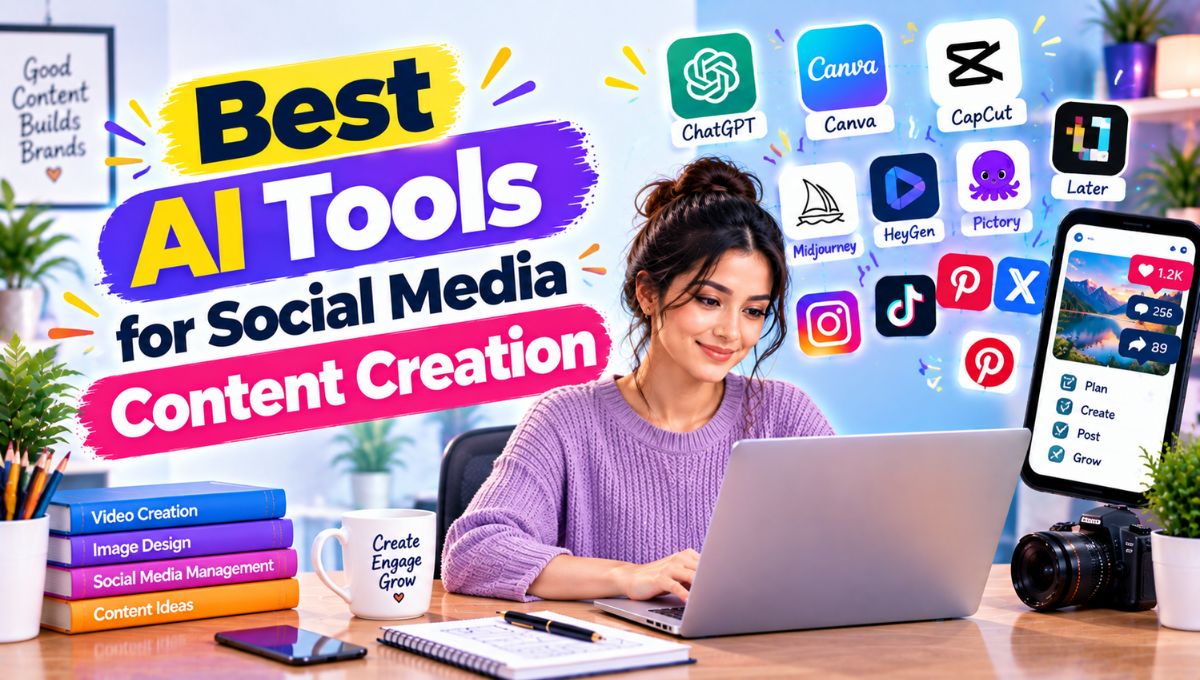
Creating social media content consistently is one of the biggest challenges for creators, marketers, bloggers, influencers, and small businesses. You need fresh ideas, engaging captions, attractive visuals, short-form videos, platform-specific content, hashtags, and a reliable publishing schedule—and doing everything manually can take hours.
The best AI tools for social media content creation in 2026 can speed up almost every part of that process. AI can help brainstorm post ideas, write captions, repurpose long-form content, generate images, create videos, resize designs, rewrite content for different platforms, and even schedule posts.
Popular options include ChatGPT, Claude, Canva, Adobe Express, Jasper, Copy.ai, Buffer, Hootsuite, CapCut, OpusClip, Riverside, Ideogram, SocialBee, Predis.ai, and other specialized tools.
However, these platforms solve different problems. A writing assistant is not necessarily a good video editor, while a design platform may not be the best scheduling tool. The most effective social media workflow usually combines a few specialized tools instead of expecting one application to do everything.
Recent 2026 comparisons from Hootsuite and Buffer also show this shift toward complete AI-assisted workflows covering ideation, copywriting, design, video repurposing, scheduling, and publishing.
This guide compares the major AI tools for social media content creation, explains what each one does best, and shows how creators and businesses can build a practical AI-powered social media workflow.
Best AI Social Media Content Tools
| AI Tool | Best For | Main AI Capability | Free Plan |
|---|---|---|---|
| ChatGPT | Ideas, captions & repurposing | Text, brainstorming, images, content transformation | Yes |
| Claude | Long-form social copy | Writing, editing, brand-context workflows | Yes |
| Canva | Social graphics | AI design, image generation, resizing | Yes |
| Adobe Express | All-in-one social creation | AI visuals, captions & scheduling | Yes |
| Jasper | Brand marketing | Brand-focused AI content | No/limited trial |
| Copy.ai | Social copy at scale | Workflows & content variations | Yes |
| Buffer | Scheduling + AI writing | AI captions and platform adaptation | Yes |
| Hootsuite/Perch | Social teams | AI creation + publishing workflows | Trial/paid |
| CapCut | Short-form video | AI editing, captions, effects | Yes |
| OpusClip | Video repurposing | Long-video-to-short conversion | Yes |
| Riverside | Video + repurposing | AI clips and promotional assets | Yes |
| Ideogram | Text-heavy graphics | AI image generation with text | Yes |
| SocialBee | Content recycling | AI strategy and evergreen scheduling | Trial |
| Predis.ai | Automated social posts | Post generation and creative variations | Limited/free |
| InVideo AI | Social videos | Prompt-to-video generation | Yes |
Free plans, AI allowances, features, and pricing can change. Always check the provider’s current plan before subscribing.
What Are AI Tools for Social Media Content Creation?
AI social media tools are applications that use artificial intelligence to help create, edit, repurpose, organize, or publish social media content.
Instead of manually completing every step, you can give an AI tool a description such as:
Create a three-post Instagram campaign promoting a new productivity app for freelancers.
Depending on the platform, AI might generate:
- Post ideas
- Captions
- Headlines
- Hooks
- Hashtags
- Images
- Carousels
- Short videos
- Scripts
- Voiceovers
- Content variations
- Platform-specific versions
- Publishing schedules
Modern AI social media workflows are therefore much broader than AI caption generators.
A creator might start with one blog post and use AI to turn it into a LinkedIn post, Instagram carousel, X thread, short video script, Reel, Pinterest graphic, and email teaser.
That is where AI can provide significant productivity gains.
Why Are AI Tools Important for Social Media in 2026?
Social media rewards consistency, but consistency requires production capacity.
A creator managing Instagram, LinkedIn, TikTok, YouTube Shorts, Facebook, and X may need multiple versions of the same idea.
AI can reduce repetitive work while allowing the creator to spend more time on strategy and original ideas.
Some of the biggest benefits include:
Faster Content Ideation
AI can generate dozens of potential topics from one niche, product, audience, or campaign.
Faster Caption Writing
Instead of starting with a blank screen, you can generate a first draft and edit it.
Platform-Specific Repurposing
A LinkedIn post can be transformed into an Instagram caption, short X post, or video script.
Faster Visual Creation
AI design tools can generate layouts, images, backgrounds, and other visual assets.
Video Repurposing
Long videos can be analyzed and converted into multiple short clips.
Better Publishing Consistency
Scheduling platforms allow creators to prepare content in batches rather than posting manually every day.
Adobe Express, for example, now combines AI caption generation with its Content Scheduler, allowing users to plan, preview, schedule, and publish social posts across multiple channels.
1. ChatGPT
ChatGPT is one of the most flexible AI tools for social media content creation because it can support almost every stage of the creative process.
You can use it to brainstorm content pillars, create captions, write hooks, develop video scripts, turn articles into social posts, create content calendars, analyze existing copy, and generate image concepts.
It is especially useful when you do not want to maintain separate tools for every writing task.
Recent 2026 social-media tool comparisons list ChatGPT for idea generation, drafting, repurposing, and image generation.
Best for
- Content ideas
- Captions
- Hooks
- Social media calendars
- Video scripts
- Repurposing
- Content strategy
- Brainstorming
Example Prompt
Create 10 Instagram Reel ideas for a small Indian fashion brand. Give each idea a 3-second hook, 20-second script, CTA, and caption.
Pros
- Extremely flexible
- Strong brainstorming capabilities
- Useful for text and visual workflows
- Excellent for repurposing
- Can adapt content to different audiences
Cons
- Outputs need human editing
- Generic prompts can produce generic content
- It is not a dedicated social scheduler
ChatGPT works particularly well as the central thinking and writing layer of a larger social media workflow.
2. Claude
Claude is another general-purpose AI assistant that can be useful for social media content creation.
It is particularly useful when you want to work with longer documents, detailed brand guidelines, campaign references, or existing content.
You can provide information about a brand’s personality, target audience, products, terminology, and content rules, then use that context to generate social content.
Buffer’s 2026 social-media testing also highlights Claude as a flexible content assistant for brainstorming and writing workflows.
Best for
- Long-form content
- Brand voice development
- Social campaigns
- Content repurposing
- Detailed creative briefs
Pros
- Strong writing quality
- Good contextual understanding
- Useful for longer creative briefs
- Good for content ideation
Cons
- Not a complete social media scheduler
- Requires good prompts and brand context
- Some advanced capabilities depend on plan
3. Canva
Canva is one of the most practical choices for social media visual creation.
Its AI-powered Magic Studio ecosystem supports image generation, design assistance, editing, and other creative workflows.
Canva’s current Free plan includes a large template and asset library and provides limited AI usage, while paid plans significantly increase AI access and add advanced design and publishing features.
Best for
- Instagram posts
- Carousels
- Stories
- YouTube thumbnails
- LinkedIn graphics
- Facebook graphics
- Social banners
- Brand templates
Key AI Features
Canva can help with:
- AI-generated visuals
- AI design generation
- Image editing
- Background generation
- Magic Layers
- Image-to-video workflows
- Resize and format adaptation
- AI writing features
Pros
- Easy for beginners
- Huge template ecosystem
- Strong social-media design capabilities
- AI integrated into the design workflow
- Free plan available
Cons
- Advanced AI usage is limited on Free
- Some premium assets require a paid plan
- AI-generated designs still need customization
For creators who need attractive social graphics without professional design software, Canva is one of the most practical options.
4. Adobe Express
Adobe Express combines design, AI generation, templates, content planning, and publishing.
Its current social-media workflow includes AI-generated captions and a Content Scheduler.
Adobe’s documentation says Content Scheduler can plan, preview, schedule, and publish content to channels including Instagram, Facebook, X, Pinterest, LinkedIn, YouTube, and TikTok. Its Free plan currently supports one account per social network and up to 1,000 posts per month across the supported channels.
The platform can also generate captions directly inside the scheduling workflow, including options to generate, rewrite, shorten, or lengthen captions.
Best for
- Social graphics
- AI-generated images
- Captions
- Scheduling
- Small businesses
- Marketing teams
Pros
- AI + design + publishing
- Firefly integration
- Content Scheduler
- Strong Adobe ecosystem
- Free plan available
Cons
- Some advanced features require paid plans
- Adobe’s ecosystem can feel larger than necessary for casual creators
- AI usage allowances vary by plan
Adobe Express is especially interesting for creators who want fewer separate tools.
5. Jasper
Jasper is designed more specifically around marketing content than general-purpose AI assistants.
It can help marketing teams create social captions, campaign content, variations, and brand-consistent copy.
Hootsuite’s 2026 comparison identifies Jasper as a tool for enterprise marketing teams creating content across brands, regions, and languages.
Best for
- Marketing teams
- Brand content
- Campaigns
- Multiple brands
- Social copy at scale
Pros
- Marketing-focused
- Brand voice controls
- Useful for teams
- Content workflows
Cons
- Paid positioning makes it less attractive for casual creators
- Can be more than an individual creator needs
Jasper becomes more useful as content operations become larger and more structured.
6. Copy.ai
Copy.ai is another marketing-oriented AI platform that can help generate social copy and content variations.
It is useful when you need multiple versions of a message for different channels or audiences.
Best for
- Social captions
- Marketing campaigns
- Content variations
- Automated workflows
- Teams
Pros
- Strong marketing orientation
- Multiple content variations
- Workflow automation
- Useful for scaling repetitive content
Cons
- More advanced workflows can be unnecessary for individuals
- Output still needs review
For agencies or marketing teams producing large amounts of social copy, workflow automation can be more valuable than simple caption generation.
7. Buffer
Buffer combines social scheduling with AI-assisted content creation.
Its current Free plan allows users to connect up to three channels and includes 10 scheduled posts per channel, 100 ideas, basic insights, and AI Assistant access.
Buffer’s AI Assistant can generate posts, brainstorm ideas, repurpose existing content, and adjust tone.
Best for
- Solo creators
- Small businesses
- Social scheduling
- Caption generation
- Multi-platform publishing
Example Workflow
- Enter a topic.
- Generate a caption.
- Change the tone.
- Create platform-specific versions.
- Add the visual.
- Schedule the post.
Pros
- AI + scheduling
- Free plan
- Multiple social networks
- Simple workflow
- Good for small teams
Cons
- Free scheduling has limits
- Advanced analytics require paid plans
- AI is primarily a supporting feature rather than the entire platform
Buffer is useful when your biggest problem is not creating one post but consistently publishing content.
8. Hootsuite / Perch
Hootsuite has expanded its AI capabilities around social content planning and publishing.
Its newer Perch workflow connects AI-assisted content creation with social publishing. Hootsuite describes its AI system, Wisdom, as a social-focused agent that can brainstorm ideas, draft social copy, use brand guidelines, identify trends, and move approved posts into a content calendar.
Best for
- Social media teams
- Agencies
- Multiple accounts
- Content calendars
- Social publishing workflows
Pros
- Advanced social management
- AI-assisted content creation
- Scheduling
- Brand workflows
- Team-oriented features
Cons
- More expensive than basic creator tools
- Can be excessive for a single personal account
This category makes sense when social media is part of a larger professional marketing operation.
9. CapCut
CapCut has become highly relevant to social-media creators because short-form video has become central to Instagram Reels, TikTok, and YouTube Shorts.
AI-assisted editing can help creators generate captions, cut footage, apply effects, create templates, and speed up video production.
Best for
- Reels
- TikTok
- YouTube Shorts
- Social video editing
- Mobile creators
Pros
- Designed around short-form content
- Large effects/template ecosystem
- Fast editing
- Beginner-friendly
- Useful AI-assisted features
Cons
- Some features vary by region and plan
- Template-heavy content can look repetitive
- AI should not replace creative direction
For creators whose social strategy is video-first, an AI-assisted editor can be more important than an AI caption generator.
10. OpusClip
OpusClip focuses on video repurposing.
Instead of creating every short video from scratch, you can provide a longer video and use AI to identify potentially useful moments and turn them into shorter clips.
Hootsuite’s 2026 social-media content comparison highlights OpusClip for repurposing long-form video and its ClipAnything capability for finding moments based on prompts.
Best for
- Podcasts
- YouTube videos
- Interviews
- Webinars
- Educational videos
- Reels and Shorts
Example
One 30-minute podcast could potentially become:
- 5–10 short clips
- Multiple quote posts
- Several caption ideas
- A carousel
- A promotional post
The exact number and quality depend on the source video.
11. Riverside
Riverside combines recording and AI-assisted repurposing.
It is particularly useful for podcasters, interview creators, and teams that record long-form conversations and want to turn them into social content.
Hootsuite currently highlights Riverside’s AI workflow for transforming recordings into clips, thumbnails, and promotional assets.
Best for
- Podcasts
- Interviews
- Video creators
- Social clips
- Content repurposing
Pros
- Recording + repurposing
- Useful for long-form creators
- AI-assisted clip creation
- Multiple content formats
Cons
- More specialized than a simple video editor
- Some advanced features are paid
12. Ideogram
Ideogram is especially useful when social graphics contain significant amounts of text.
Text inside AI-generated images has historically been difficult for many image generators, making text-focused image generation valuable for social posts such as:
- Quote cards
- Promotional graphics
- Event announcements
- Typography posts
- Posters
- Social ads
Hootsuite’s 2026 comparison specifically identifies Ideogram for text-heavy graphics.
Best for
- Typography graphics
- Promotional posts
- Quote cards
- Social ads
- Creative visuals
Pros
- Strong text-focused image generation
- Useful for marketing visuals
- Free option available
Cons
- Not a complete social management platform
- Generated text still needs checking
- Branding consistency requires additional editing
13. SocialBee
SocialBee is focused on social media management, including content planning and recycling.
Its AI Copilot can help build a social strategy around content pillars and a posting plan. Hootsuite currently lists SocialBee for solopreneurs, small teams, and agencies that want to recycle evergreen content.
Best for
- Evergreen content
- Small businesses
- Agencies
- Content recycling
- Social calendars
The major advantage of this type of platform is consistency.
Instead of creating a completely new post every day, evergreen content can be organized and reused intelligently.
14. Predis.ai
Predis.ai is built specifically around social media content creation.
It can help generate post concepts, captions, creative assets, and variations based on a topic or business.
Best for
- Automated social posts
- Small businesses
- Product promotions
- Social ads
- Content calendars
Pros
- Social-first workflow
- Multiple content formats
- Useful for businesses without designers
- Can speed up repetitive content production
Cons
- AI-generated designs can require customization
- Brand differentiation still depends on human creative direction
15. InVideo AI
InVideo AI focuses on converting text prompts or scripts into videos.
That makes it useful when you have an idea but don’t have existing footage.
For example:
Create a 30-second Instagram Reel explaining three productivity mistakes freelancers make.
The platform can help turn that concept into a video workflow involving visuals, narration, subtitles, and transitions.
Hootsuite’s 2026 comparison lists InVideo among AI video tools for social media and highlights script-to-video and AI voiceover capabilities.
Best for
- Faceless videos
- Reels
- Shorts
- Explainer videos
- Marketing videos
Cons
- Generated videos can feel generic without editing
- AI voice and stock-style visuals need quality control
- Advanced features may require payment
Best AI Tools for Instagram Content
Instagram requires several content formats, so there is no single tool that covers every requirement equally well.
Instagram Posts
Use:
- Canva
- Adobe Express
- Ideogram
Instagram Reels
Use:
- CapCut
- InVideo AI
- OpusClip
- Riverside
Instagram Captions
Use:
- ChatGPT
- Claude
- Buffer
- Jasper
Instagram Scheduling
Use:
- Buffer
- Adobe Express
- Hootsuite
- SocialBee
A practical Instagram workflow could therefore be:
ChatGPT → Canva → CapCut → Buffer
Use ChatGPT for ideas and captions, Canva for graphics, CapCut for video, and Buffer for scheduling.
Best AI Tools for TikTok
TikTok is primarily video-driven, so your toolkit should prioritize:
- Video hooks
- Short scripts
- Captions
- Automatic subtitles
- Fast editing
- Trend adaptation
- Video repurposing
Useful options include:
ChatGPT + CapCut + OpusClip + Buffer
ChatGPT can generate hooks and scripts.
CapCut can edit the video.
OpusClip can turn longer content into short clips.
Buffer can help organize and schedule your content.
Best AI Tools for LinkedIn
LinkedIn content benefits from a different writing style.
The platform often rewards useful insights, professional stories, educational posts, case studies, and strong opinions rather than purely visual entertainment.
A useful workflow is:
Claude or ChatGPT → Canva → Buffer
Use AI to create:
- Thought-leadership posts
- Industry insights
- Case-study summaries
- Educational carousels
- Professional storytelling
- Poll ideas
- Newsletter promotion
The important part is preserving your actual experience.
Generic AI-generated LinkedIn posts can quickly become repetitive.
Best AI Tools for YouTube Shorts
YouTube Shorts require strong hooks and fast pacing.
Useful tools include:
- ChatGPT for scripts
- CapCut for editing
- OpusClip for repurposing
- InVideo AI for generated videos
- Canva for thumbnails and graphics
- Buffer for scheduling
A simple structure is:
Hook → Problem → Value → Example → CTA
For example:
“You’re probably wasting 30 minutes every day on this task.”
Then immediately explain the problem.
AI can help produce multiple versions of the hook so you can test different creative approaches.
Best AI Tools for Small Businesses
Small businesses generally do not need 15 different subscriptions.
A compact stack might be:
Option 1: Low-Budget Stack
ChatGPT + Canva + Buffer
This covers:
- Ideas
- Captions
- Images
- Carousels
- Scheduling
Option 2: Video-Focused Stack
ChatGPT + Canva + CapCut + Buffer
Add CapCut when Reels and Shorts are important.
Option 3: Long-Form Content Repurposing
ChatGPT + OpusClip + Canva + Buffer
This works particularly well for businesses that already publish podcasts, webinars, or YouTube videos.
How to Create a Week of Social Media Content With AI
You do not need to create every post individually.
Start with one central topic.
Suppose the topic is:
“5 AI tools that save freelancers time.”
Turn that one idea into:
Monday — LinkedIn Post
Explain the five tools.
Tuesday — Instagram Carousel
Create one slide per tool.
Wednesday — Reel
Create a 30-second video explaining the most useful tool.
Thursday — X Post
Turn the key insight into a short thread.
Friday — Quote Graphic
Create a visual around the strongest takeaway.
Saturday — Short Video
Expand one point into a 45-second tutorial.
Sunday — Engagement Post
Ask followers which tool they use.
One core idea has now become seven pieces of content.
This is where AI becomes particularly powerful: repurposing can multiply the value of original content without requiring seven completely new ideas.
AI Social Media Content Workflow
A practical workflow looks like this:
Step 1: Define the Audience
Before asking AI to generate content, specify:
- Who you are targeting
- What they want
- Their problems
- Their knowledge level
- Your product or expertise
Step 2: Create Content Pillars
For example, a marketing agency might use:
- Educational
- Case studies
- Industry news
- Behind the scenes
- Client results
- Promotional
- Community content
Step 3: Generate Ideas
Ask AI for 20–30 ideas around each pillar.
Do not publish everything automatically.
Choose ideas that actually fit your audience.
Step 4: Create the Draft
Generate captions, scripts, carousel outlines, or post structures.
Step 5: Add Visuals
Use Canva, Adobe Express, Ideogram, or another visual tool.
Step 6: Repurpose
Turn:
Blog → LinkedIn post → Carousel → Reel → Short → X thread
Step 7: Schedule
Use Buffer, Adobe Express, Hootsuite, or SocialBee.
Step 8: Review
Check:
- Facts
- Links
- Names
- Dates
- Numbers
- Tone
- Branding
- Spelling
- Visual quality
Step 9: Publish
AI should prepare the content.
A human should make the final publishing decision.
How Much Time Can AI Save?
Consider a hypothetical creator who spends:
- 20 minutes brainstorming
- 30 minutes writing
- 30 minutes designing
- 40 minutes editing video
- 20 minutes scheduling
Total:
140 minutes
With AI assistance, suppose the workflow takes:
- 8 minutes brainstorming
- 12 minutes drafting
- 15 minutes designing
- 25 minutes video editing
- 5 minutes scheduling
Total:
65 minutes
Hypothetical saving:
140 − 65 = 75 minutes per content package
That would represent roughly a 54% reduction in production time in this example.
This is not a guaranteed AI productivity figure. Actual savings depend heavily on the creator, content type, editing quality, and amount of human review.
Does AI Replace Social Media Content Creators?
AI is more useful as a production assistant than as a complete replacement for a creator.
AI can generate:
- Ideas
- Captions
- Scripts
- Images
- Videos
- Variations
- Content calendars
But strong social content still depends on:
- Original experiences
- Brand personality
- Audience understanding
- Cultural context
- Humor
- Timing
- Creative judgment
- Community interaction
The easiest content for AI to generate is also often the easiest content for everyone else to generate.
That means purely generic AI content can become less distinctive.
The advantage comes from combining AI speed with human originality.
Common Mistakes When Using AI for Social Media
1. Publishing Raw AI Content
AI-generated content often needs editing.
Your audience can usually recognize generic content quickly.
2. Using the Same Prompt Every Time
If every caption follows the same formula, your feed can become repetitive.
Change:
- Hook style
- Sentence length
- Content format
- Story structure
- CTA
- Visual approach
3. Ignoring Platform Differences
A LinkedIn post should not simply be copied into TikTok.
Every platform has different audience expectations.
4. Overusing AI Images
Not every post needs an AI-generated image.
Sometimes a real photo, screenshot, chart, product image, or customer story will communicate better.
5. Trusting AI Facts
Always verify statistics, dates, prices, product features, and claims before publishing.
6. Forgetting Brand Voice
AI should learn your style instead of replacing it.
Give it examples of your existing content and clear instructions.
7. Automating Everything
Automation can increase output, but it cannot automatically create relevance.
Keep human approval in the loop.
What Should You Look for in an AI Social Media Tool?
Before choosing a platform, consider these factors.
AI Content Quality
Does the output actually sound natural?
Platform Support
Can it create content for the channels you use?
Visual Generation
Can it create or edit the visuals you need?
Video Support
If Reels and Shorts matter, does it provide useful video capabilities?
Scheduling
Can you schedule directly from the same platform?
Brand Voice
Can you provide brand guidelines and examples?
Repurposing
Can it turn one piece of content into multiple formats?
Collaboration
Does it support teams, approvals, and content calendars?
Analytics
Can you determine which content actually performs?
Free Plan
Does the free tier provide enough usage for your workflow?
Free AI Tools for Social Media Content Creation
You can build a surprisingly capable social media workflow without paying for several subscriptions.
Free Stack 1
ChatGPT Free + Canva Free + Buffer Free
Good for:
- Captions
- Ideas
- Graphics
- Scheduling
Canva’s current Free plan includes thousands of templates and limited AI usage, while Buffer’s Free plan supports three channels and includes AI Assistant.
Free Stack 2
Adobe Express Free + ChatGPT Free
Useful when you want:
- Design
- AI visuals
- Captions
- Scheduling
Adobe Express currently provides a Free plan and its Content Scheduler supports direct publishing across supported social channels.
Free Stack 3
ChatGPT + CapCut + Canva
This is particularly useful for short-form creators.
Use ChatGPT for the idea and script, CapCut for the video, and Canva for supporting graphics.
Should You Use One AI Tool or Multiple Tools?
For most creators, a small stack is more practical than a huge collection of subscriptions.
One tool might be excellent at writing but weak at video.
Another might create excellent visuals but have no scheduling system.
A third may be excellent at scheduling but produce average creative assets.
A practical setup is therefore:
One AI brain + one design tool + one video tool + one scheduler
For example:
ChatGPT + Canva + CapCut + Buffer
That combination covers a large portion of a typical creator workflow.
For a larger marketing team, a more integrated system may make sense.
AI vs Traditional Social Media Content Creation
| Task | Traditional Workflow | AI-Assisted Workflow |
|---|---|---|
| Idea generation | Manual brainstorming | AI brainstorming + human selection |
| Caption writing | Write from scratch | AI first draft + editing |
| Graphic design | Manual layout | AI-assisted design |
| Image creation | Stock search/design | AI generation + editing |
| Video editing | Manual cuts | AI-assisted editing |
| Repurposing | Manual rewriting | Automated transformation |
| Scheduling | Manual publishing | Content scheduler |
| Content calendar | Spreadsheet/manual planning | AI-assisted planning |
| Brand variations | Manual duplication | AI variations |
| Final approval | Human | Human |
The most useful model is not AI instead of humans.
It is AI for repetitive production + humans for strategy and judgment.
Final Comparison
| Tool | Content | Design | Video | Scheduling | Best Use |
|---|---|---|---|---|---|
| ChatGPT | Excellent | Good | Good | Limited | Ideas and content |
| Claude | Excellent | Limited | Limited | Limited | Writing and strategy |
| Canva | Excellent | Excellent | Very good | Good | Social design |
| Adobe Express | Very good | Excellent | Very good | Excellent | All-in-one creation |
| Jasper | Excellent | Good | Limited | Limited | Marketing teams |
| Copy.ai | Excellent | Good | Limited | Limited | Content at scale |
| Buffer | Excellent | Good | Limited | Excellent | Scheduling |
| Hootsuite/Perch | Excellent | Good | Good | Excellent | Social teams |
| CapCut | Good | Very good | Excellent | Limited | Reels and Shorts |
| OpusClip | Good | Good | Excellent | Limited | Video repurposing |
| Riverside | Good | Good | Excellent | Limited | Podcast/video repurposing |
| Ideogram | Limited | Excellent | Limited | No | Text-heavy visuals |
| SocialBee | Very good | Good | Limited | Excellent | Evergreen content |
| Predis.ai | Excellent | Very good | Very good | Good | Automated social content |
| InVideo AI | Good | Good | Excellent | Limited | AI-generated videos |
Conclusion
The best AI tools for social media content creation in 2026 are not necessarily the tools that generate the most content. The better approach is to choose tools according to the specific bottleneck in your workflow.
For brainstorming, captions, scripts, and repurposing, ChatGPT and Claude are flexible options. For visual content, Canva and Adobe Express provide powerful AI-assisted design workflows. For short-form video, CapCut, OpusClip, Riverside, and InVideo AI can reduce the amount of manual production work.
For scheduling and publishing, Buffer, Adobe Express, Hootsuite, and SocialBee are useful because they connect content creation with the publishing process. Buffer’s current Free plan, for example, includes AI Assistant, three connected channels, and 10 scheduled posts per channel.
The biggest opportunity is not simply generating more posts. It is turning one strong idea into multiple useful pieces of content.
A single article can become a LinkedIn post, Instagram carousel, Reel script, YouTube Short, X thread, quote graphic, and email teaser. That is where AI can genuinely change the social media workflow.
The strongest strategy remains simple: Create with AI. Customize with your expertise. Verify the facts. Add your brand voice. Review everything. Then publish.